• We’re currently investigating an issue related to the forum theme and styling that is impacting page layout and visual formatting. The problem has been identified, and we are actively working on a resolution. There is no impact to user data or functionality, this is strictly a front-end display issue. We’ll post an update once the fix has been deployed. Thanks for your patience while we get this sorted.

File transfer to/from Android phone using PC

Page 2 - Seeking answers? Join the AnandTech community: where nearly half-a-million members share solutions and discuss the latest tech.
When people drive a Mazda for 10 years and never try out the Lincoln, they'd probably be adamant that he Mazda is better even though they never test drove a Lincoln.

Very true. You just need time to get used to the Lincoln. 😉

If you don't want to set up an FTP server or use Google Drive/Drop Box, give ES File Explorer a try. I use it frequently on my Droid Turbo 2 and it works great since it can connect directly to shared drives on any computer on the network. It is limited to the local network, though, so if you want the "other side of the planet" that you mentioned in your first post, Drop Box and Google Drive are good choices.
 
Not in my experience. What are you transferring to it? IIRC it maxes out USB2 when I'm transferring music, and ebook transfers are pretty much instantaneous.

i don't honestly remember.

that phone died anyway. had every stupid problem a nexus 5 could have.

sucks, i really liked that phone.
 
I've been using airdroid. not the quickest thing but it gets the job done. I set a bunch of files to be transferred and just walk away for a little bit.
 
The common solution: To transfer.via USB, connect the phone's USB cable to the PC. After plugging in, select "USB Mass Storage" when prompted pn the phone. To transfer files to/from the pc, browse to the new USB virtual drive, find the files/folders and copy/paste away!

Well, it's actually MTP/PTP instead of UMS. Android hasn't supported UMS in ages (since before ICS, IIRC).

Windows usually supports MTP out of the box though on some configs, you have to update the MTP driver. On the Mac, use Android File Transfer.

Or just use a SMB-aware file manager to transfer to a shared resource.
 
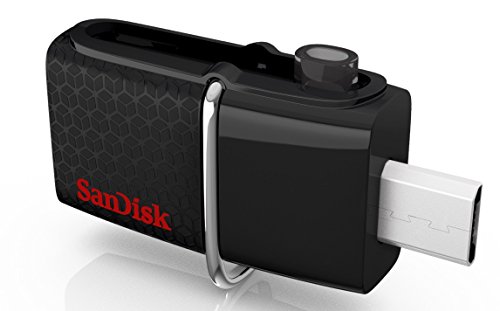
I've tried a lot of file transfer solutions, and there's plenty that work just fine- but more recently I've mostly settled on just using one of these:

https://www.amazon.com/SanDisk-connector-Android-Devices-SDDD2-032G-G46/dp/B00RBGYGMO
41NPHjhVxUL._SY400_.jpg

MicroUSB on one side, USB 3 on the other.
No drivers, no software, any computer, any of my devices (granted, an adapter now with my N7).

There's usually several ways I could do a transfer, but this simple flash drive I end up using the most.

It's so tiny I just keep it on my keychain, and it serves as a simple backup of important files.
 
Well, there're many methods to backup your data from/to android. But if you want to backup all these data to computer just in one click, you may use a third party app to help. Try Coolmuster Android Assistant, it would transfer everything from your phone to computer with simple operations.
 
Last edited:
I just plug my Android phone into my PC, and I can drag and drop whatever I want between them.
Same here. Not even sure what the OP's issue is- Android works great on the PC.

Now on the Mac that's another issue... I hate the whole "install drivers, kill Android File Transfer. Want to use AFT, forget any device specific drivers" issue on the Mac, at least with Samsung phones.

Heh. just saw this was a necro thread.
 
Last edited:
Back
Top