
• We’re currently investigating an issue related to the forum theme and styling that is impacting page layout and visual formatting. The problem has been identified, and we are actively working on a resolution. There is no impact to user data or functionality, this is strictly a front-end display issue. We’ll post an update once the fix has been deployed. Thanks for your patience while we get this sorted.

Question Dumb mistake deleting a partition, recovery help plz

lopri

Elite Member
I accidently deleted a partition of a disk that was not meant to be deleted during Windows installation (on another disk). Following screen might look familiar to most of you.
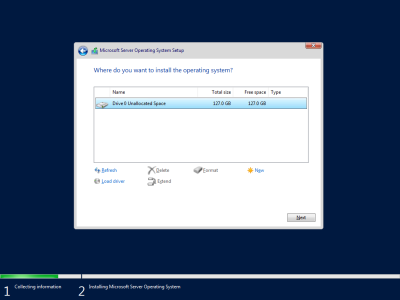
Windows_Unalllocated.png

Is there a way to recover the disk as it was before deleting the partition? Ever since that accident there had been nothing written to the disk.

Thx in advance.
 
I would expect a 100% success rate with data recovery provided that nothing else has been done to the disk, at least for a hard drive. I haven't done many recoveries from SSD so I can't contribute much in that respect.

I've used GetDataBack for NTFS (I think it's just GetDataBack Pro these days) plenty of times.
 
There's also Active Partition Recovery which is successful in most cases in doing a clean reversal of the deletion. Then there's testdisk which is free but no idea how effective it is.
 
I got GetDataBack and started retrieving data. I like the easy operation very much but unfortunately there is no indication how much the transfer has progressed when copying over folders, so I just let it run for the past.. couple of hours. It should be finished by the time I get up in the morning. Thank you again everyone.
 
I can see the logic of attempting to recover data before attempting to reverse the damage though, as the latter involves disk writes.
Yes, that's the accepted practice in the data recovery business, in which case the standard version of DMDE (US$20) could do this. DMDE also allows you to preview the data in the partitions that it finds. Once you are satisfied that the file/folder tree is correct, then you can go ahead and insert the partition. I don't believe any other tool does this.

In any case, this procedure does not touch the user's data. It merely writes to the partition metadata sectors, namely 0, 1, 2. An of course the original contents can be saved in case there is a need to undo the procedure.
 
Back
Top