
• We’re currently investigating an issue related to the forum theme and styling that is impacting page layout and visual formatting. The problem has been identified, and we are actively working on a resolution. There is no impact to user data or functionality, this is strictly a front-end display issue. We’ll post an update once the fix has been deployed. Thanks for your patience while we get this sorted.

Discussion Did Fresh Windows 10 Reset - Cannot use a local account during the Windows setup process

spacejamz

Lifer
The last time I did a Windows 10 reset, I was able to create a local account on the laptop (after answering 3 times that I did not want to use my microsoft email account) and clicking on some fine print option at the bottom...

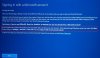
Last night , when creating the account on the laptop after doing the reset, I am being forced to use an email account during setup. If you want to switch to a local account, you still have to do the setup with an email account and then go in and change to local after the machine has been completely setup.

Pretty bogus if you ask me.. 🙁20191114_095359.jpg
 
Last edited:
There’s is a nearly invisible option to setup Window 10 as a domain computer and within that screen there is an option to create a local account (work group computer). Mickey$oft really, really wants us on the cloud based platforms like with Google and Apple. Yay progress - eh, not.
 
Sadly not surprised. They're trying to do like phones where you have to be tied to the cloud to even use your PC. It's one of the many reasons I switched to Linux. Hate the direction MS is going. Everything after Windows 7 is garbage.
 
Push comes to serve, set up an online account. Once the install is completed, you can create a local local administrator user account on the machine (it doesn't have to have a password if you don't want one). Then, simply log out of the online account and log in to the local account. You don't have to use the online account again after that.
 
As mentioned, no internet or WiFi connections during your account set up and you should get a local account. Worst case, set it up with online, then create a Local Account and set windows to use that one (or use Win 10 Pro or Enterprise) which can join a Domain (which you do not need unless you must) and it will let you use Local Account
 
Disconnect the internet when doing the setup, should give you the local option.
Yea I'm pretty sure it still gives you the choice for "I don't have Internet" and then continues with limited setup when disconnected.

This is indeed the easiest way to setup a local account.

Sadly, MS seems bent on pushing an MS account for Windows login. With some unfortunate consequences.
 
What unfortunate consequences? Since the OP has a workaround, I want to know why so many are against the MS account thing.

I would think it obvious, why many are against using an MS account for a simple Windows login. The starting point being needing an account with MS to access your own computer. It just goes downhill from there. Telemetry being the most prominent example. Targeted advertising comes a close second though.

Secondly, ever do a bit of F&F Windows support on the side? Common users forget their password, haven't setup their MS account properly, leaving no easy way to get into their system, and that's just a start.
 
I would think it obvious, why many are against using an MS account for a simple Windows login. The starting point being needing an account with MS to access your own computer. It just goes downhill from there. Telemetry being the most prominent example. Targeted advertising comes a close second though.

Secondly, ever do a bit of F&F Windows support on the side? Common users forget their password, haven't setup their MS account properly, leaving no easy way to get into their system, and that's just a start.
People forget their passwords on local accounts too. I've been using a MS account since they started using it. I haven't seen any ads from using it.
I don't use it for family & friends though. Didn't want them freaking out if the pc didn't have internet.
 
People forget their passwords on local accounts too. I've been using a MS account since they started using it. I haven't seen any ads from using it.

Ah, indeed they do. But it's a lot easier to reset the password on a local account, then dealing with an MS account you're locked out of. I do mean locked out. If there is no recovery options set (such as specifying a phone number or alternate email address), you can't even do a password recovery online.

Advertising seems to happen differently based on region, but it's there alright.

I don't use it for family & friends though. Didn't want them freaking out if the pc didn't have internet.

There is one good reason right there. 🙂
 
Ah, indeed they do. But it's a lot easier to reset the password on a local account, then dealing with an MS account you're locked out of. I do mean locked out. If there is no recovery options set (such as specifying a phone number or alternate email address), you can't even do a password recovery online.

Advertising seems to happen differently based on region, but it's there alright.


There is one good reason right there. 🙂
😀 I just upgraded Windows to 1909 a day or two ago, so I just pulled my ethernet cable and rebooted. I use the pin to login, and got right in with no internet.
Now where are these ads???
 
Yes, it is not the same for Home. But my home edition is on a local account and upgraded fine to 1903 and then to 1909 ... If I recall correctly, when I set up Windows 10 initially, I did use a MSN Account and then afterward, added a Local Account and set that as my default for login ... And you do need an MSN account to download new apps from the Windows store.
 
Lets see. For example;
Lock Screen
Start Menu
Windows Ink
Action Center (Notifications)
Search Bar (Cortana)
Advertised Apps
Live Tiles

You mean you've never noticed them?


Actually, it works fine for free apps without one.

I did get ads when I first got on Windows 10, but the only thing that comes close now is in the start menu. I will get tiles about new games in the store. That’s it though.
 
Back
Top