
-
We’re currently investigating an issue related to the forum theme and styling that is impacting page layout and visual formatting. The problem has been identified, and we are actively working on a resolution. There is no impact to user data or functionality, this is strictly a front-end display issue. We’ll post an update once the fix has been deployed. Thanks for your patience while we get this sorted.
You are using an out of date browser. It may not display this or other websites correctly.
You should upgrade or use an alternative browser.
You should upgrade or use an alternative browser.
DC Vault
Page 2 - Seeking answers? Join the AnandTech community: where nearly half-a-million members share solutions and discuss the latest tech.
Gimps? Sounds like a description of my gait. I wonder why they don't have a BOINC app?
Edit: Oh, I didn't connect GIMPS with the old familiar Prime95 app! I've got a few cores on it now, though no idea what it will take to make a dent in our standing...
Lol, the name could have maybe been given a little more consideration before they went with, err, GIMPS.
I think the serious points are still to be had using GPUs to carry out manual trial factoring. The guide I put together years ago seems to still be relevant except the latest files for downloading are now here. I'm using the standard Windows cuda10 zip file.
A few hours work on a single 2080 has already bumped us up 49 places to 468th and earned us just under 550 vault points.
I always wanted to try GIMPS, since I'm into PrimeGrid.
What better time than now? 😉
Good man!
The gpu work used to also occupy a full cpu thread/core but now seems to almost entirely run on just the gpu.

TennesseeTony
Elite Member
For those wanting to run Gimps on ATI video cards.........Supported GPUs : ...HD4xxx ...........
Whaaat? Something for my 'useless' HD4850 fleet to do? If only it were winter. 🙂

biodoc
Diamond Member
The latest binary for linux, cuda 6.5, did not work on my machine (mint linux, driver 390.116, dual 1080Tis) .
I decided to download and extracted the source file ( mfaktc-0.21.tar.gz) and installed the cuda toolkit from the mint software manager.
I had to edit the Makefile in the src directory to change the path to the cuda installation.
Since the 1080Ti is compute capability 6.1 and the cuda toolkit I installed is incompatible with compute 1.0x and 2.x, I changed these lines too.
It's now working! 🙂
I decided to download and extracted the source file ( mfaktc-0.21.tar.gz) and installed the cuda toolkit from the mint software manager.
I had to edit the Makefile in the src directory to change the path to the cuda installation.
Code:
# where is the CUDA Toolkit installed?
CUDA_DIR = /usr/lib/cuda
Since the 1080Ti is compute capability 6.1 and the cuda toolkit I installed is incompatible with compute 1.0x and 2.x, I changed these lines too.
Code:
# generate code for various compute capabilities
#NVCCFLAGS += --generate-code arch=compute_11,code=sm_11 # CC 1.1, 1.2 and 1.3 GPUs will use this code (1.0 is not possible for mfaktc)
#NVCCFLAGS += --generate-code arch=compute_20,code=sm_20 # CC 2.x GPUs will use this code, one code fits all!
NVCCFLAGS += --generate-code arch=compute_30,code=sm_30 # all CC 3.x GPUs _COULD_ use this code
NVCCFLAGS += --generate-code arch=compute_35,code=sm_35 # but CC 3.5 (3.2?) _CAN_ use funnel shift which is useful for mfaktc
NVCCFLAGS += --generate-code arch=compute_50,code=sm_50 # CC 5.x GPUs will use this code
NVCCFLAGS += --generate-code arch=compute_60,code=sm_60 # CC 6.x GPUs will use this code
It's now working! 🙂

crashtech
Lifer
I see cuda65, cuda80, and cuda100 at your link, will any of them work? I downloaded them all to see what's inside the zipfiles, but have to work so not much time...Lol, the name could have maybe been given a little more consideration before they went with, err, GIMPS.
I think the serious points are still to be had using GPUs to carry out manual trial factoring. The guide I put together years ago seems to still be relevant except the latest files for downloading are now here. I'm using the standard Windows cuda10 zip file.
A few hours work on a single 2080 has already bumped us up 49 places to 468th and earned us just under 550 vault points.
I can't submit results manually until a site admin verifies my new account. I'll just keep crunching.
Wait... what? There shouldn't be a verification process. Unless you're using GPUto72 or some other external project like that on GIMPS
biodoc
Diamond Member
Wait... what? There shouldn't be a verification process. Unless you're using GPUto72 or some other external project like that on GIMPS
I think they had an attack in April so now there's a verification process. See this thread.
Here's what I see when I try to submit results.


emoga
Senior member
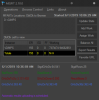
@emoga , How does your 2080 do on this project? My 1080 Ti's take about 22 minutes per task. I'm thinking of getting a turing card in the near future.
It looks like 3k GHz-day? (3200GHz without running boinc on cpus). No idea if that's good or not.
If you don't game and don't feel like spending loads of money the 1660 Ti is a great option for boinc.
emoga
Senior member
biodoc
Diamond Member
It looks like 3k GHz-day? (3200GHz without running boinc on cpus). No idea if that's good or not.
That's really good. My 1080 Ti's are doing 1.25K GHz-day. 🙁
I'm thinking the 2070 might be right for me.
Last edited:
emoga
Senior member
That estimate may be off according to this chart.(sorted by 'PPD')
Should be more like 2.7k GHz
Only time will tell if I actually get that high, its just what mfaktc was calculating when I looked at it.
Should be more like 2.7k GHz
Only time will tell if I actually get that high, its just what mfaktc was calculating when I looked at it.
Last edited:
Looks like we're cooking on gas. We moved up another 70 places this morning putting us in 398th position.
Thanks for sharing this. I initially tried to get GIMPS working on Mint yesterday without success. My Linux fu is pretty appalling.
Yes, it's the cuda 100 (Cuda 10.0) file you're looking for on nvidia gpus with a compute capability of 3 or more.
I couldn't agree more, MISFIT is a great little utility. Once you configure and set it off it'll amend the exponent level, upload results and download new work without any further intervention at all. Easy as it is, you don't even have to click 'export results' button as it will auto-report every 4 hours.
It's now working! 🙂
Thanks for sharing this. I initially tried to get GIMPS working on Mint yesterday without success. My Linux fu is pretty appalling.
I see cuda65, cuda80, and cuda100 at your link, will any of them work? I downloaded them all to see what's inside the zipfiles, but have to work so not much time...
Yes, it's the cuda 100 (Cuda 10.0) file you're looking for on nvidia gpus with a compute capability of 3 or more.
Also trying out MISFIT (windows only) which is a GUI that makes it easier on the eyes.
I couldn't agree more, MISFIT is a great little utility. Once you configure and set it off it'll amend the exponent level, upload results and download new work without any further intervention at all. Easy as it is, you don't even have to click 'export results' button as it will auto-report every 4 hours.
Last edited:
biodoc
Diamond Member
The latest binary for linux, cuda 6.5, did not work on my machine (mint linux, driver 390.116, dual 1080Tis) .
I decided to download and extracted the source file ( mfaktc-0.21.tar.gz) and installed the cuda toolkit from the mint software manager.
I had to edit the Makefile in the src directory to change the path to the cuda installation.
Code:# where is the CUDA Toolkit installed? CUDA_DIR = /usr/lib/cuda
Since the 1080Ti is compute capability 6.1 and the cuda toolkit I installed is incompatible with compute 1.0x and 2.x, I changed these lines too.
Code:# generate code for various compute capabilities #NVCCFLAGS += --generate-code arch=compute_11,code=sm_11 # CC 1.1, 1.2 and 1.3 GPUs will use this code (1.0 is not possible for mfaktc) #NVCCFLAGS += --generate-code arch=compute_20,code=sm_20 # CC 2.x GPUs will use this code, one code fits all! NVCCFLAGS += --generate-code arch=compute_30,code=sm_30 # all CC 3.x GPUs _COULD_ use this code NVCCFLAGS += --generate-code arch=compute_35,code=sm_35 # but CC 3.5 (3.2?) _CAN_ use funnel shift which is useful for mfaktc NVCCFLAGS += --generate-code arch=compute_50,code=sm_50 # CC 5.x GPUs will use this code NVCCFLAGS += --generate-code arch=compute_60,code=sm_60 # CC 6.x GPUs will use this code
For turing cards (compute capability 7.x) you'll need to add a line. You can comment the other lines out.
Code:
NVCCFLAGS += --generate-code arch=compute_70,code=sm_70 # CC 7.x GPUs will use this codeThe cuda tool kit I installed from the mint software manager is version 9.1. Cuda 10.1 is optimized for turing cards, so downloading and installing version 10.1 directly from Nvidia might be the best way to go.
EDIT: Instructions for installing turing nvidia drivers and cuda 10 for linux mint/ubuntu.
Last edited:


biodoc
Diamond Member
I can't submit results manually until a site admin verifies my new account. I'll just keep crunching.
My account was verified so I was able to submit results. 🙂
Nice! That's helped bump us up.
The default top teams on the GIMPS website is a little misleading as it only shows the scores for the last year, 53rd. When you put a 2007 date in it then gives the lifetime team scores, 130th.
The great news is that, by riding the GIMPS gravy train over the last couple of days, we've overtaken EVGA, Rechenkraft, CNT and OCuK to move from 8th to 4th position in the overall DC Vault.

Way to go guys!
The default top teams on the GIMPS website is a little misleading as it only shows the scores for the last year, 53rd. When you put a 2007 date in it then gives the lifetime team scores, 130th.
The great news is that, by riding the GIMPS gravy train over the last couple of days, we've overtaken EVGA, Rechenkraft, CNT and OCuK to move from 8th to 4th position in the overall DC Vault.
Way to go guys!
emoga
Senior member

I think I'll jump on SRBase for a while (in between challenges of course). It's now our lowest score according to the vault and I'll always have the potential to find a megaprime (which reports to the same website PrimeGrid/GIMPS does)
If any TeAm members are bored and want to try something new, we are kind of weak in:
-DHEP
-YAFU
-TN-Grid
-Universe
-RakeSearch
Last edited:
TRENDING THREADS
-
 Discussion Zen 5 Speculation (EPYC Turin and Strix Point/Granite Ridge - Ryzen 9000)
- Started by DisEnchantment
- Replies: 25K
-
Discussion Intel Meteor, Arrow, Lunar & Panther Lakes + WCL Discussion Threads
- Started by Tigerick
- Replies: 24K
-
 Discussion Intel current and future Lakes & Rapids thread
- Started by TheF34RChannel
- Replies: 24K
-

-
