• We’re currently investigating an issue related to the forum theme and styling that is impacting page layout and visual formatting. The problem has been identified, and we are actively working on a resolution. There is no impact to user data or functionality, this is strictly a front-end display issue. We’ll post an update once the fix has been deployed. Thanks for your patience while we get this sorted.

Question Cooling confused

IBMJunkman

Senior member
be quiet BW005 water cooler.
ASRock Z790 PG mobo
i9-13900K
pump on CPU mount has 2 wires
bulb thing (what is it?) near large fan has 3 wires
large fan has 3 wires

3 wires means it can report RPM which I have seen in the BIOS.

1. What is the bulb thing? I assume a pump.
2. Why is the pump on the CPU not enough?
3, why not put 3 wires on CPU pump?
4. Mobo has 7 fan/pump connectors. Does it make a difference which ones I use?
 
1. What is the bulb thing? I assume a pump.
2. Why is the pump on the CPU not enough?
3, why not put 3 wires on CPU pump?
4. Mobo has 7 fan/pump connectors. Does it make a difference which ones I use?

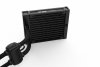
1. I assume your talking about this?
3_Pure_Loop_120.jpg
^ that is the pump.
To avoid paying Asetek Royalties, and also Avoid a copyright lawsuit, they put the pump there and not on the cpu block.

2. Again... its not because its not enough, its because they didn't want to get into a lawsuit.

3. The connector on the pump powers the pump. Why it has no RPM header i have no clue, i guess they wanted to save money on a non reporting pump.

4. Yes. The pump must be connected to the CPU / Pump header.
This is because pumps can draw more then .25-.5Amps, and could lead to header failure.
So motherboard vendors put a special header with a beef'd up Voltage Regulator, to help you with higher amperage draw.
 
I suspect you'll be disappointed in the performance of that single fan cooler for your CPU. You'd have been better off with a 2 fan unit...preferably a 280mm variant...or even a 3 fan model.
 
What I see on the BeQuiet web pages does not show what aigomorla says. But one missing piece of info there is: where are the lights?

The manual says the system comes with a 2-headed power adapter cable used to provide power at 12 VDC from a PSU SATA output connector to two users: the pump unit, and the lights. The photos show two connectors on short wires in that system - one from the pump, and one from the black bulge near the rad. That seems to match the two power inputs from SATA, and it makes sense to supply each of those with a fixed 12 VDC source. The instructions also say to plug the RAD FAN wires onto the MOBO CPU_FAN header for power and control, separate from the other parts of the system. That puts all control of CPU cooling in the CPU_FAN header, a VERY common way to design an AIO system.

That does leave open your basic question: what is that black box near the rad? Only thing I can speculate us that it is simply the place where the wires coming out of it (for input of power from the PSU) are separated from the liquid flow hoses. Presumably this is for the lights.
 
The CPU block contains the lights, but no pump. The pump is the bulge near the radiator. So that is why the lights and pump share the same PSU SATA connector if you use the adapter. The fan would then connect to the CPU FAN header on the motherboard. I'm not a fan of this implementation as it means you have no way to see the pump speed. Instead I would not use the adapter for the pump. I would connect the fan to the CPU_FAN header, the pump to the PUMP_FAN header, and the light would use the adapter to plug into the PSU SATA cable.

This video may help understand how it's done. It's a 240mm AIO though so there will be no fan splitter obviously for the 120mm version.
 
Thanks. Now clear.

The CPU block contains the lights, but no pump. The pump is the bulge near the radiator. So that is why the lights and pump share the same PSU SATA connector if you use the adapter. The fan would then connect to the CPU FAN header on the motherboard. I'm not a fan of this implementation as it means you have no way to see the pump speed. Instead I would not use the adapter for the pump. I would connect the fan to the CPU_FAN header, the pump to the PUMP_FAN header, and the light would use the adapter to plug into the PSU SATA cable.

This video may help understand how it's done. It's a 240mm AIO though so there will be no fan splitter obviously for the 120mm version.
 
Back
Top