Ugh, this is getting frustrating.
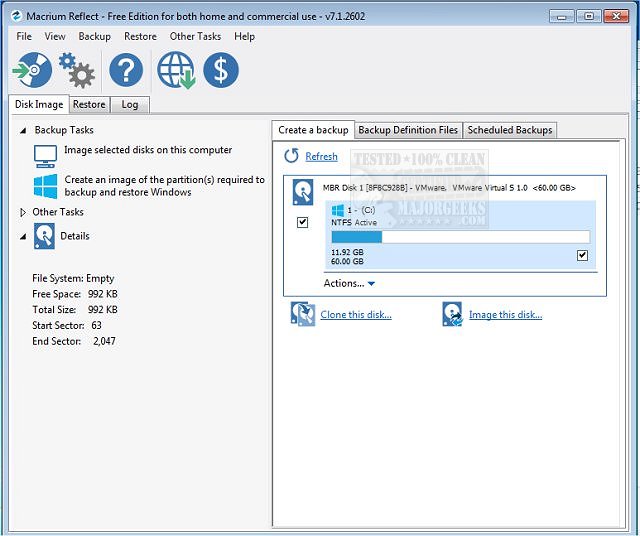
So, it was previously recommended to me that I take the opportunity of upgrading to Windows 11 to also replace my 250GB SSD with a 1TB SSD. So, picked one out, picked up a 2.5" SATA/USB drive enclosure so I could clone my existing disk (rather than trying to reinstall Windows from scratch & have to also reinstall all of my files), etc. The Micro Center guy recommended using Macrium Reflect X, as they have a 30-day free trial for the Home version.
So, hooked up the drive, software sees the new drive, it clones the partitions -- extending the primary portion (current C: drive, so it will be my new C: drive once I swap them out), swap out the drives...& it won't boot. It POSTs, but then I get the blue screen that says "Your PC/Device needs to be repaired", saying that Windows can't load because of a missing file or errors. I can press Enter (to try again), F1 (to enter Recovery Environment), F8 (for Startup Settings), & Esc (to go to UEFI Firmware Settings). Esc works, Enter works, F8 doesn't really do much...but F1 does nothing. It can't seem to find the Recovery Environment.
I'm wondering if, when I was working on my old SSD, that I maybe somehow deleted the files from the Recovery portion, as it's still showing the section on the physical drive (screenshot below):
It was on section #3 above, & there are no files there now.
When I cloned it to the 1TB drive, the partitions were almost identical (System Reserved was the same, as was the "none" section, just the Active portion had the extra 750GB of space on it).
Did I screw it up so I'm going to have to reinstall everything, which is going to be a pain in the ass? Do I need to have it get rid of that empty section #3 first before cloning? Or do I just need to make a Windows 10/11 bootable DVD so that it can load the Recovery Environment?
So, it was previously recommended to me that I take the opportunity of upgrading to Windows 11 to also replace my 250GB SSD with a 1TB SSD. So, picked one out, picked up a 2.5" SATA/USB drive enclosure so I could clone my existing disk (rather than trying to reinstall Windows from scratch & have to also reinstall all of my files), etc. The Micro Center guy recommended using Macrium Reflect X, as they have a 30-day free trial for the Home version.
So, hooked up the drive, software sees the new drive, it clones the partitions -- extending the primary portion (current C: drive, so it will be my new C: drive once I swap them out), swap out the drives...& it won't boot. It POSTs, but then I get the blue screen that says "Your PC/Device needs to be repaired", saying that Windows can't load because of a missing file or errors. I can press Enter (to try again), F1 (to enter Recovery Environment), F8 (for Startup Settings), & Esc (to go to UEFI Firmware Settings). Esc works, Enter works, F8 doesn't really do much...but F1 does nothing. It can't seem to find the Recovery Environment.
I'm wondering if, when I was working on my old SSD, that I maybe somehow deleted the files from the Recovery portion, as it's still showing the section on the physical drive (screenshot below):
It was on section #3 above, & there are no files there now.
When I cloned it to the 1TB drive, the partitions were almost identical (System Reserved was the same, as was the "none" section, just the Active portion had the extra 750GB of space on it).
Did I screw it up so I'm going to have to reinstall everything, which is going to be a pain in the ass? Do I need to have it get rid of that empty section #3 first before cloning? Or do I just need to make a Windows 10/11 bootable DVD so that it can load the Recovery Environment?