videobruce
Golden Member
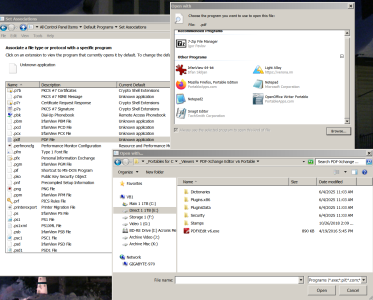
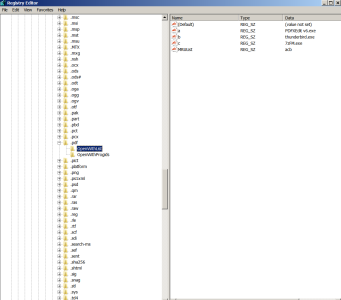
Yes, I know how to do it (all 3 methods) but when I point to the programs .exe it doesn't 'stick' in the dialog box. I've done it multiple times, same thing. It's like I never pointed W7's O/S to anything. This just stared a few days ago. No real idea what caused it. Specifically it is .pdf files, but document files were affected also, but for some reason I was able to re-assign that file type.
To make matters worse, I even went to the hassle to restore a image of the O/S I made almost 3 months ago and the same same thing!!
In fact, it was more than one type of file, but .pdf is the major issue.
When I choose the program, the pop-up box with all the other 'assigned' programs shows, but the one I tried to add doesn't get added to the list.
It's PDF Exchange (that I have used for years) is the specific program, but again, it's ALWAYS worked with NO issue. This image and what was the former current active version.
Again, any way I do this it fails. Then and now.
One more detail, I also lost the default programs for .txt (I use Notrebook2) and .odt (Open Office documents & Spreadsheets), but I was able to restore those.
All of this happened apparently one time again, in both W7 installations.
To make matters worse, I even went to the hassle to restore a image of the O/S I made almost 3 months ago and the same same thing!!
In fact, it was more than one type of file, but .pdf is the major issue.
When I choose the program, the pop-up box with all the other 'assigned' programs shows, but the one I tried to add doesn't get added to the list.
It's PDF Exchange (that I have used for years) is the specific program, but again, it's ALWAYS worked with NO issue. This image and what was the former current active version.
Again, any way I do this it fails. Then and now.
One more detail, I also lost the default programs for .txt (I use Notrebook2) and .odt (Open Office documents & Spreadsheets), but I was able to restore those.
All of this happened apparently one time again, in both W7 installations.