I'm guessing that the answer is "not without special equipment", but I figure I'd ask anyway.
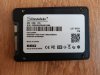
I bought a "2TB" SSD off AliExpress, ran h2testw on it, and it died after writing about 1TB to it. This and the way writing slowed down suggests to me that it was a 1TB QLC drive (which is also reasonably consistent with the price I paid).
I got a refund for the purchase, but it seems to me like a waste of silicon to throw away a 1TB drive just because it had some random data written over important system areas. Is there a way to get it back by writing actual good data to that area?
And for the future, is there a robust but less destructive way to detect a fake drive?
Thanks!
I bought a "2TB" SSD off AliExpress, ran h2testw on it, and it died after writing about 1TB to it. This and the way writing slowed down suggests to me that it was a 1TB QLC drive (which is also reasonably consistent with the price I paid).
I got a refund for the purchase, but it seems to me like a waste of silicon to throw away a 1TB drive just because it had some random data written over important system areas. Is there a way to get it back by writing actual good data to that area?
And for the future, is there a robust but less destructive way to detect a fake drive?
Thanks!