• We’re currently investigating an issue related to the forum theme and styling that is impacting page layout and visual formatting. The problem has been identified, and we are actively working on a resolution. There is no impact to user data or functionality, this is strictly a front-end display issue. We’ll post an update once the fix has been deployed. Thanks for your patience while we get this sorted.

Advanced non gaming mouse recommendation

sao123

Lifer
Looking for an advanced programmable mouse for use with CADD/3D Modeling and Visual Studio Development to replace my current G703 Lightspeed.
Please no flashy rainbow vomit lighting, so trying to avoid gaming mice.

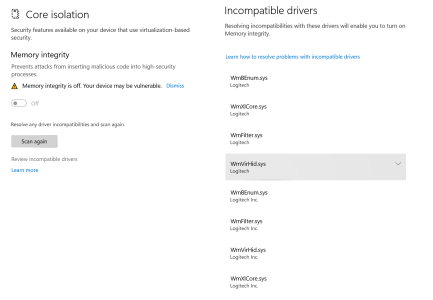
Prefer to go away from Logitech if possible because their drivers do not allow enabling Windows 11 Memory Integrity.

Wired and Wireless USB
Long Battery Life
Programable Buttons
 
when you say programmable buttons, would these be programmed inside CAD, or do you need a macro function?
also, looking for the usual 2 side buttons, or *a ton* of buttons?

you know, despite what you wrote, it will almost certainly be a gaming mouse, with vomit RGB. AFAIK normal work mice development died about 15 years ago.

 
Last edited:
when you say programmable buttons, would these be programmed inside CAD, or do you need a macro function?
also, looking for the usual 2 side buttons, or *a ton* of buttons?

you know, despite what you wrote, it will almost certainly be a gaming mouse, with vomit RGB. AFAIK normal work mice development died about 15 years ago.


5 buttons would be preferred.
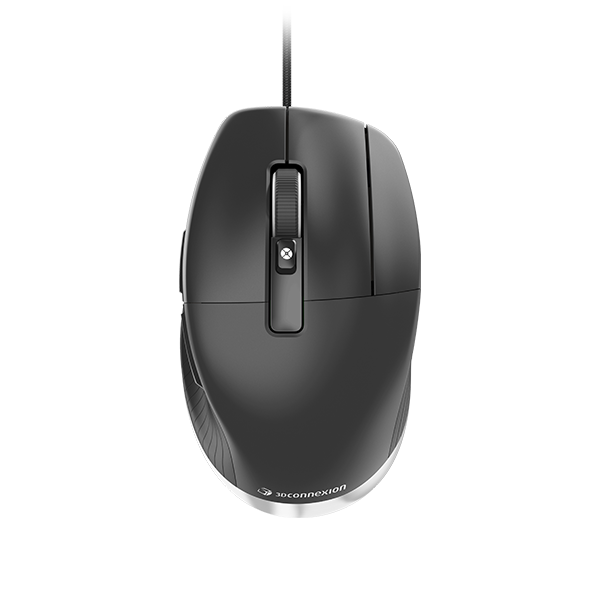
At work, they use the the MX Master and the Connexion 3D Cadmouse...
Just keep hoping someone would make something better.
 
5 buttons would be preferred.
At work, they use the the MX Master and the Connexion 3D Cadmouse...
Just keep hoping someone would make something better.
I use the MX Master 3. Still have the original MX Master. Does the MX Master not have enough programmable buttons for you?
 
I use the MX Master 3. Still have the original MX Master. Does the MX Master not have enough programmable buttons for you?

Logitech Drivers are not Windows 11 security compatible, nor will they ever be, since Logitech does not HVCI their drivers.
Since this work is personal work of significance, I want better security for this machine, and thus am not willing to continue using a Logitech Device on it.
 

Attachments

  • LogitechWin11.png
    LogitechWin11.png
    82.5 KB · Views: 2
You might consider the Razer Pro Click. It offers programmable buttons, both wired and wireless options, and a sleek design sans flashy lights. Plus, it's optimized for productivity, making it a solid choice for your CAD and development tasks.
 
Back
Top