• We’re currently investigating an issue related to the forum theme and styling that is impacting page layout and visual formatting. The problem has been identified, and we are actively working on a resolution. There is no impact to user data or functionality, this is strictly a front-end display issue. We’ll post an update once the fix has been deployed. Thanks for your patience while we get this sorted.

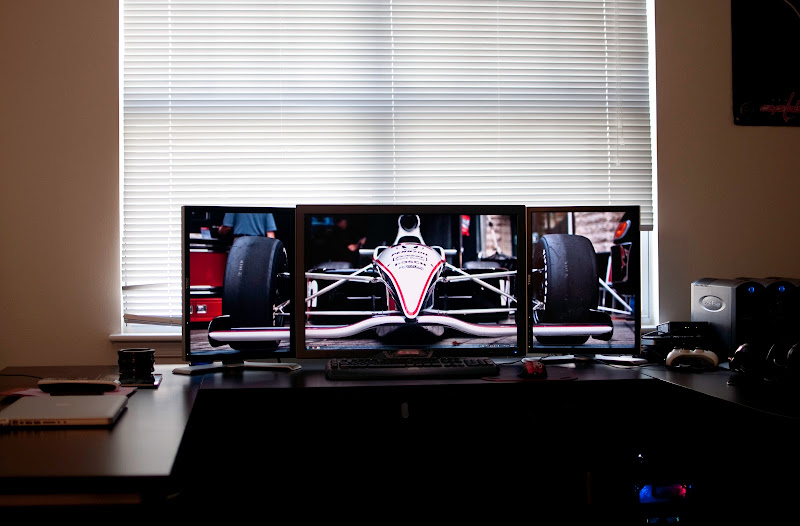
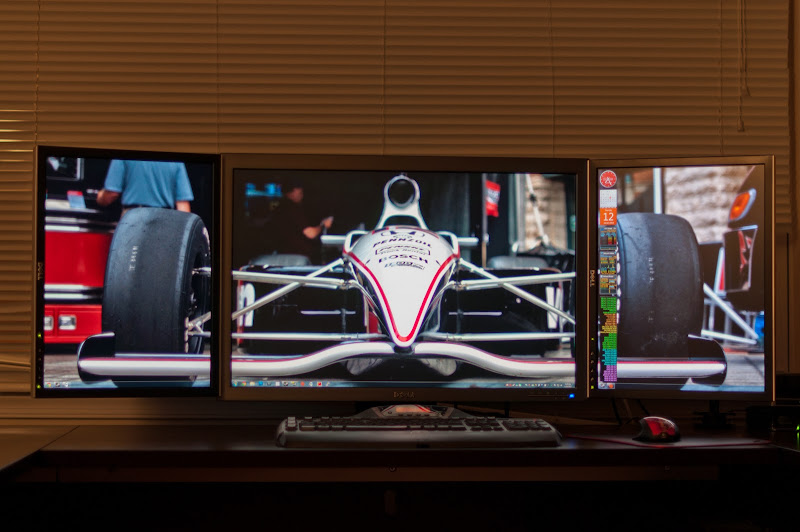
added a couple 2007FP's to flank my 3008WFP

Elganja

Platinum Member
DSC_2229-Edit.jpg


2007FP - 3008WFP - 2007FP ... EVGA 520 GT controlling side monitors, 2 EVGA 480FTW Hydrocoppers in SLI controlling the center (gaming screen) ... when nvidia decides to support PLP setup, I will use all the monitors for gaming

wallpaper courtesy of me from the Baltimore Grand Prix a few weeks ago
 
Last edited:
Ive done that a couple times. Its nice until you start to feel like your staring at a wall of screens and your eyes begin to feel fatigued doing everyday things.

I got rid of my setup after about 6 months. I loved it but I dont think long term exposure is good, atleast for me.
 
Ok, so this setup got me salivating. So I decided to price things out.

Basically it comes down to me getting 3 24" u2412m's for $1100 vs. 1 U3011 and 2 2007 FPs for $1375.

I think I like the 20" 30" 20" setup since I get more pixels, my gaming monitor won't have any bezels, and that it will fit without me having to reconfig my desk 🙂

So for the 2007FPs, I'm going to go manufacturer refurb since the new ones are more $$$ than the U2412's, which is asinine.

However, when finding them on ebay and such, is it correct in that I'm seeing S-IPS verions, S-PVA versions, and TN versions all under the same model? I just want to make sure I get the S-IPS ones.


Also, because of the lack of PLP gaming support with either Eyefinity or nV's version, does that mean I could go DP to the 3011 and DVI x2 to the 2007FPs with no issues in Windows and games (games would only be on the 3011)?


Also, has either AMD/nV talked about adding this feature in the future, or is this more about the game developers supporting it?

 
Ive done that a couple times. Its nice until you start to feel like your staring at a wall of screens and your eyes begin to feel fatigued doing everyday things.

I got rid of my setup after about 6 months. I loved it but I dont think long term exposure is good, atleast for me.

I only use this setup for gaming and light surfing... all my web surfing is done on my samsung tablet or macbook pro (usually sitting on the couch or in my bed).

Ok, so this setup got me salivating. So I decided to price things out.

Basically it comes down to me getting 3 24" u2412m's for $1100 vs. 1 U3011 and 2 2007 FPs for $1375.

I think I like the 20" 30" 20" setup since I get more pixels, my gaming monitor won't have any bezels, and that it will fit without me having to reconfig my desk 🙂

So for the 2007FPs, I'm going to go manufacturer refurb since the new ones are more $$$ than the U2412's, which is asinine.

However, when finding them on ebay and such, is it correct in that I'm seeing S-IPS verions, S-PVA versions, and TN versions all under the same model? I just want to make sure I get the S-IPS ones.


Also, because of the lack of PLP gaming support with either Eyefinity or nV's version, does that mean I could go DP to the 3011 and DVI x2 to the 2007FPs with no issues in Windows and games (games would only be on the 3011)?


Also, has either AMD/nV talked about adding this feature in the future, or is this more about the game developers supporting it?

I'll try to hit a couple of your thoughts and questions... I bought refurb ones on ebay from the same seller. I talked to the seller before to make sure I would get S-IPS ones.

On the gaming note, I have no issues gaming on just the 30inch one... But keep in mind, with whatever is connected to SLI you can't have 3 monitors and SLI enabled. That is why I have the 520 GT... so I could keep SLI just for my center monitor and use the 520 GT to drive the 2 2007FP's (and it is also my physx card).

nice, but the bezels would bother me.

You know, every time I saw pictures of a setup like this, I had the exact same feeling. Now that I have this setup, it doesn't really bother me. I guess what I am trying to say, it's much better in person then pictures
 
Last edited:
Nice setup. I really like my 3 x U2412m setup but I have never seen someone flank a 30" with 2 20" lcd's in portrait and it looks nice.
 
I've been running a 20/30/20 setup like this for a couple years now. Mine is 2007's and a 3007WFP-HC.

The next step is to get them off of the stock bases. You've already spent a lot, spend another few hundred and get a good triple/quad arm:

http://www.amazon.com/Ergotron-Tripl...dp/B000E9VF1U/

That's the one I have, and it fits - Barely. The side monitors are right at the edge of the arm but it works. I did a ton of research and talked to their support and thought I was going to have a lot more extra room than I did. So whatever you get do your homework.

This allows you to have them properly aligned without a vertical orientation (which is all you can do with the separate stands). Full height/angle adjustment while maintaining proper alignment = much nicer.

Viper GTS
 
I've been thinking about doing that exact same setup. Does Eyefinity support multi-monitor gaming with different resolutions and two in portrait mode?
 
I've been running a 20/30/20 setup like this for a couple years now. Mine is 2007's and a 3007WFP-HC.

The next step is to get them off of the stock bases. You've already spent a lot, spend another few hundred and get a good triple/quad arm:

http://www.amazon.com/Ergotron-Tripl...dp/B000E9VF1U/

That's the one I have, and it fits - Barely. The side monitors are right at the edge of the arm but it works. I did a ton of research and talked to their support and thought I was going to have a lot more extra room than I did. So whatever you get do your homework.

This allows you to have them properly aligned without a vertical orientation (which is all you can do with the separate stands). Full height/angle adjustment while maintaining proper alignment = much nicer.

Viper GTS

would this one work? http://www.amazon.com/Ergotech-Tripl...7940840&sr=1-1

i know it isn't exactly what you linked... just looking for one that has prime shipping

2 min of googling answered my question:

Q: Will the Ergotech Triple stand hold a 30" monitor in the center and two 17" monitors on the sides?
A: The Ergotech triple lcd desk will hold this. For this setup you will have to put the center monitor in landscape and use the side monitors in portrait view. The telescoping wings will also be needed in this configuration.
 
I've been running a 20/30/20 setup like this for a couple years now. Mine is 2007's and a 3007WFP-HC.

The next step is to get them off of the stock bases. You've already spent a lot, spend another few hundred and get a good triple/quad arm:

http://www.amazon.com/Ergotron-Tripl...dp/B000E9VF1U/

That's the one I have, and it fits - Barely. The side monitors are right at the edge of the arm but it works. I did a ton of research and talked to their support and thought I was going to have a lot more extra room than I did. So whatever you get do your homework.

This allows you to have them properly aligned without a vertical orientation (which is all you can do with the separate stands). Full height/angle adjustment while maintaining proper alignment = much nicer.

Viper GTS

So I ended up ordering that stand you linked Viper... it should be delivered today. Any tips or things I should lookout for?
 
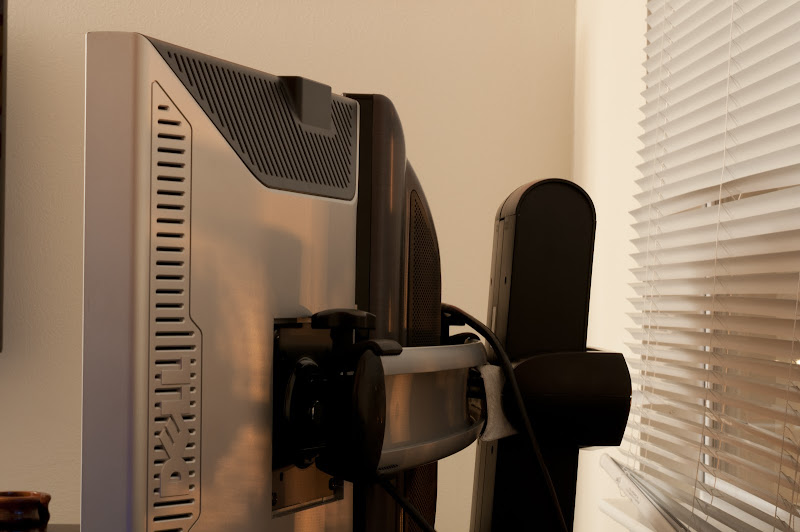
love the new stand, thanks for the recommendation Viper GTS

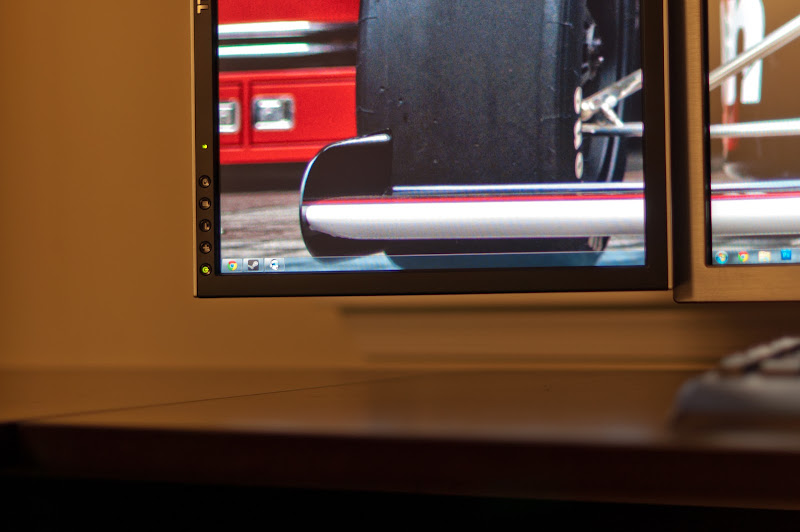
new stand installed (sorry for the shitty pictures... was hurried and didn't take my time):
DSC_2728.JPG


DSC_2729.JPG


DSC_2732.JPG
 
Back
Top