
-
We’re currently investigating an issue related to the forum theme and styling that is impacting page layout and visual formatting. The problem has been identified, and we are actively working on a resolution. There is no impact to user data or functionality, this is strictly a front-end display issue. We’ll post an update once the fix has been deployed. Thanks for your patience while we get this sorted.
You are using an out of date browser. It may not display this or other websites correctly.
You should upgrade or use an alternative browser.
You should upgrade or use an alternative browser.
Info 64MB V-Cache on 5XXX Zen3 Average +15% in Games
Page 149 - Seeking answers? Join the AnandTech community: where nearly half-a-million members share solutions and discuss the latest tech.

Stuka87
Diamond Member
Good upgrade. That'll last you for awhile. Plus yeah it's smarter to undervolt those things than to try to overclock them, methinks. There was a lot of stress about their lower clockspeeds, but the reality is that you'll hardly feel it vs. the rest of the Vermeer lineup.
It would actually declock a bit before the undervolt. It would hit 80-82C under full 16 thread loads. With the undervolt, it holds full boost all the time as now it only hits around 68C.
Its unlikely I will ever have this fully loaded like that for extended periods. In gaming it hangs around 50-55C.

DrMrLordX
Lifer
It would actually declock a bit before the undervolt. It would hit 80-82C under full 16 thread loads. With the undervolt, it holds full boost all the time as now it only hits around 68C.
Its unlikely I will ever have this fully loaded like that for extended periods. In gaming it hangs around 50-55C.
Interesting. I got the same (basic) behavior out of Matisse, and there are people with Raphael using Curve Optimizer to undervolt for more clockspeed/performance as well. AMD: just undervolt it!

biostud
Lifer
Remember to update your sig 😉It would actually declock a bit before the undervolt. It would hit 80-82C under full 16 thread loads. With the undervolt, it holds full boost all the time as now it only hits around 68C.
Its unlikely I will ever have this fully loaded like that for extended periods. In gaming it hangs around 50-55C.

coercitiv
Diamond Member
The drop in temps seems too much for a simple 30mV undervolt. Could it be that the resulting vcore is even lower due to a change in motherboard voltage control?
On some Intel boards there was a big difference between "Auto" voltage settings and "Adaptive" or Adaptive + Offset. In the past I got used to setup a 5-10mV undervolt by default just to make sure the board wasn't pushing unnecessary voltage, on one occasion this shaved as much as 50-60mV at peak turbo clocks.
On some Intel boards there was a big difference between "Auto" voltage settings and "Adaptive" or Adaptive + Offset. In the past I got used to setup a 5-10mV undervolt by default just to make sure the board wasn't pushing unnecessary voltage, on one occasion this shaved as much as 50-60mV at peak turbo clocks.

Stuka87
Diamond Member
The drop in temps seems too much for a simple 30mV undervolt. Could it be that the resulting vcore is even lower due to a change in motherboard voltage control?
On some Intel boards there was a big difference between "Auto" voltage settings and "Adaptive" or Adaptive + Offset. In the past I got used to setup a 5-10mV undervolt by default just to make sure the board wasn't pushing unnecessary voltage, on one occasion this shaved as much as 50-60mV at peak turbo clocks.
From looking on Redit and such, the drop in temps I saw line up with that of many others. Some people actually saw much higher before temps than me (They tended to be on air).
The regular voltage and OC controls are disabled for the 5800X3D (due to the cache die being on top). So you have to use another utility to set the offset on each bootup. The utility applies the offset across the board on a per core basis. So it does include both idle, or turbo voltages. But doesn't compound or anything.
coercitiv
Diamond Member
Why? What advantage does CAMM bring to the desktop?Is AMD going to support CAMM on a desktop reference design?
How much latency do normal distances add?Is AMD going to support CAMM on a desktop reference design? Seems like a no brainer on laptops. Getting trace lengths to a minimum seems like a nice target for low latency dependent workloads.
Stuka87
Diamond Member
Is AMD going to support CAMM on a desktop reference design? Seems like a no brainer on laptops. Getting trace lengths to a minimum seems like a nice target for low latency dependent workloads.
Probably the wrong thread for this question.
And I guess the answer is "maybe?"
There are certainly advantages to CAMM, and its already being discussed as being included in the DDR6 spec. The downside on a desktop board is they take up more real estate than standard DIMMs. But hey, maybe it will drive a replacement for ATX, which is uh, really needing an overhaul.

wilds
Platinum Member
The drop in temps seems too much for a simple 30mV undervolt. Could it be that the resulting vcore is even lower due to a change in motherboard voltage control?
On some Intel boards there was a big difference between "Auto" voltage settings and "Adaptive" or Adaptive + Offset. In the past I got used to setup a 5-10mV undervolt by default just to make sure the board wasn't pushing unnecessary voltage, on one occasion this shaved as much as 50-60mV at peak turbo clocks.
I made the mistake of assuming -30 meant -30mV. It is actually -30 steps which lowers voltage way more than -30mV.
I posted a few times saying mV when it came to undervolting this CPU.
Stuka87
Diamond Member
I made the mistake of assuming -30 meant -30mV. It is actually -30 steps which lowers voltage way more than -30mV.
I posted a few times saying mV when it came to undervolting this CPU.
Hmm, I will have to keep an eye on what it actually is. The posts that I used on how to do it went back and forth between just saying offset, or saying mV offset. The tool itself just says offset. So it would make sense that its not a direct voltage change, but rather goes down a set number steps on AMD's voltage table or something.
igor_kavinski
Lifer
Does the tool have a name? 🙂The tool itself just says offset.
URL would be better!
coercitiv
Diamond Member
Hmm, I will have to keep an eye on what it actually is. The posts that I used on how to do it went back and forth between just saying offset, or saying mV offset. The tool itself just says offset. So it would make sense that its not a direct voltage change, but rather goes down a set number steps on AMD's voltage table or something.

Stuka87
Diamond Member
Does the tool have a name? 🙂
URL would be better!
PBO2 Tuner. As far as I can tell, its the only way to undervolt the 5800X3D.
Instructions can be found here: https://github.com/PrimeO7/How-to-u...X3D-Guide-with-PBO2-Tuner/blob/main/README.md
coercitiv
Diamond Member
URLURL would be better!

Markfw
Moderator Emeritus, Elite Member
I know this is the 5800x3d thread, but I just have to say... That video is EXACTLY what I did to both (soon to be 3) 7950x's. But I used CO -25 on both, and 90c on the 420 AIO and 85c on the dark rock pro 4 cooler. Just to confirm... But mine says 142 watt total package power. Thats fine with me. And this is insane, but great.
wilds
Platinum Member
Hmm, I will have to keep an eye on what it actually is. The posts that I used on how to do it went back and forth between just saying offset, or saying mV offset. The tool itself just says offset. So it would make sense that its not a direct voltage change, but rather goes down a set number steps on AMD's voltage table or something.
I can't find the post on the overclock.net thread that explained it pretty well. But here is my voltage while in a CPU limited game with 0 and -30 offset:
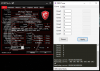
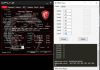
Enormous voltage drop!


Gideon
Platinum Member
I also bought a R5800X3D at a sale (320€ with tax), as did one of my friends. Still using my original B350 Tomahawk from 2017 (originally with 1700X and already once upgraded to 3700X).Got my 5800X3D the other day. I tried -30 on all cores and I can benchmark and stress test until the cows come home and no problem. The moment I load up 7 Days 2 Die, within the first few minutes the PC reboots. Go figure.
100% solid at -25 however, I'll take it.
Damn that CPU get's quite hot out of the box! Almost the same as my father's 7700X, which he also just bought. Immediately jumping to 90 degrees in all-core AVX loads.
But yeah, undervolting is a godsend and works insanely well on these CPUs. So far -30 has been stable with no issues for both of us. It's 10 degrees (Celsius) cooler in Cinebench and barely moves over 40-50 degrees in actual gaming!

Vattila
Senior member
It's 10 degrees (Celsius) cooler in Cinebench and barely moves over 40-50 degrees in actual gaming!
If you are keeping CPU temperature at 40-50 degrees under load, you are working your cooling system too hard, and your system is actually using more power and producing more heat (and noise) overall. Slow down the fans and let the CPU work at the high end of the temperature range it is designed for. Only increase fan speed if you run into the CPU's temperature limits, affecting performance (boost behaviour, throttling) or stability (when overclocking, undervolting).
PC enthusiasts and hardware reviewers are too concerned about temperatures. I suspect there is some confusion about temperature and heat. Somewhat counter-intuitively, natural heat dissipation is more effective at higher temperatures.
In a notebook computer there are some ergonomic issues though (uncomfortably hot keyboard, in particular), that may warrant more cooling (and fan noise) than the ideal.
DrMrLordX
Lifer
Slow down the fans and let the CPU work at the high end of the temperature range it is designed for.
To heck with that. AMD CPUs in particular can boost higher if you keep hotspot temperatures low.

Glo.
Diamond Member
Nobody have said that form factors will not change for future desktop computers.Probably the wrong thread for this question.
And I guess the answer is "maybe?"
There are certainly advantages to CAMM, and its already being discussed as being included in the DDR6 spec. The downside on a desktop board is they take up more real estate than standard DIMMs. But hey, maybe it will drive a replacement for ATX, which is uh, really needing an overhaul.
Glo.
Diamond Member
Something will have to change, since we will go much more into low-latency workloads in future software, and "iPad-isation" of Apps and Experiences(from software side).Is AMD going to support CAMM on a desktop reference design? Seems like a no brainer on laptops. Getting trace lengths to a minimum seems like a nice target for low latency dependent workloads.
Vattila
Senior member
AMD CPUs in particular can boost higher if you keep hotspot temperatures low.
CPU's love low temperatures for reaching high clocks, true. Extreme cooling and extreme overlocking go together. But within warranted stock settings, is there any material performance gain, e.g. between 40-50 degrees and 85 degrees in gaming?
My experience is with the Ryzen 5950X, which is probably more limited by the power to the socket than anything else. When I upgraded this summer, the choice was between the 5950X and the 5800X3D. I was keen on the latter (V-Cache is cool!), but the 5950X made more sense for my purposes (software development). I run the CPU at stock settings with a high-end Noctua air cooler. I have configured the fans for low noise. Still, under load, the fans spin up noticeably, as the CPU reaches the high end of its temperature operating range. Even if I could have a little more performance by increasing fan speed and noise, I rather have less noise. Performance is already great!
My next system will probably use water cooling (and V-Cache!).
Last edited:
DrMrLordX
Lifer
CPU's love low temperatures for reaching high clocks, true. Extreme cooling and extreme overlocking go together. But within warranted stock settings, is there any material performance gain, e.g. between 40-50 degrees and 85 degrees in gaming?
There was on Zen2, and I'm pretty sure Zen3 would also opportunistically boost higher if you could force temps lower.
TRENDING THREADS
-
 Discussion Zen 5 Speculation (EPYC Turin and Strix Point/Granite Ridge - Ryzen 9000)
- Started by DisEnchantment
- Replies: 25K
-
Discussion Intel Meteor, Arrow, Lunar & Panther Lakes + WCL Discussion Threads
- Started by Tigerick
- Replies: 25K
-
 Discussion Intel current and future Lakes & Rapids thread
- Started by TheF34RChannel
- Replies: 24K
-

-
