
• We’re currently investigating an issue related to the forum theme and styling that is impacting page layout and visual formatting. The problem has been identified, and we are actively working on a resolution. There is no impact to user data or functionality, this is strictly a front-end display issue. We’ll post an update once the fix has been deployed. Thanks for your patience while we get this sorted.

Question Windows 10 NVMe and SSD question

TitusTroy

Senior member
I'm confused and need help...I have 2 hard drives...one is a Samsung 970 Evo Plus 1TB NVMe M.2 and the other is a Samsung 860 EVO 1TB 2.5 inch SATA III...the SATA drive is plugged into the SATA port 2 on my motherboard...did a clean install last night with my NVMe and everything went fine...today I decided to plug my 2.5 inch SATA drive to get Windows 11 installed as a completely separate install (not as a secondary drive)

but the BIOS doesn't list the 860 EVO as a boot drive...when I load into Windows it shows me both drives in Disk Management as well as in 'This PC'...how do I get Windows to recognize the 860 EVO as a separate drive so I can do a clean install of Windows 11 (while still keeping the 970 EVO with Windows 10)...why can't I just boot up with a Windows 11 USB stick and have Windows show me both drives and let me choose where I want to have the new OS installed

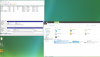
I attached a pic of the drives being recognized within Windows on my NVMe install (which is showing as Drive C):
HD.png
 
Remove the M2 and install W11 and then you'll need to put the M2 back in and setup dual boot likely from a USB Linux using grub.
 
Remove the M2 and install W11 and then you'll need to put the M2 back in and setup dual boot likely from a USB Linux using grub.

I guess my thought process was wrong...I thought I could have 2 independent drives...that's not possible?...I can't have the NVMe and 2.5" SATA 3 both as separate drives?

there's no way of disabling the NVMe through the BIOS?...it's easy to unplug the 2.5" drive but to remove the NVMe would be annoying as I would have to remove the GPU first etc
 
Yea... what they said.

I have 2 SSD's, each with an OS (10 and 7...) and I use the boot menu to swap between them... but when I install ANY OS, I do it with ONLY the intended OS drive plugged in.
 
I'm confused and need help...I have 2 hard drives...one is a Samsung 970 Evo Plus 1TB NVMe M.2 and the other is a Samsung 860 EVO 1TB 2.5 inch SATA III...the SATA drive is plugged into the SATA port 2 on my motherboard...did a clean install last night with my NVMe and everything went fine...today I decided to plug my 2.5 inch SATA drive to get Windows 11 installed as a completely separate install (not as a secondary drive)

but the BIOS doesn't list the 860 EVO as a boot drive...when I load into Windows it shows me both drives in Disk Management as well as in 'This PC'...how do I get Windows to recognize the 860 EVO as a separate drive so I can do a clean install of Windows 11 (while still keeping the 970 EVO with Windows 10)...why can't I just boot up with a Windows 11 USB stick and have Windows show me both drives and let me choose where I want to have the new OS installed

I attached a pic of the drives being recognized within Windows on my NVMe install (which is showing as Drive C):

View attachment 58088

Did you solve this problem ?
 
Did you solve this problem ?

yes sort of...what I wanted to do can't be done with an NVMe installed since it is permanently locked in to the system...I need to physically remove the drive in order to boot up another SSD drive independent of the NVMe
 
Back
Top