
marcplante
Senior member
I'm having problems getting my windows10 machines to see the WD NAS I have (MycloudUltra). It has worked in the past but has stopped for some reason. This machine is running Windows 10.1803. I read that there are SIMBA version issues with windows 10 and have tinkered with the SIMBA settings on my PC and the server, but no combination seems to work.
For the NAS network settings I have MAX SMB Protocol set to SMB1
It has a fixed IP address at 10.0.0.16
Running a Netgear ORBI router
On the Windows PCS I have SMB 1.0 turned on
I can see the Plex server and the Twonky server on the NAS under Media Devices
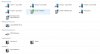
I can see the NAS under storage
I do not see it under computers
None of the ideas on the WD forums seem to work
For the NAS network settings I have MAX SMB Protocol set to SMB1
It has a fixed IP address at 10.0.0.16
Running a Netgear ORBI router
On the Windows PCS I have SMB 1.0 turned on
I can see the Plex server and the Twonky server on the NAS under Media Devices
I can see the NAS under storage
I do not see it under computers
None of the ideas on the WD forums seem to work


