
-
We’re currently investigating an issue related to the forum theme and styling that is impacting page layout and visual formatting. The problem has been identified, and we are actively working on a resolution. There is no impact to user data or functionality, this is strictly a front-end display issue. We’ll post an update once the fix has been deployed. Thanks for your patience while we get this sorted.
You are using an out of date browser. It may not display this or other websites correctly.
You should upgrade or use an alternative browser.
You should upgrade or use an alternative browser.
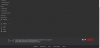
What happened to AnandTech Dark style?
- Thread starter Bouowmx
- Start date


WelshBloke
Lifer
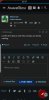
Yeah. Thank Bob for the Samsung browser dark mode!I prefer the dark as well. My corneas are slowly melting.
Bring back the Dark theme!
Attachments

jpishgar
VP, Global Community
It will be restored - we're running updates and fixes based on the recent feedback.
We're definitely not getting rid of dark theme - it's a big favorite. Hold tight, updates are rolling out and we're hoping to have things fixed shortly.
-JP
Forum Update & Fixes
Hey there all! We're running some updates to the forum software this evening in an effort to fix a handful of the outstanding issues that have been reported. If you spot any glitches or problems during this maintenance window, please bear with for the moment. There may be some outstanding...
forums.anandtech.com
We're definitely not getting rid of dark theme - it's a big favorite. Hold tight, updates are rolling out and we're hoping to have things fixed shortly.
-JP

DeathReborn
Platinum Member
Ugh, when you update can you please stop trying to blind people with your default high beam style. I select Dark I expect Dark, but every update you kick me back to blindness 101.

crashtech
Lifer
It's back! My retinas thank you.It will be restored - we're running updates and fixes based on the recent feedback.
Forum Update & Fixes
Hey there all! We're running some updates to the forum software this evening in an effort to fix a handful of the outstanding issues that have been reported. If you spot any glitches or problems during this maintenance window, please bear with for the moment. There may be some outstanding...forums.anandtech.com
We're definitely not getting rid of dark theme - it's a big favorite. Hold tight, updates are rolling out and we're hoping to have things fixed shortly.
-JP
Excellent, I thought this might be the end for me like @crashtech . Appreciate the fix and explanation 🙂

moinmoin
Diamond Member
Seems it happens only at specific widths then. Checking with the developer console it only happen with a width over 900px and below some pixel width I can't figure out on my small screen here. @crashtech can you check it in the developer console and resize the window (at 100%) to find out at what upper width the scroll bar appears?
DeathReborn
Platinum Member
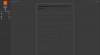
Does anyone else on the AnandTech Dark theme get unreadable things like the OP in this thread (picture attached): https://forums.anandtech.com/threads/susquehannas-second-chat-with-charlie-demerjian.2574544/
Attachments
moinmoin
Diamond Member
Yes, that looks the same for me. Reddit embedding needs to get font colors that work with the dark theme.Does anyone else on the AnandTech Dark theme get unreadable things like the OP in this thread (picture attached): https://forums.anandtech.com/threads/susquehannas-second-chat-with-charlie-demerjian.2574544/
TRENDING THREADS
-
 Discussion Zen 5 Speculation (EPYC Turin and Strix Point/Granite Ridge - Ryzen 9000)
- Started by DisEnchantment
- Replies: 25K
-
Discussion Intel Meteor, Arrow, Lunar & Panther Lakes + WCL Discussion Threads
- Started by Tigerick
- Replies: 25K
-

-

-
