• We’re currently investigating an issue related to the forum theme and styling that is impacting page layout and visual formatting. The problem has been identified, and we are actively working on a resolution. There is no impact to user data or functionality, this is strictly a front-end display issue. We’ll post an update once the fix has been deployed. Thanks for your patience while we get this sorted.

Weird little everyday computer tips

I'm starting this thread with the idea of people sharing helpful computer tips that other people may not have thought of.

To get the ball rolling, here's one - I put my computer to sleep at night when I'm finished to benefit from the quick resume in the morning, however at the point of setting my computer to go into sleep mode, I sometimes notice that my wireless mouse's battery is low. However, if I move the mouse at that point, my computer will immediately resume after entering sleep (even if it is still getting ready to sleep at the point of moving the mouse). So, to be able to move my mouse without waking the computer, I unplug the USB receiver for the mouse (which I have on the end of an extension lead to improve the signal), then put my mouse in its docking/charging bay.
 
So, to be able to move my mouse without waking the computer, I unplug the USB receiver for the mouse (which I have on the end of an extension lead to improve the signal), then put my mouse in its docking/charging bay.

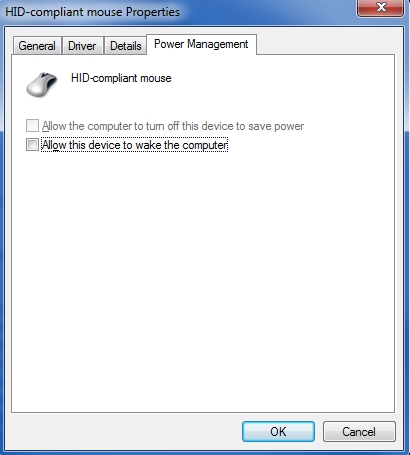
You should set your device manager to disable mouse wake. Mice cause too many unwanted awakenings.

unifyingsoftware1.jpg
 
For an everyday tip - spend the time to setup your USB access right. Either plug in the USB hub built into your monitor or get a good quality, powered USB hub and put it on your desk.

It only takes a minute to reach under the desk and plug in a USB thumbdrive, but those minutes add up over the years.
 
If I bought a $2000 Macbook every three years, I'd wouldn't even manage to spend $100k before I died of old age.

Trolling needs to be at least be mathematically plausible.

Also, your premise is wrong.

You're doing it wrong then. You're supposed to buy every new Macbook, iMac, iPod, iPad, Apple TV, iPhone, etc. that Apple releases. Only then can you be the Apple god that you know you want to be 🙂
 
If I bought a $2000 Macbook every three years, I'd wouldn't even manage to spend $100k before I died of old age.


That may be true, but that is not the point you replied to. If you take that $667 per year, and combine it with all the other requisite apple purchases (apps, accessories, etc) totalling at least $1000 every 3 years, you're now up to $1000 a year. If you had dumped that money into PIMCO's best mutual fund, and kept dumping it in there every year for 30 years, you would have $100 grand. This is an 8% return. There are several very large mutual funds that have returned 8% even in this rather anemic decade. (I'm not saying they are going to continue returning 8%...)
 
When you go to print something for the first time in months, make sure there's not a CD that somehow found it's way in the manual feeder on top of the printer.
 
Before calling tech support or the equivalent, reboot. It's incredible how many problems are solved that way.
 
Last edited:
That may be true, but that is not the point you replied to. If you take that $667 per year, and combine it with all the other requisite apple purchases (apps, accessories, etc) totalling at least $1000 every 3 years, you're now up to $1000 a year. If you had dumped that money into PIMCO's best mutual fund, and kept dumping it in there every year for 30 years, you would have $100 grand. This is an 8% return. There are several very large mutual funds that have returned 8% even in this rather anemic decade. (I'm not saying they are going to continue returning 8%...)

1) Fair. But anybody making this argument who has ever purchased a new car needs to be flogged.

2) "Requisite apple purchases?" Meh. Apple's services are overpriced, and mac users know it. If you know what you're doing you can get equivalents for teh cheep. If you don't know what you're doing, companies will fuck you over every chance they get regardless. (Geek Squad.)
 
For an everyday tip - spend the time to setup your USB access right. Either plug in the USB hub built into your monitor or get a good quality, powered USB hub and put it on your desk.

It only takes a minute to reach under the desk and plug in a USB thumbdrive, but those minutes add up over the years.

Or just put the computer on your desk. :awe:
 
In Windows 7, Windows key + Arrow keys lets you minimize, maximize and pin the windows to the side of your monitor.
 
In Windows 7, Windows key + Arrow keys lets you minimize, maximize and pin the windows to the side of your monitor.

Nice! I could never get two windows to sit side by side (one inevitably goes full screen)... Win key + right/left arrow works perfect.

If you type in a website name in IE's adress bar - ie. 'Google' and hit CTRL+ENTER, IE automatically fills out the entire address - ie. 'http://www.google.com'.
 
Back
Top