Hi!
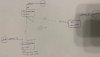
Mi situation looks as follows:
image
I have a TP-Link TL-R600VPN VPN server with public static IP.
I also have another TL-R600VPN which acts as L2TP VPN client.
And standard PC which acts also as VPN client.
IP of VPN Server (VPN IP): 172.16.0.1
IP of client(TPLINK) 172.16.0.20
IP of PC (VPN) 172.16.0.3
I would like to be able to reach devices on LAN site of vpn client 172.16.0.20 in its local subnet 192.168.11.0/24 and I'm having though time on configuration.
FROM PC I can reach 172.16.0.1 (vpn server) and 172.16.0.20. (ping goes back).
FROM devices in LAN of 0.20 station I can ping only this 0.20 station.
FROM 172.16.0.20 router I can ping only 172.16.0.1 which is weird (because from PC I can reach server and another client).
How should I configure routing tables to make it work?
Mi situation looks as follows:
image
I have a TP-Link TL-R600VPN VPN server with public static IP.
I also have another TL-R600VPN which acts as L2TP VPN client.
And standard PC which acts also as VPN client.
IP of VPN Server (VPN IP): 172.16.0.1
IP of client(TPLINK) 172.16.0.20
IP of PC (VPN) 172.16.0.3
I would like to be able to reach devices on LAN site of vpn client 172.16.0.20 in its local subnet 192.168.11.0/24 and I'm having though time on configuration.
FROM PC I can reach 172.16.0.1 (vpn server) and 172.16.0.20. (ping goes back).
FROM devices in LAN of 0.20 station I can ping only this 0.20 station.
FROM 172.16.0.20 router I can ping only 172.16.0.1 which is weird (because from PC I can reach server and another client).
How should I configure routing tables to make it work?