• We’re currently investigating an issue related to the forum theme and styling that is impacting page layout and visual formatting. The problem has been identified, and we are actively working on a resolution. There is no impact to user data or functionality, this is strictly a front-end display issue. We’ll post an update once the fix has been deployed. Thanks for your patience while we get this sorted.

Uninstalling VGA drivers

Hi

I just had a vga driver update from the original drivers that were installed when I first got the pc almost 2 years ago.

I feel these new drivers are not as good, game performance is lower. I'd like to uninstall them and put back the old ones. I want to do it manually: uninstall them and install.

My question is, exactly which files do I need to uninstall from the apps and features list?

I have 6 nvidia related items, plus the control panel:

frameview SDK
geforce experience
graphic driver
HD audio driver
physx system software
USBC driver

Which ones I uninstall?
 
If you want to uninstall the new VGA drivers and reinstall the old ones manually, you should uninstall the "graphic driver" from the list of Nvidia related items in the Apps and Features list. This is the main driver for your graphics card.
However, before uninstalling, it is recommended that you download the old VGA driver from the manufacturer's website and save it to your computer so that you can install it again later.
When you uninstall the current driver, make sure to select the option to completely remove all associated files and settings. After the uninstallation is complete, restart your computer and then install the old VGA driver you downloaded earlier.
It's worth noting that sometimes game performance can be affected by a variety of factors, not just the VGA drivers. So, if you continue to experience performance issues even after switching back to the old drivers, you may want to consider other troubleshooting options such as checking for updates for your game or optimizing your system settings.
Thanks or the reply
So I only need to uninstall the "graphic driver" item. Just that one and nothing else, correct?
 
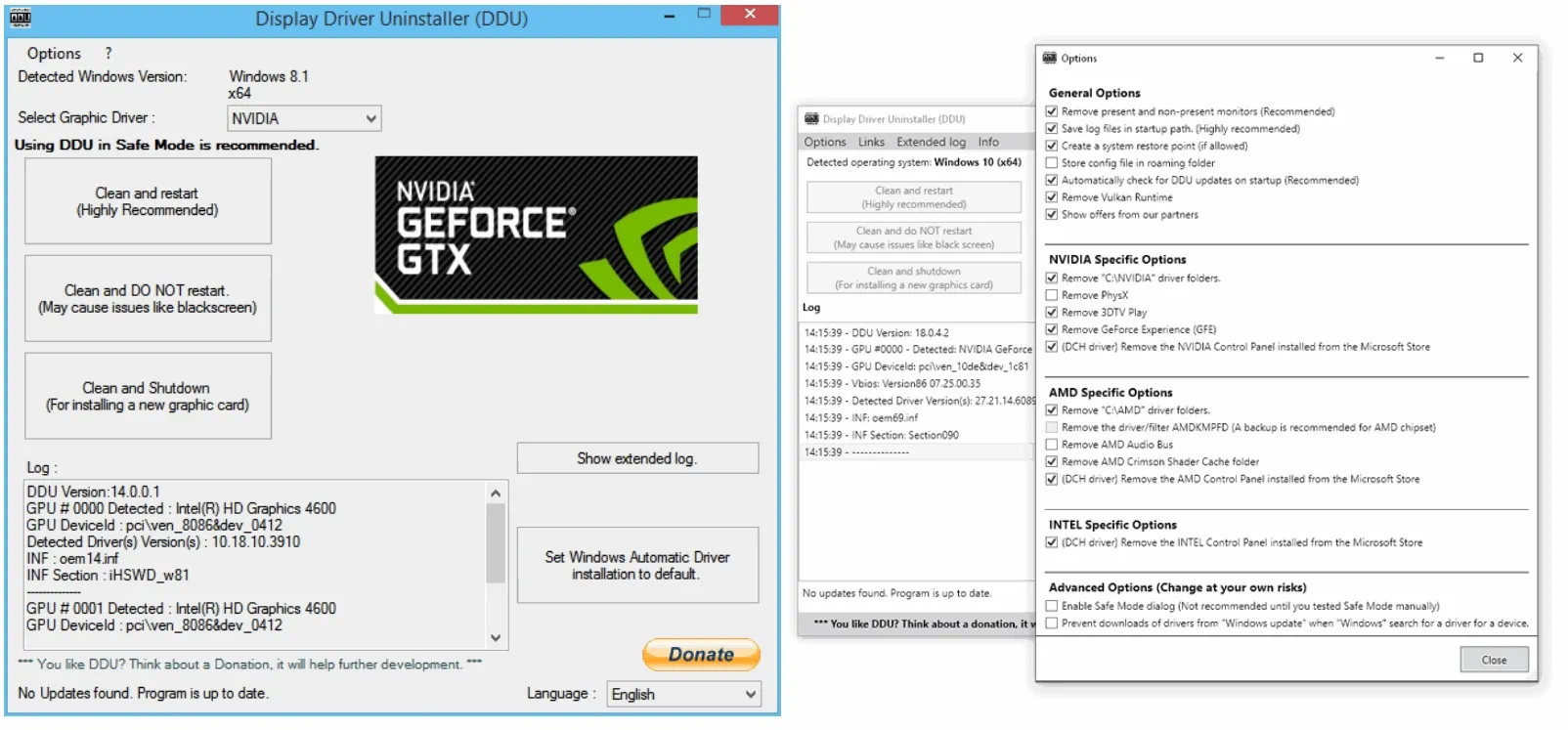
DDU is your friend.


Well, maybe. But DDU is ,by its own creators, a tool of last resort. To be used when you are really having problems, o maybe changing VGA brands.

I just want to uninstall and change back. I've noticed that many people simply install the new driver over the old one. I'm old school and that feels a little wonky to me. I simply want to do it the proper way without any hardcore tools.
 
Well, maybe. But DDU is ,by its own creators, a tool of last resort. To be used when you are really having problems, o maybe changing VGA brands.

I just want to uninstall and change back. I've noticed that many people simply install the new driver over the old one. I'm old school and that feels a little wonky to me. I simply want to do it the proper way without any hardcore tools.
DDU just does exactly what you want to do. You can just use it to uninstall things, you don't have to use it to clean the registry up after
 
DDU is not a last resort, when you are having problems tool.

You should always use when you uninstall your drivers and update to a newer version.

I only use Nvidia and it works great! I’ve never used it for AMD, but it should work just as well.

I personally wouldn’t recommend using GeForce, it’s just bloat, and you should learn to do things manually.

You only need the Drivers & Physx, but install the audio, if you have Nvidia audio on your computer, otherwise you don’t need it.
 
Regarding your question, if you want to go back to the original drivers, you'll need to uninstall all the current Nvidia-related items that you listed. This will remove all traces of the current drivers and related software. Then, you can download and install the old drivers from Nvidia's website.
 
Back
Top