• We’re currently investigating an issue related to the forum theme and styling that is impacting page layout and visual formatting. The problem has been identified, and we are actively working on a resolution. There is no impact to user data or functionality, this is strictly a front-end display issue. We’ll post an update once the fix has been deployed. Thanks for your patience while we get this sorted.

Tips for locating PC physically further than monitor/kb/mouse?

Page 2 - Seeking answers? Join the AnandTech community: where nearly half-a-million members share solutions and discuss the latest tech.
For audio, you can do an optical S/PDIF run and then put a DAC in your office. The fiber optic won't have any issues with interference or run length. Not necessarily the cheapest solution, but it'll be interference-free.
I agree, I use optical for my long S/PDIF runs, and not sure why a few don't like Monoprice, are some of the best cables I've ever bought for the money.

If you thing RadioShack related things are better, you're probably doing it wrong IMHO and not looking at the right things.

It's what they do.
 
Last edited:
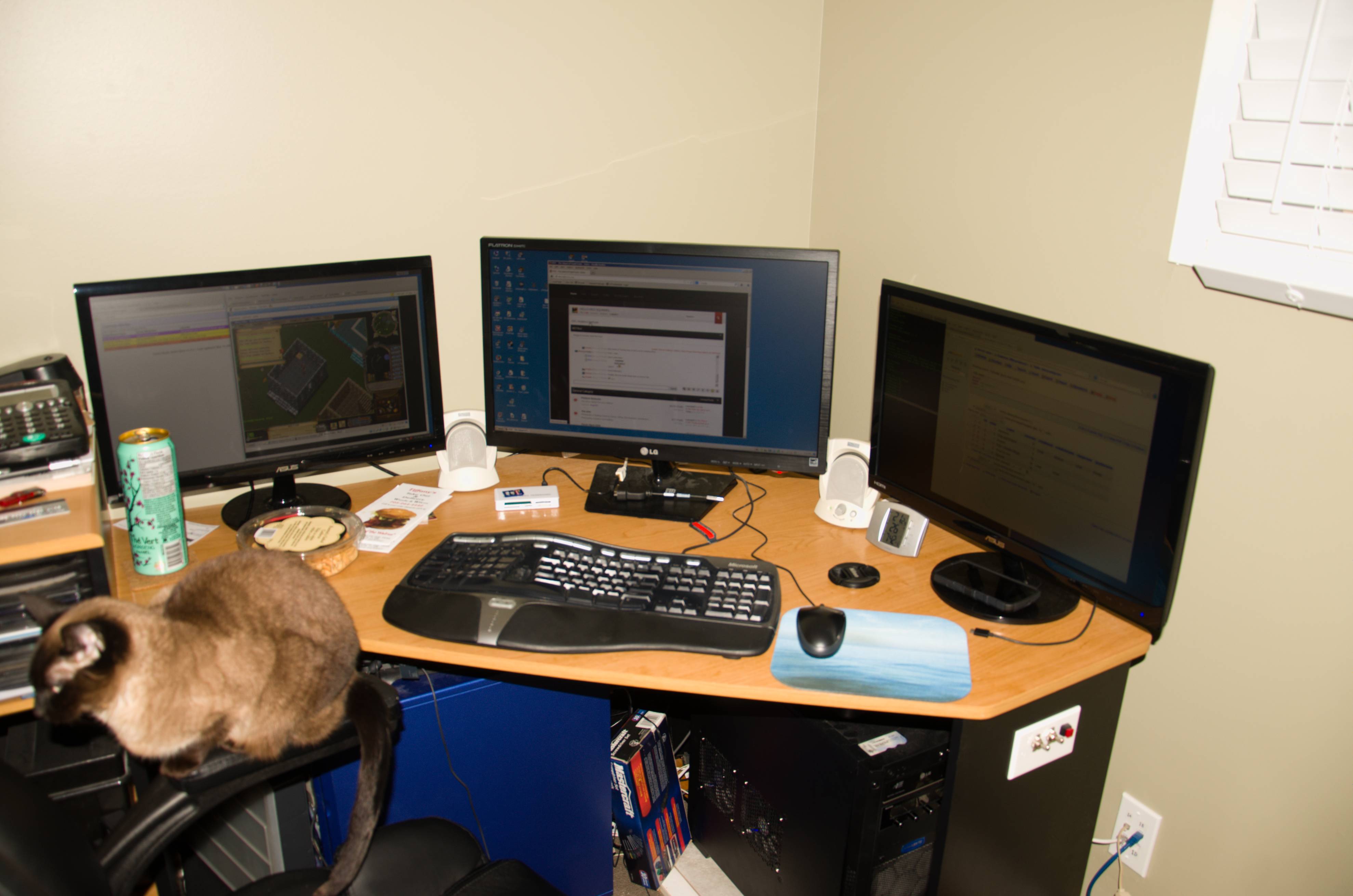
Nice Hole. I could imagine building a cabinet with a screen on the front or back like a typical storm window. That would trap the dust outside of the cabinet. I could also see putting it inside a closet and just keeping the door closed. Some cats just love sitting on top of any heat source to stay warm.

If the hole is a standard size it could have been lined with some plastic pipe to make it look neater. Short of running the cables through the wall and putting the hole inside the wall you couldn't have done it much better. I suppose you could use a wireless keyboard.
 
Last edited:
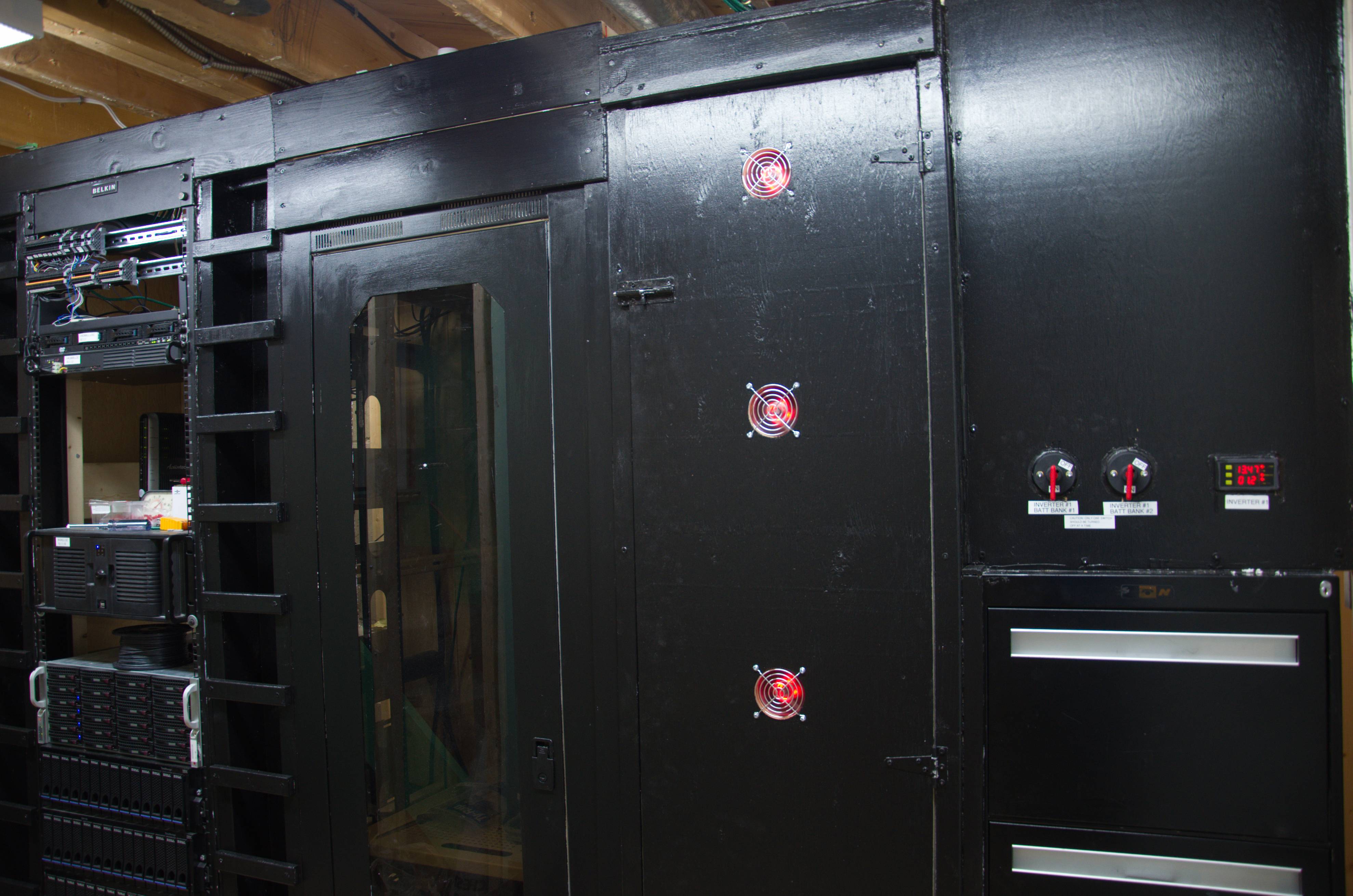
I love the fact that you can use a term like "cold aisle" in reference to your basement server rack. You sir are an inspiration to us all. :thumbsup:

Haha yeah, I got quite a decent setup going on. 😀


Main rack, misc/lab/electrical rack and battery rack, then file cabinet and misc control panel on top (just two battery switches for now) Once I do the hvac the whole room will be sealed up and it will actually be a hot/cold aisle setup. I'll add a curtain of sorts to get to the back.

Nice Hole. I could imagine building a cabinet with a screen on the front or back like a typical storm window. That would trap the dust outside of the cabinet. I could also see putting it inside a closet and just keeping the door closed. Some cats just love sitting on top of any heat source to stay warm.

If the hole is a standard size it could have been lined with some plastic pipe to make it look neater. Short of running the cables through the wall and putting the hole inside the wall you couldn't have done it much better. I suppose you could use a wireless keyboard.


I thought about it but heat would still be an issue, that's like 500w+ of heat that needs to be dissapated and while it's nice in winter it's just too hot for our 2 months of summer. The server room will be climate, dust and noise controlled once I enclose it, so may as well put it in there.

Was originally going to go through the wall but the hole going down would have been tricky since I only have about 1 inch of top plate I can drill into, the rest is sitting on a beam, it's a load bearing wall.

At some point I might try to make some kind of rubber gromet but the plastic bags will do for now. 😀 I sanded the edges of the hole too so it's nice and smooth.
 
I have a small house and I put a TV both upstairs and downstairs and both are connected to a dedicated computer. I was getting too cold this winter and put one TV/Computer upstairs that runs off of a Centrino Card. The downstairs computer is connected via Ethernet. Actually, the Network cables are what causes the most problems with wireless connections. I noticed if I move the Ethernet cables around sometimes I have connection problems. Just moving a computer slightly can cause problems. Wireless may be more dependable than wired.
 
I have a small house and I put a TV both upstairs and downstairs and both are connected to a dedicated computer. I was getting too cold this winter and put one TV/Computer upstairs that runs off of a Centrino Card. The downstairs computer is connected via Ethernet. Actually, the Network cables are what causes the most problems with wireless connections. I noticed if I move the Ethernet cables around sometimes I have connection problems. Just moving a computer slightly can cause problems. Wireless may be more dependable than wired.

You probably have a bad cable and it's loose internally.
 
Just thought I'd report back that after all this time this setup has been working wonderfully. Even with the cheap audio cable for the sound. I still haven gotten around to converting the PCs to rackmount though, saving money for other things.
 
Oh yeah, I kinda forgot to include that but it basically looks like this:


Except the two PCs on the floor are now gone as they're in the basement.

I can't virtualize that machine, a physical monitor has to be connected to it. The keyboard/mouse are the only thing done through network (synergy). That is how I obtain a real time display. I suppose another option would be using some kind of thin client solution.

I can vacuum that PC twice a day, but it will still have enough dust in it to create a kitten. So I gave up on it. Something about that case makes it attract dust like a magnet since my old PC was not that bad. Now it's in the basement and once I'm done the server room it will be sealed up and dust free. The intake for the cold aisle will go through a filter. The rackmout cases tend to also be better optimized for air flow with a central intake so it makes it easier to add a filter as well.

Nice setup! I am glad someone else has my keyboard. Most comfortable keyboard I have used in my life, the Microsoft Natural 4000. I am on my second one.
 
Back
Top