Hey all,
I have just bought a second M.2 NVMe (PCIe 4.0) drive and want to mount this in the M.2 4.0 slot - and move my existing M.2 drive into the 2nd M.2 slot on my mainboard (is only PCIe 3.0)
The problem is that when I used the 2nd M.2 slot, it disables SATA ports 5&6 - and I’m currently using all 6 x SATA ports.
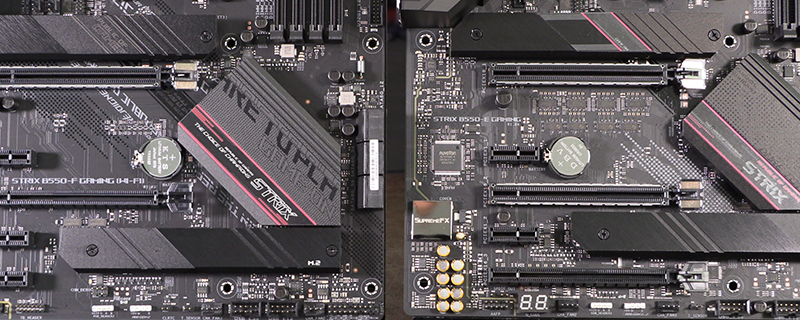
My mainboard is this:
Can anyone let me know the best way to configure things, and why ? i.e., which would give the best performance.
The options, “I think”, are:
a) move my older M.2 NVMe PCIe 3.0 drive into the 2nd M.2 slot on my mainboard and add a SATA port expansion card so I can still use all my SATA hard drives
b) buy an expansion card and plug my older M.2 NVMe PCIe 3.0 drive into that card (I’m guessing this method wouldn’t then kill SATA ports 5&6?)
Other questions ……
Does the speed of my older M.2 2880 (PCIe 3.0) drive change if mounted in a PCIe expansion card, as opposed to being mounted directly in the M.2 slot on the mainboard?
I have just bought a second M.2 NVMe (PCIe 4.0) drive and want to mount this in the M.2 4.0 slot - and move my existing M.2 drive into the 2nd M.2 slot on my mainboard (is only PCIe 3.0)
The problem is that when I used the 2nd M.2 slot, it disables SATA ports 5&6 - and I’m currently using all 6 x SATA ports.
My mainboard is this:
Can anyone let me know the best way to configure things, and why ? i.e., which would give the best performance.
The options, “I think”, are:
a) move my older M.2 NVMe PCIe 3.0 drive into the 2nd M.2 slot on my mainboard and add a SATA port expansion card so I can still use all my SATA hard drives
b) buy an expansion card and plug my older M.2 NVMe PCIe 3.0 drive into that card (I’m guessing this method wouldn’t then kill SATA ports 5&6?)
Other questions ……
Does the speed of my older M.2 2880 (PCIe 3.0) drive change if mounted in a PCIe expansion card, as opposed to being mounted directly in the M.2 slot on the mainboard?