
-
We’re currently investigating an issue related to the forum theme and styling that is impacting page layout and visual formatting. The problem has been identified, and we are actively working on a resolution. There is no impact to user data or functionality, this is strictly a front-end display issue. We’ll post an update once the fix has been deployed. Thanks for your patience while we get this sorted.
You are using an out of date browser. It may not display this or other websites correctly.
You should upgrade or use an alternative browser.
You should upgrade or use an alternative browser.
Question Storage is better internal sata dvd drive or external usb drive
- Thread starter gamerfan
- Start date
Insert_Nickname
Diamond Member
That really depends on how you define long term.
If we're talking 5-10 years, an external HDD is the easiest solution. If we're talking really long term, like 25-50 years, I'd look into optical storage.
This is a complex subject, and there isn't any one-size-fits-all solution, so what's best depends on your specific needs.
If we're talking 5-10 years, an external HDD is the easiest solution. If we're talking really long term, like 25-50 years, I'd look into optical storage.
This is a complex subject, and there isn't any one-size-fits-all solution, so what's best depends on your specific needs.
Insert_Nickname
Diamond Member
I'm not referring to media but to the DVD reader / writer drive
The two are closely linked. I suspect that in 50 years, the trickiest part might actually be finding a drive to read the discs. The discs themselves will likely be fine, provided they're stored properly.
As for how long the discs last, I still have CD-Rs from the mid 90s which are perfectly readable. So CDs are good for 25 years at least, provided you use quality media. Writable DVDs haven't been around that long, so nobody knows quite how they stack up long term.
about the media I like long term storage
storage 25, 50 or more years
For archiving with optical discs, you want phase change media. Which means either blu-rays (NOT the LTH variety) or DVD-RAM (no, not a typo) but they litterally don't make those anymore. Which is a damn shame, because they're essentially the optical equivalent of a harddrive.
I'm not referring to media but to the DVD reader / writer driveThe two are closely linked. I suspect that in 50 years, the trickiest part might actually be finding a drive to read the discs. The discs themselves will likely be fine, provided they're stored properly.
As for how long the discs last, I still have CD-Rs from the mid 90s which are perfectly readable. So CDs are good for 25 years at least, provided you use quality media. Writable DVDs haven't been around that long, so nobody knows quite how they stack up long term.
For archiving with optical discs, you want phase change media. Which means either blu-rays (NOT the LTH variety) or DVD-RAM (no, not a typo) but they litterally don't make those anymore. Which is a damn shame, because they're essentially the optical equivalent of a harddrive.

Steltek
Diamond Member
It doesn't matter which you use, internal or external, though long term USB should continue to be accessible on more systems going forward. SATA will slowly get phased out from mainstream motherboards, though how long that takes will itself depend on how long it takes the capacity of solid state drives to catch up with that of mechanical hard drives (i.e. it ain't happening any time really soon, though). To cover yourself, you can also get an external SATA to USB enclosure for optical drives.
Optical drives themselves are now in the process of slowly falling out of mainstream, so if you are investing in the format for long term storage you'd want to make sure you invest in both a primary drive and at least a new boxed spare while they are semi-affordable.
The best optical storage you can get for long term storage is a drive that supports M-Disc as the media literally lasts forever and, once written, can be read on any comparable non M-disc optical drive. The M-Disc BDXL format supports storage of up to 100GB per disc, so it can hold a decent amount of important data.
The only downside is that the original maker of the M-disc media went bankrupt a few years ago. The media is expensive, and is slowly disappearing from the market (I've seen Verbatim M-disc media, but most sellers don't keep a lot on hand).
Optical drives themselves are now in the process of slowly falling out of mainstream, so if you are investing in the format for long term storage you'd want to make sure you invest in both a primary drive and at least a new boxed spare while they are semi-affordable.
The best optical storage you can get for long term storage is a drive that supports M-Disc as the media literally lasts forever and, once written, can be read on any comparable non M-disc optical drive. The M-Disc BDXL format supports storage of up to 100GB per disc, so it can hold a decent amount of important data.
The only downside is that the original maker of the M-disc media went bankrupt a few years ago. The media is expensive, and is slowly disappearing from the market (I've seen Verbatim M-disc media, but most sellers don't keep a lot on hand).
Last edited:
I have some M-DISC Verbatim spinddle DVD discs but I wanted to buy more drives and I can't find them on any websiteIt doesn't matter which you use, internal or external, though long term USB should continue to be accessible on more systems going forward. SATA will slowly get phased out from mainstream motherboards, though how long that takes will itself depend on how long it takes the capacity of solid state drives to catch up with that of mechanical hard drives (i.e. it ain't happening any time really soon, though). To cover yourself, you can also get an external SATA to USB enclosure for optical drives.
Optical drives themselves are now in the process of slowly falling out of mainstream, so if you are investing in the format for long term storage you'd want to make sure you invest in both a primary drive and at least a new boxed spare while they are semi-affordable.
The best optical storage you can get for long term storage is a drive that supports M-Disc as the media literally lasts forever and, once written, can be read on any comparable non M-disc optical drive. The M-Disc BDXL format supports storage of up to 100GB per disc, so it can hold a decent amount of important data.
The only downside is that the original maker of the M-disc media went bankrupt a few years ago. The media is expensive, and is slowly disappearing from the market (I've seen Verbatim M-disc media, but most sellers don't keep a lot on hand).
If I buy internal SATA drives today and in the future will I be able to use the PC with USB or USB-C adapters or future formats?
Steltek
Diamond Member
With optical discs, you are almost certainly stuck with current formats - there likely won't be new ones because the technology is being phased out by streaming services. Only way this will change is if they make a breakthrough on media storage density (and I don't know if anyone is even studying it anymore after M-Disc).
If you are worried, pick up an external SATA to USB enclosure for optical drives. I bought a NexStar enclosure about 4-5 years ago that works absolutely great for optical drives (though, granted, I haven't looked closely at the newer models, so I don't know about the quality).
At some point, keep in mind there will be new archival technologies and you'll eventually want to transition your backups to them. If your Internet connection is fast enough for cloud storage, that is a good place to store encrypted intermediate backups.
As far as M-Disc compatible Bluray burners go, here are a few I found with a quick search (keep in mind some don't include software):
https://www.newegg.com/lg-wh16ns40-internal-blu-ray-burner/p/N82E16827136269
https://www.newegg.com/pioneer-bdr-2212-internal-blu-ray-burner/p/N82E16827129092
https://www.newegg.com/asus-bw-16d1ht-internal-blu-ray-burner/p/N82E16827135306
https://www.newegg.com/pioneer-bdr-212dbk-internal-blu-ray-burner/p/N82E16827129091
And, BTW, a laptop Bluray burner with M-Disc support will work just fine with a desktop (either with an external USB enclosure or via a bay adapter).
Internal 5.25" to slim optical drive adapter:
If you are worried, pick up an external SATA to USB enclosure for optical drives. I bought a NexStar enclosure about 4-5 years ago that works absolutely great for optical drives (though, granted, I haven't looked closely at the newer models, so I don't know about the quality).
At some point, keep in mind there will be new archival technologies and you'll eventually want to transition your backups to them. If your Internet connection is fast enough for cloud storage, that is a good place to store encrypted intermediate backups.
As far as M-Disc compatible Bluray burners go, here are a few I found with a quick search (keep in mind some don't include software):
https://www.newegg.com/lg-wh16ns40-internal-blu-ray-burner/p/N82E16827136269
https://www.newegg.com/pioneer-bdr-2212-internal-blu-ray-burner/p/N82E16827129092
https://www.newegg.com/asus-bw-16d1ht-internal-blu-ray-burner/p/N82E16827135306
https://www.newegg.com/pioneer-bdr-212dbk-internal-blu-ray-burner/p/N82E16827129091
And, BTW, a laptop Bluray burner with M-Disc support will work just fine with a desktop (either with an external USB enclosure or via a bay adapter).
Internal 5.25" to slim optical drive adapter:
these cases for optical drive are very expensive for me, bluray drive is also very expensive so i bought DVD drives and media but i can´t find any more mdisc dvdWith optical discs, you are almost certainly stuck with current formats - there likely won't be new ones because the technology is being phased out by streaming services. Only way this will change is if they make a breakthrough on media storage density (and I don't know if anyone is even studying it anymore after M-Disc).
If you are worried, pick up an external SATA to USB enclosure for optical drives. I bought a NexStar enclosure about 4-5 years ago that works absolutely great for optical drives (though, granted, I haven't looked closely at the newer models, so I don't know about the quality).
At some point, keep in mind there will be new archival technologies and you'll eventually want to transition your backups to them. If your Internet connection is fast enough for cloud storage, that is a good place to store encrypted intermediate backups.
As far as M-Disc compatible Bluray burners go, here are a few I found with a quick search (keep in mind some don't include software):
https://www.newegg.com/lg-wh16ns40-internal-blu-ray-burner/p/N82E16827136269
https://www.newegg.com/pioneer-bdr-2212-internal-blu-ray-burner/p/N82E16827129092
https://www.newegg.com/asus-bw-16d1ht-internal-blu-ray-burner/p/N82E16827135306
https://www.newegg.com/pioneer-bdr-212dbk-internal-blu-ray-burner/p/N82E16827129091
And, BTW, a laptop Bluray burner with M-Disc support will work just fine with a desktop (either with an external USB enclosure or via a bay adapter).
Internal 5.25" to slim optical drive adapter:
Steltek
Diamond Member
these cases for optical drive are very expensive for me, bluray drive is also very expensive so i bought DVD drives and media but i can´t find any more mdisc dvd
Amazon and Newegg sell the media, among others, but it is expensive. Most of what is available gets snapped up by companies that use it for for archival backups.
If you can't afford it, that is a problem for your plans. You might want to look up the cost of multiple cloud storage providers in your area as in the long run it might be cheaper (depending upon how much data you have to save).
Steltek
Diamond Member
https://www.amazon.com/s?k=m-disc+media&ref=nb_sb_noss_2
https://www.newegg.com/p/pl?d=m+disc+media&N=100007591&isdeptsrh=1
https://www.cdw.com/search/?key=m-disc media
 www.bhphotovideo.com
 www.bhphotovideo.com
 www.bhphotovideo.com
 www.bhphotovideo.com
https://www.newegg.com/p/pl?d=m+disc+media&N=100007591&isdeptsrh=1
https://www.cdw.com/search/?key=m-disc media
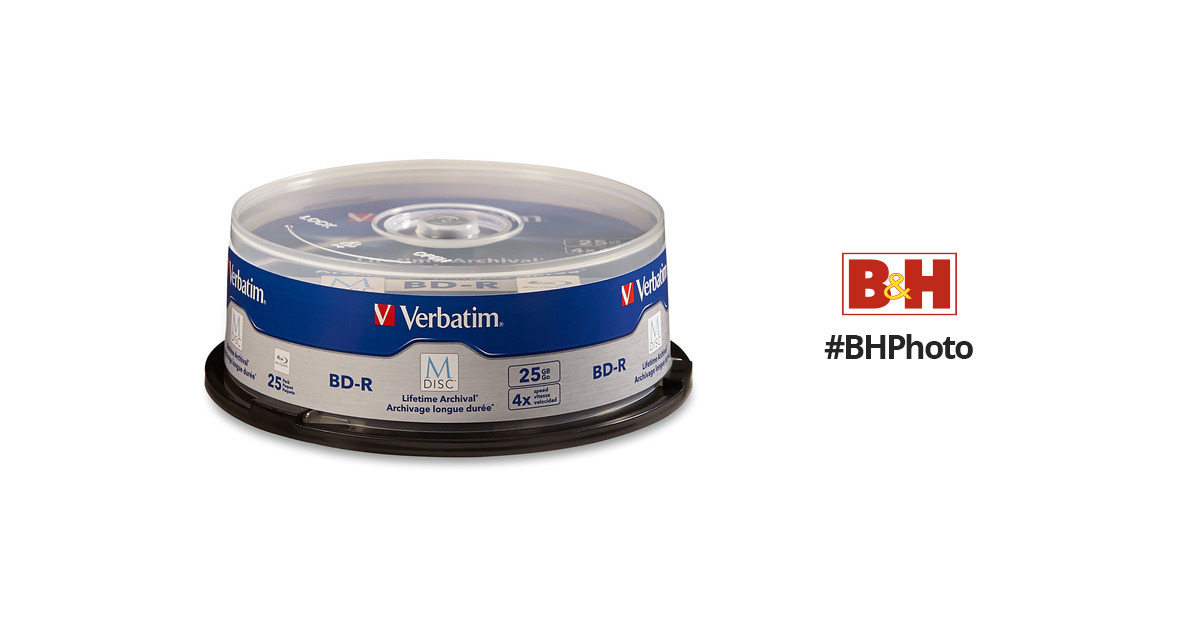
Verbatim 25GB BD-R 4x M DISC with Branded Surface (25-Pack Spindle)
Buy Verbatim 25GB BD-R 4x M DISC with Branded Surface (25-Pack Spindle) featuring BD-R Blu-ray Media, Engraved Data, Projected Life of Hundreds of Years, ISO/IEC 16963-Tested, Resists Light, Heat, Humidity, Limited 10-Year Warranty. Review Verbatim null
www.bhphotovideo.com
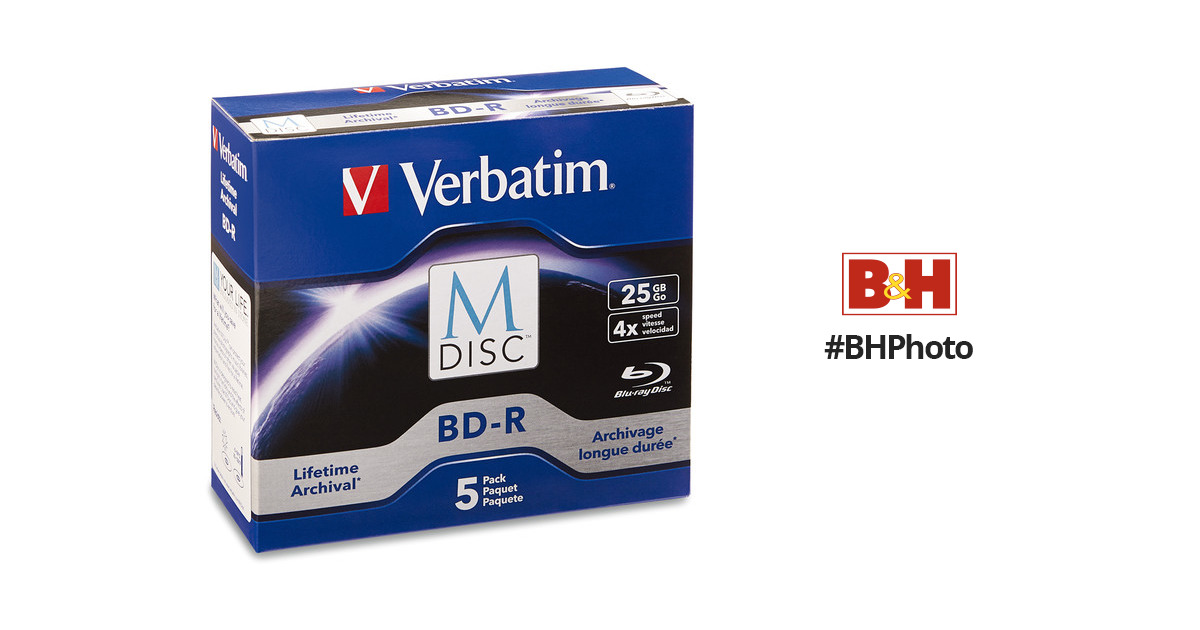
Verbatim 25GB BD-R 4x M-DISC with Branded Surface (5-Pack Jewel Case Box)
Buy Verbatim 25GB BD-R 4x M-DISC with Branded Surface (5-Pack Jewel Case Box) featuring Engraved Data, Projected Life of Hundreds of Years, ISO/IEC 16963-Tested, Resists Light, Heat, Humidity, Limited 10-Year Warranty. Review Verbatim null
www.bhphotovideo.com
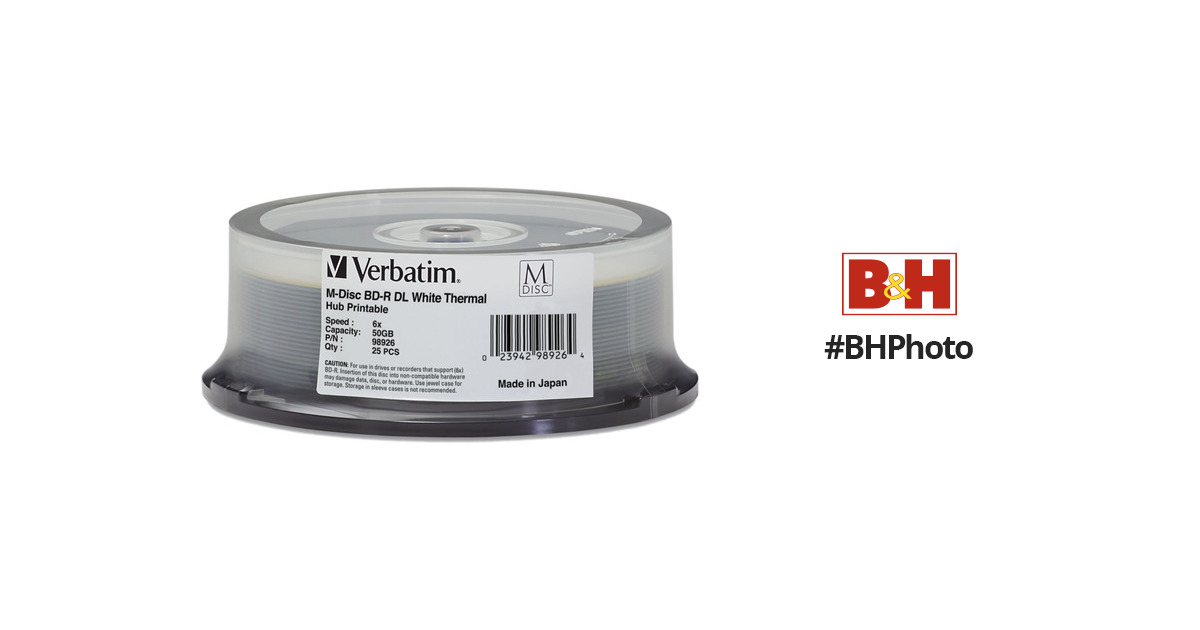
Verbatim 50GB M DISC BD-R DL Blu-ray 6x White Thermal Printable (25-Pack Spindle)
Buy Verbatim 50GB M DISC BD-R DL Blu-ray 6x White Thermal Printable (25-Pack Spindle) featuring 50GB Capacity, Up to 6x Write Speed, Engraved Data for Multi-Century Storage, Resists Light, Temperature, & Humidity, Meets ISO/IEC 16963 Longevity Tests, Hub-Printable. Review Verbatim null
www.bhphotovideo.com
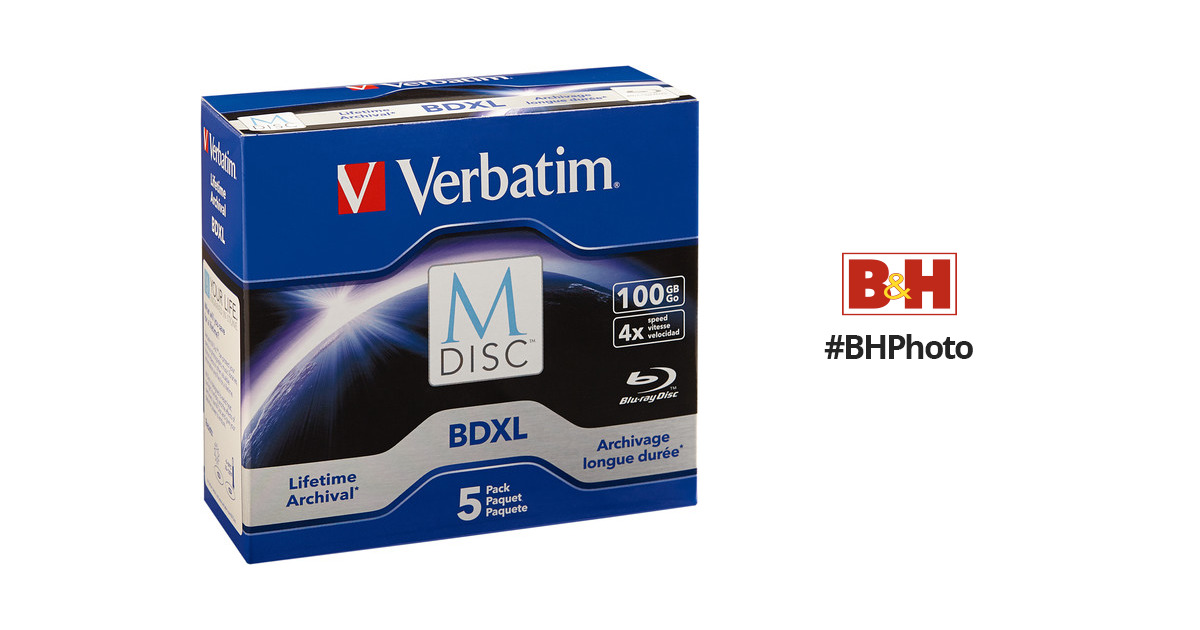
Verbatim M DISC BDXL 100GB 4x Blu-ray Discs (Jewel Case, 5-Pack)
Buy Verbatim M DISC BDXL 100GB 4x Blu-ray Discs (Jewel Case, 5-Pack) featuring Archival-Grade Discs, 100GB Data Capacity, Up to 4x Write Speed. Review Verbatim null
www.bhphotovideo.com
Last edited:
Here's a list of compatible drives . I've only used Verbatim and Millenniata media.
I want to buy the mdisc DVD at the lowest price but I can't find Verbatim, I saw smartbuy but I don't know if it's reliable the mdisc dvd drive i own

MalVeauX
Senior member
Heya,
Doesn't matter if you use internal SATA or external USB based BDR writing drives; you're going to want to write them slowly and with validation to ensure a good copy is made, so expect to write at 2x basically (4x can work, but any hiccup and you won't validate 100% of the time). The internals are pretty inexpensive and will do the job. The BDR media will last a long time. M-disc is another option, more expensive, but it will last your lifetime. The idea of worrying about a drive capable of reading these discs in the future is totally unfounded. You'd think we wouldn't have any drives capable of reading CD's and DVD's at this point, being we've had them for 30 and 40 years respectively at this point approximately and they're still the top affordable choice for long term archival storage as a media over hard disc. BDR discs at 25Gb, 50Gb and 100Gb are quite common, inexpensive and will last a very long time. Survive longer than a hard disc or SSD will, at this point. You'd think there wouldn't be drives for sale, 40 years later, than can read CD's. Yet there are. There's no reason to believe any CD, DVD or BDR is going to be scarce to find a drive to read them in another 20, 40, etc years. Optical archival is going to be important for many decades to come. Anyone who thinks a non-volitile version of solid state will take over is just tech-wishing because no one will store anything important on media that can be wiped by natural and man-made events that involve intense magnetic waves. Your optical stuff, etched into stone basically (m-disc) will be the better solution for now. The other alternative is tape drives. Tape is still a thing, viable and still used. Still drives available to read them too. This stuff isn't going anywhere any time soon.
I currently archive data with:
LG WH16NS40 BDR drive (internal SATA)
Verbatim 100GB BDXL M-Disc drives (5x pack)
I use IMGBurn software (free) at 2x write with validation.
Not a coaster made yet. All read in alternative drives perfectly.
Store in fireproof, waterproof case and you're set.
I do this as my 3rd and 4th "physical copy" options in a 1, 2, 3 + scheme for "backup."
Very best,
Doesn't matter if you use internal SATA or external USB based BDR writing drives; you're going to want to write them slowly and with validation to ensure a good copy is made, so expect to write at 2x basically (4x can work, but any hiccup and you won't validate 100% of the time). The internals are pretty inexpensive and will do the job. The BDR media will last a long time. M-disc is another option, more expensive, but it will last your lifetime. The idea of worrying about a drive capable of reading these discs in the future is totally unfounded. You'd think we wouldn't have any drives capable of reading CD's and DVD's at this point, being we've had them for 30 and 40 years respectively at this point approximately and they're still the top affordable choice for long term archival storage as a media over hard disc. BDR discs at 25Gb, 50Gb and 100Gb are quite common, inexpensive and will last a very long time. Survive longer than a hard disc or SSD will, at this point. You'd think there wouldn't be drives for sale, 40 years later, than can read CD's. Yet there are. There's no reason to believe any CD, DVD or BDR is going to be scarce to find a drive to read them in another 20, 40, etc years. Optical archival is going to be important for many decades to come. Anyone who thinks a non-volitile version of solid state will take over is just tech-wishing because no one will store anything important on media that can be wiped by natural and man-made events that involve intense magnetic waves. Your optical stuff, etched into stone basically (m-disc) will be the better solution for now. The other alternative is tape drives. Tape is still a thing, viable and still used. Still drives available to read them too. This stuff isn't going anywhere any time soon.
I currently archive data with:
LG WH16NS40 BDR drive (internal SATA)
Verbatim 100GB BDXL M-Disc drives (5x pack)
I use IMGBurn software (free) at 2x write with validation.
Not a coaster made yet. All read in alternative drives perfectly.
Store in fireproof, waterproof case and you're set.
I do this as my 3rd and 4th "physical copy" options in a 1, 2, 3 + scheme for "backup."
Very best,
TRENDING THREADS
-
 Discussion Zen 5 Speculation (EPYC Turin and Strix Point/Granite Ridge - Ryzen 9000)
- Started by DisEnchantment
- Replies: 25K
-
Discussion Intel Meteor, Arrow, Lunar & Panther Lakes + WCL Discussion Threads
- Started by Tigerick
- Replies: 25K
-

-

-
