
-
We’re currently investigating an issue related to the forum theme and styling that is impacting page layout and visual formatting. The problem has been identified, and we are actively working on a resolution. There is no impact to user data or functionality, this is strictly a front-end display issue. We’ll post an update once the fix has been deployed. Thanks for your patience while we get this sorted.
You are using an out of date browser. It may not display this or other websites correctly.
You should upgrade or use an alternative browser.
You should upgrade or use an alternative browser.
Question Samsung 4k tv as PC monitor
- Thread starter sioux
- Start date


sioux
Member
Okay, here is the story :
Since I purchased the KS7500, 2017 January, i ALWAYS used ONLY Game Console HDMI 1 input
Never used HDMI 1 PC. Everthing was just fine. Image quality, text, etc
I know, 4:2:2, instead chroma subsampling 4:4 :4 which is awesome for text
But I don't give a... about the text, fonts
With Game Console HDMI 1 vs HDMI 1 PC, everything looks way better.
Contrast, Colors, Backlight, etc.
I used it like that for about 2 years, with different flight simulators, like DCS world, IL 2 sturmovik battle of X, CoD , Xplane 11 )
Never had an issue with this input HDMI 1 Game Console - clouds, etc.
Never
I started with X-Plane 11, last year, August
I used the TV as I said above, with Game Console HDMI 1
Everything was perfect ( except the FPS, high settings, maps, add-ons, etc)
The image quality was awesome
Then, about 3 - 4 weeks ago, everything wasn't the same anymore
With X-Plane 11 and with all the other flight sims. I didn't update the Windows, or some major software changes
All the clouds started to look weird, especially on X-Plane 11
I did a Windows fresh install, XP 11 as well, default, no add-ons, no plugins, nothing
Couldn't fix my issue
HDMI UHD Color ON. Game Mode ON
Replaced the HDMI cable, 3 or 4 different cables. Nothing changed. I even purchased a brand new HDMI 2.0 cable, 4k, 60Hz, High Speed, etc etc etc etc
Replaced( testing ) the graphic card, my GTX 1080 ti, with R9 390x, GTX 980ti , tried many nVidia drivers, olders, the newest...
Tried with nVidia Control Panel, all the settings : output color format / output dynamic range / tested with 59, 58 Hz / 1080p / reduced Gamma / and many many more
Same story. Nothing changed . I said " that's the TV panel display - is going to die "
Now, i purchased the Samsung Q9FN 55 inches
Tried with HDMI 1 as game console and HDMI 1 as PC
With the HDMI 1 as game console, clouds look awful. Unplayable , especially X-plane 11. Clouds look like they are burning, like some flames.....
Pink and green edges, shapes .... it's hard to describe
But the whole image ( except clouds ) is amazing. Contrast, Colors, Backlight, black, white...
Just incredible nice . Even on the web sites, text / fonts / everything look amazing.
I recorded some short videos with nVidia Geforce Experience, put the videos on USB stick, and tested on my main TV in the living room ( Panasonic 4K, 75 inches )
Same awful clouds. So, there is no hardware trouble on my Samsung 4k TV
When I switch to HDMI 1 PC, clouds look a bit better but I still can see the clouds are not alright ( pink, green, all those shapes, edges )
And besides, I have to sacrifice all those beautiful colors, contrast, etc etc etc, if I stick with HDMI 1 PC
Okay, let's say, I'll keep it with PC HDMI 1, and I'm trying to ignore this issue ( not sure if I can do this)
The question ( s ) is : why is everything changed, suddenly ? Who ( windows 10 dx ? Gpu ? ) is changing / processing/ the quality image, when I use Game Console HDMI 1
Is that normal, what happens? i couldn't observe those issues in 2 years, with the KS7000, and I used only Game Console HDMI 1, no clouds issues, nothing....
Until 3, 4 weeks ago
Is there a way to use Game Console HDMI 1, without having all the awful clouds? For me it's impossible.
I tried with BIOS ( latest version ) default settings, no CPU overclock.
I'm just speechless and I feel I came to a dead end. I don't know what else I could try / test
If you have any ideas / advices, please, do not hesitate
Thank you very much
Since I purchased the KS7500, 2017 January, i ALWAYS used ONLY Game Console HDMI 1 input
Never used HDMI 1 PC. Everthing was just fine. Image quality, text, etc
I know, 4:2:2, instead chroma subsampling 4:4 :4 which is awesome for text
But I don't give a... about the text, fonts
With Game Console HDMI 1 vs HDMI 1 PC, everything looks way better.
Contrast, Colors, Backlight, etc.
I used it like that for about 2 years, with different flight simulators, like DCS world, IL 2 sturmovik battle of X, CoD , Xplane 11 )
Never had an issue with this input HDMI 1 Game Console - clouds, etc.
Never
I started with X-Plane 11, last year, August
I used the TV as I said above, with Game Console HDMI 1
Everything was perfect ( except the FPS, high settings, maps, add-ons, etc)
The image quality was awesome
Then, about 3 - 4 weeks ago, everything wasn't the same anymore
With X-Plane 11 and with all the other flight sims. I didn't update the Windows, or some major software changes
All the clouds started to look weird, especially on X-Plane 11
I did a Windows fresh install, XP 11 as well, default, no add-ons, no plugins, nothing
Couldn't fix my issue
HDMI UHD Color ON. Game Mode ON
Replaced the HDMI cable, 3 or 4 different cables. Nothing changed. I even purchased a brand new HDMI 2.0 cable, 4k, 60Hz, High Speed, etc etc etc etc
Replaced( testing ) the graphic card, my GTX 1080 ti, with R9 390x, GTX 980ti , tried many nVidia drivers, olders, the newest...
Tried with nVidia Control Panel, all the settings : output color format / output dynamic range / tested with 59, 58 Hz / 1080p / reduced Gamma / and many many more
Same story. Nothing changed . I said " that's the TV panel display - is going to die "
Now, i purchased the Samsung Q9FN 55 inches
Tried with HDMI 1 as game console and HDMI 1 as PC
With the HDMI 1 as game console, clouds look awful. Unplayable , especially X-plane 11. Clouds look like they are burning, like some flames.....
Pink and green edges, shapes .... it's hard to describe
But the whole image ( except clouds ) is amazing. Contrast, Colors, Backlight, black, white...
Just incredible nice . Even on the web sites, text / fonts / everything look amazing.
I recorded some short videos with nVidia Geforce Experience, put the videos on USB stick, and tested on my main TV in the living room ( Panasonic 4K, 75 inches )
Same awful clouds. So, there is no hardware trouble on my Samsung 4k TV
When I switch to HDMI 1 PC, clouds look a bit better but I still can see the clouds are not alright ( pink, green, all those shapes, edges )
And besides, I have to sacrifice all those beautiful colors, contrast, etc etc etc, if I stick with HDMI 1 PC
Okay, let's say, I'll keep it with PC HDMI 1, and I'm trying to ignore this issue ( not sure if I can do this)
The question ( s ) is : why is everything changed, suddenly ? Who ( windows 10 dx ? Gpu ? ) is changing / processing/ the quality image, when I use Game Console HDMI 1
Is that normal, what happens? i couldn't observe those issues in 2 years, with the KS7000, and I used only Game Console HDMI 1, no clouds issues, nothing....
Until 3, 4 weeks ago
Is there a way to use Game Console HDMI 1, without having all the awful clouds? For me it's impossible.
I tried with BIOS ( latest version ) default settings, no CPU overclock.
I'm just speechless and I feel I came to a dead end. I don't know what else I could try / test
If you have any ideas / advices, please, do not hesitate
Thank you very much
sioux
Member
I have the issue with all the flight sims ( clouds only ) but on Xplane 11 it looks very very bad
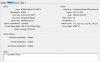
DXDIAG says : driver model WDDM
I'm confused now
I have the nVidia driver installed.
Is Windows using it's own WDDM driver, instead of nVidia driver ??
DXDIAG says : driver model WDDM
I'm confused now
I have the nVidia driver installed.
Is Windows using it's own WDDM driver, instead of nVidia driver ??
Attachments
Last edited:

sioux
Member
Okay, thank youWDDM is not your GPU driver, it's the display driver architecture for windows, and it's used no matter what GPU you have, AMD, Nvidia, or Intel.
sioux
Member
Back with some news : someone from Samsung forum said, my problem is not coming from PC, Image settings, games ....
My issue comes from TV SOUND....
I said " WHAAAATT " ??
He said, " yes...give it a try ....
Go to Sound settings, Expert settings / HDMI Audio format and change from BITSTREAM to PCM "
So I did and the display got black, no image
He said, i need some AV receiver to have 4k, 60 Hz, etc etc etc
Now I'm speechless, again
My issue comes from TV SOUND....
I said " WHAAAATT " ??
He said, " yes...give it a try ....
Go to Sound settings, Expert settings / HDMI Audio format and change from BITSTREAM to PCM "
So I did and the display got black, no image
He said, i need some AV receiver to have 4k, 60 Hz, etc etc etc
Now I'm speechless, again
sioux
Member
Just a short video, recorded with the mobile phone
https://gofile.io/?c=ooQYos
https://gofile.io/?c=ooQYos
sioux
Member
I think there is nothing I can do, unfortunatelly
Someone wrote in another forum, i attached a printscreen, and I think that's the answer
If i ask Samsung to replace the TV, i don't know if it's help
8 bit is 8 bit ...
I'm starting to think about HP Omen 65 inches, 8 bit + FRC
Someone wrote in another forum, i attached a printscreen, and I think that's the answer
If i ask Samsung to replace the TV, i don't know if it's help
8 bit is 8 bit ...
I'm starting to think about HP Omen 65 inches, 8 bit + FRC
Attachments

sioux
Member
One more picture, made with the mobile phone
With and without HDR +
With PC HDMI / Game Console HDMI / with and without Game Mode.
Same result
I'm not sure if the GPU could cause this
But everything is possible
https://postimg.cc/9zs6KpQX
With and without HDR +
With PC HDMI / Game Console HDMI / with and without Game Mode.
Same result
I'm not sure if the GPU could cause this
But everything is possible
https://postimg.cc/9zs6KpQX
TRENDING THREADS
-
 Discussion Zen 5 Speculation (EPYC Turin and Strix Point/Granite Ridge - Ryzen 9000)
- Started by DisEnchantment
- Replies: 25K
-
Discussion Intel Meteor, Arrow, Lunar & Panther Lakes + WCL Discussion Threads
- Started by Tigerick
- Replies: 25K
-
 Discussion Intel current and future Lakes & Rapids thread
- Started by TheF34RChannel
- Replies: 24K
-

-
