• We’re currently investigating an issue related to the forum theme and styling that is impacting page layout and visual formatting. The problem has been identified, and we are actively working on a resolution. There is no impact to user data or functionality, this is strictly a front-end display issue. We’ll post an update once the fix has been deployed. Thanks for your patience while we get this sorted.

Ryzen 3000 RAM @ CL15

Page 2 - Seeking answers? Join the AnandTech community: where nearly half-a-million members share solutions and discuss the latest tech.
I guess this Flare-X was produced early on to work in XMP with the first Ryzens. It works at 3200 MHz CL14 with 1.35v, so I guess it's the same grade as most B-die.
 
That is very very good. I must admit, it reads like a low-binned die because it was sold as a 2933, but you got lucky. The DDR4 on my Corsair 3200 was CL 16 at 1.35v -- and it was sold that way. I'd say you did very well.
 
OK, so..

tRAS = tCL + tRCD
tRC = tRP + tRAS
tRFC = 6 x tRC or 8 x tRC

Change tRAS to 30, change tRC to 45, and set tRFC to 270 or 360. Tightening tRC and tRFC are easy pickings for shaving a few ns.
 
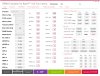
Shortly after my last posting, I experienced failure to enter forced sleep mode, followed by a blue screen. I tested 3800 MHz CL16 with the DRAM calculator settings (GDM on), which was stable, but performance dropped a little. I went back to 3600 CL15 with the settings in the attached image, using 1.44v, and it has worked well since.
Wait. So when you say "GDM on" do you mean it is enabled? It is disabled in your screenshots.

Also, are you able to boot at 1800 uclk/fclk reliably? Have you tried any higher?
 
Wait. So when you say "GDM on" do you mean it is enabled? It is disabled in your screenshots.

Also, are you able to boot at 1800 uclk/fclk reliably? Have you tried any higher?

It is perfectly stable so far at 1800 uclk/fclk. I only turn GDM off when using CL15. I always left uclk/fclk at 1:1.

I didn't run it at 3800 MHz CL16 for more than a couple of hours, since it performed slightly worse. I'm still using the same settings in the screenshot in the posting you quoted from, which are 3600 MHz CL15 (not sure why it displayed it twice in that posting).

I haven't tried anything higher than 3800 MHz.

Here's the settings I used for 3800 MHz, with the possible exception of tRFC. I've forgotten the actual voltage used, but I'm thinking 1.44v. I didn't spend any time trying to improve on the subtimings:
DramCalc380016.jpg
 
Yah I meant to ask 1900 uclk/fclk, not 1800. On my system performance is clearly better with 1900 than with 1867. It's just that I cannot boot at 1900 reliably, and that BIOS has to be restored manually on every failed boot. Very frustrating!

Have you found any pattern as to procODT?
 
Have you found any pattern as to procODT?

I tried setting it manually at first, but decided that it made little or no difference for me, so I'm leaving it on auto. I haven't bothered to look into its function.

My BIOS resets to defaults on every failed boot also, but fortunately it doesn't lose saved profiles.

The only thing I've changed this week was updating to yesterday's new chipset driver. Using the "Ryzen High Performance" power plan (which I was already using), It appears to maintain higher clocks (~50 MHz) on more cores than before, while keeping the vcore down to around 1.32v, loaded. I'm happy with it for now.
 
Back
Top