Questions about changing 4700 to 4770k

amin74

Junior Member
Sep 2, 2006
11
0
0
I just got my first custom build, partially built by Avadirect and partially by me. The computer is for general use, and I'm beginning to think I would have been better off with the 4770k for better performance in things like gaming and video conversion.

My questions are: 1) Can I just buy a 4770k and swap it in for the 4770? 2) Is it hard to do the swap? 3) How much difference in performance can I expect without liquid cooling (something I don't want to get into)?

My current components are as follows:

-Fractal Design Define R4 Black Pearl w/ Window Case
-Seasonic Platinum-1000 1000W Power Supply
-Asus Z87-Deluxe/Dual Motherboard
-Intel Core™ i7-4770 CPU
-Cooler Master Hyper 212 EVO CPU Cooler
-Crucial 32GB (4 x 8GB) Ballistix Sport DDR3 RAM
-2x Sapphire Radeon HD 7970 OC w/ Boost (Crossfire)
-Samsung 512GB 840 Pro Series SSD - primary drive
-2x Seagate 2TB Barracuda in RAID 0 (striped) - storage drive
-Seagate 3TB Barracuda - backup drive
-4x Cougar CF-V14HB Vortex case fans
-Windows 8 64-bit Professional

Here she is:
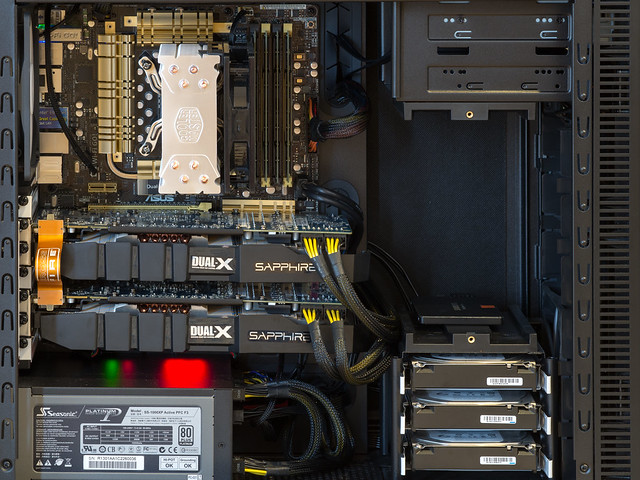

New Rig by Amin Sabet, on Flickr
 
Last edited:

Yuriman

Diamond Member
Jun 25, 2004
5,530
141
106
1) Yes.

2) I don't think so. You're basically going to unscrew the 4 screws at the base of your heat sink, set it aside, lift the lever holding the old CPU in place, replace it with the new CPU and lower the lever, apply a modest amount of thermal paste (don't forget this!), replace the heat sink, tighten the 4 screws.

3) I'd expect you can get 4.4Ghz out of it, give or take 100Mhz, which is about 25% when all 4 cores are loaded, and 12.5% on a single threaded loads (turbos to 3.9 on one core).

You can probably recoup most of the cost of the new chip too, if you sell the old one in the classifieds here.
 

cytg111

Lifer
Mar 17, 2008
26,854
16,114
136
1) Can I just buy a 4770k and swap it in for the 4770?
Yes
2) Is it hard to do the swap?
No
3) How much difference in performance can I expect without liquid cooling (something I don't want to get into)?
- Virtually zip zero nothing.. 10% extra CPU horsepower will net you 10% for those datasets that fit 100% in the CPU's cache .. for workloads larger than that? 8-7-5-4-2% ?

4) This is nuts :)
 

amin74

Junior Member
Sep 2, 2006
11
0
0
Hmmm... conflicting opinions...

Anyone else have an informed opinion to weigh in with?
 

Yuriman

Diamond Member
Jun 25, 2004
5,530
141
106
Well, stock vs stock they'll perform the same. I suppose I forgot to ask if you intend to overclock the K model.
 

Termie

Diamond Member
Aug 17, 2005
7,949
48
91
www.techbuyersguru.com
Running dual 7970s, you will certainly bottleneck on a single 4770 at stock clocks. But you'd really have to be interested in overclocking to make it worthwhile.

Honestly, AVADirect shouldn't have spec'd a system like that with a 4770. You have an incredibly high-end motherboard, and you basically can't make much use of it with your system.
 

amin74

Junior Member
Sep 2, 2006
11
0
0
Well, stock vs stock they'll perform the same. I suppose I forgot to ask if you intend to overclock the K model.

Yes, of course if I were to make the swap, the purpose would be to overclock the k model. One person said I would get a 25% performance boost, and another said it would be 10% or less.

With my current system, would I see a noticeable improvement in gaming at 2560 x 1600 or video encoding after switching to an overclocked 4770k?

Honestly, AVADirect shouldn't have spec'd a system like that with a 4770. You have an incredibly high-end motherboard, and you basically can't make much use of it with your system.

I wanted to have Thunderbolt connectivity, integrated 802.11ac, good onboard audio, tons of SATA 3 and USB3 ports, etc, all of which are features of this motherboard that mattered to me independent of overclocking considerations.
 
Last edited:

Maximilian

Lifer
Feb 8, 2004
12,604
15
81
Hmmm... conflicting opinions...

Anyone else have an informed opinion to weigh in with?

By the time the 4770 is obsolete an overclocked 4770k will be in the same boat.

3.9ghz vs ~4.4ghz

I assume haswell still allows all 4 cores to go to 3.9ghz rather than just 1 if the correct settings are applied in the UEFI?

I wouldn't bother doing it for the performance, i might do it just to have something new to tinker with.
 

amin74

Junior Member
Sep 2, 2006
11
0
0
I'm pretty sure my motherboard is set to allow all 4 cores to go to 3.9 GHz, so if I understand correctly, I'd be tinkering for a 10-15% performance boost plus the fun of tinkering?
 

Termie

Diamond Member
Aug 17, 2005
7,949
48
91
www.techbuyersguru.com
You should check whether all the cores do in fact go to 3.9. The new non-k processors don't allow any bin overclocking, which is what would be happening if the motherboard clocked it to 3.9. A standard 4770 would run at 3.6 fully-loaded.
 

Geforce man

Golden Member
Oct 12, 2004
1,737
11
81
Even with the nonK model, can you not go to 4.2Ghz? this was possible with the 3770 non-k model... not sure if its the same way with haswell.
 

SPBHM

Diamond Member
Sep 12, 2012
5,077
440
126
Even with the nonK model, can you not go to 4.2Ghz? this was possible with the 3770 non-k model... not sure if its the same way with haswell.

you can't, Ivy and Sandy Bridge allowed some "turbo" OC on locked CPUs, Haswell does not, the only thing he can do is bclk OC (without the straps), so he probably can get 5-7% OC with bclk over 100 (default)
 

AtenRa

Lifer
Feb 2, 2009
14,003
3,362
136
I would really like to know if he can put all cores to run at turbo speed (3.9GHz) on non K Haswells. Adjusting also the bclk to 102-103MHz will get him at ~4GHz with 8 threads.
 

SPBHM

Diamond Member
Sep 12, 2012
5,077
440
126
I would really like to know if he can put all cores to run at turbo speed (3.9GHz) on non K Haswells. Adjusting also the bclk to 102-103MHz will get him at ~4GHz with 8 threads.

the Intel lock works really well, even if the bios allow him to go higher, as soon as he loads all the cores it's going down to the max turbo for 4c load (37x multi, not 39, 39 is for 1 or 2c load)

so, 37x1xx is the max OC for full load, I think 105 is almost guarantee, but you might be able to get close to 108.
 

tweakboy

Diamond Member
Jan 3, 2010
9,517
2
81
www.hammiestudios.com
4770k for better OCing and faster CPU you get. You can go to 4Ghz without touching voltage. Turn on C1E and speedstep but turn OFF Turbo. gl
 
Last edited:

amin74

Junior Member
Sep 2, 2006
11
0
0
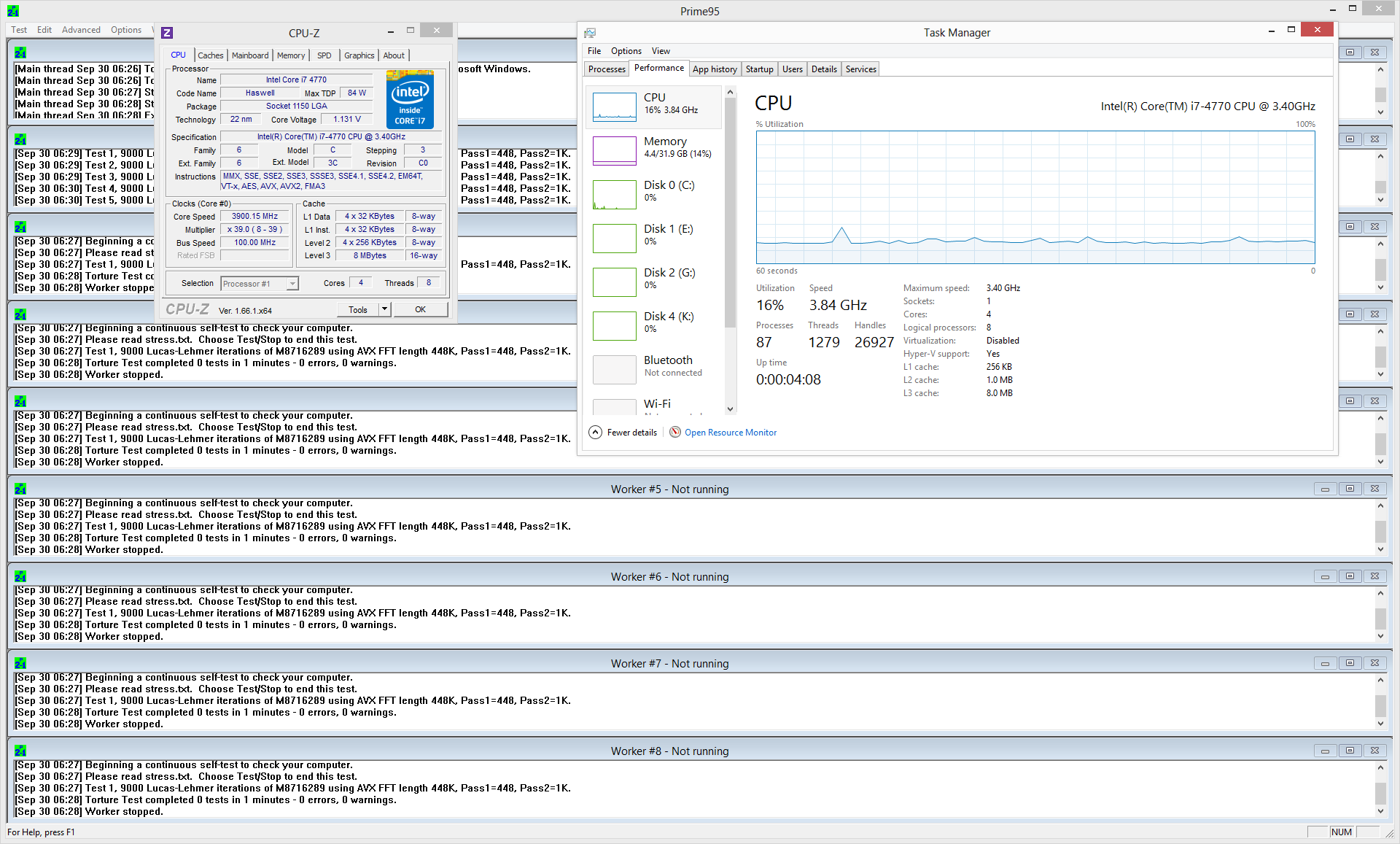
I just experimented a bit in the UEFI Bios Utility. In Easy mode, I set to Asus Optimal (mode for highest performance)

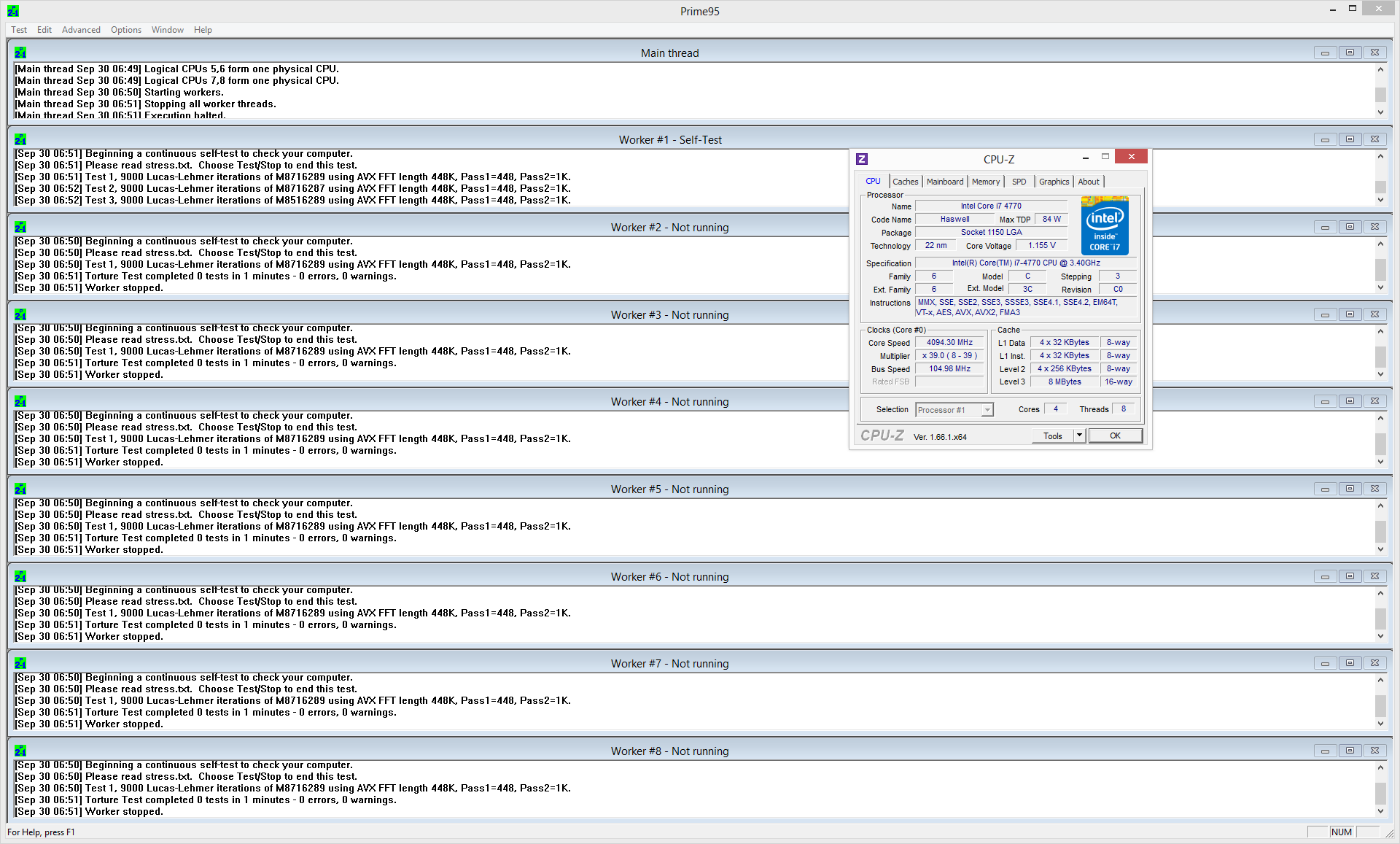
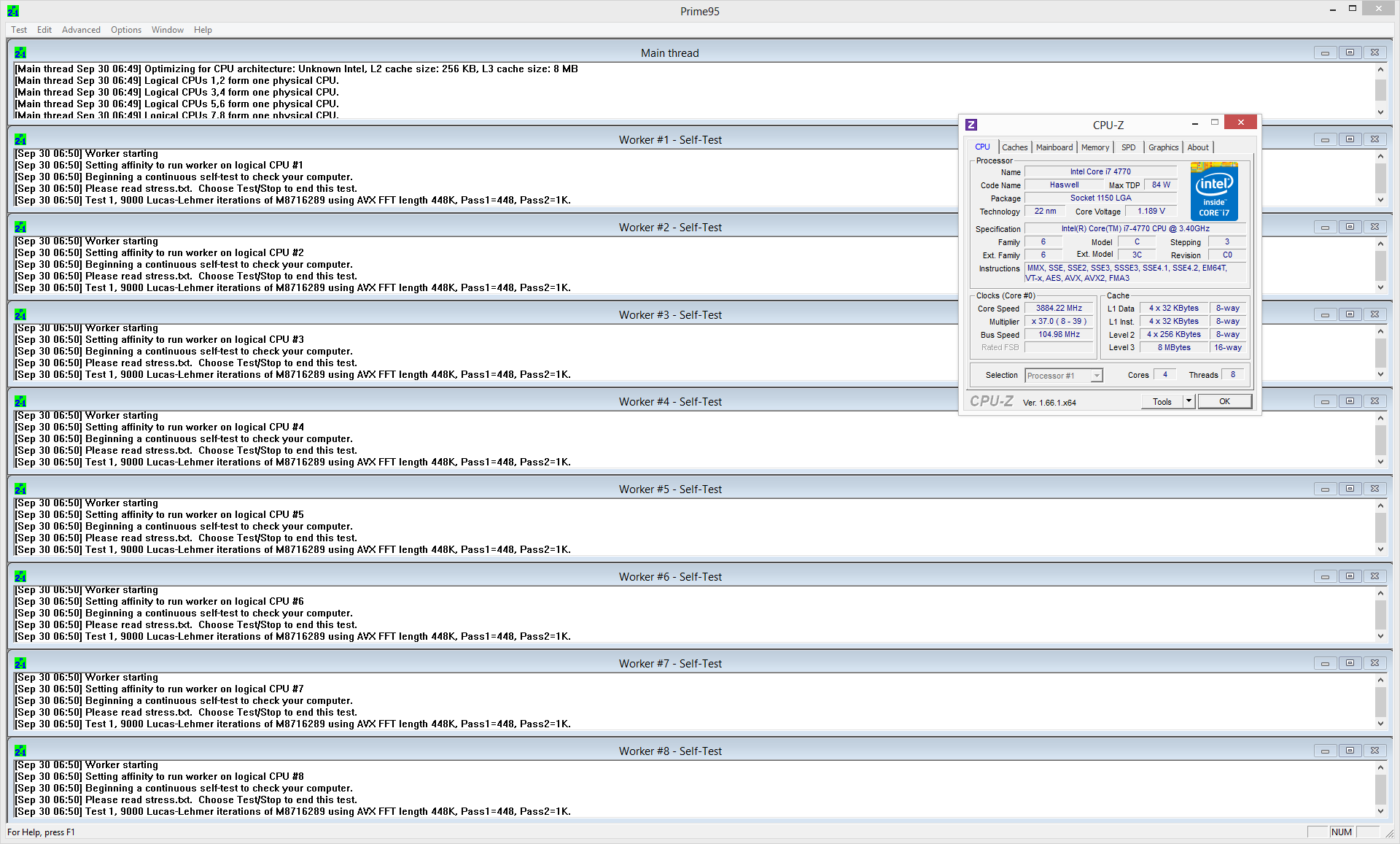
using Prime95 to stress one core only, CPU-Z shows that I am getting up to 3.90GHz core speed:

10017157356_2cdc661464_o.png


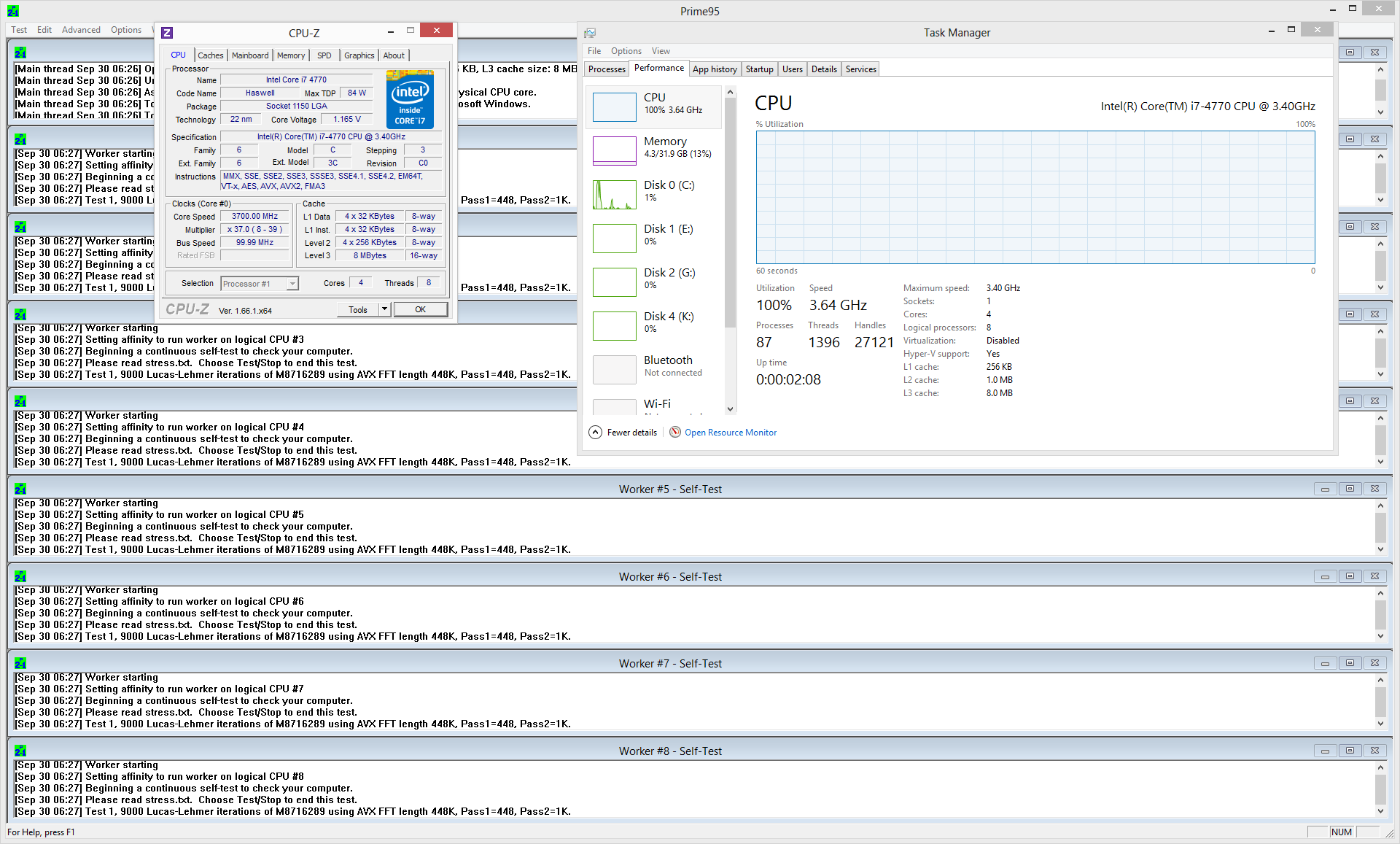
When I switch to stressing all cores, the core speed was up to 3.70GHz:

10017157456_b54ccdf019_o.png


In Advanced mode, set the BLCK Frequency to 105.0. For some reason when I saved those changes it said I was enabling the EPU Power Saving mode, which didn't sound like a good thing, but I couldn't find a setting to disable that so I just saved and exited that. Also, the next time I re-entered the UEFI Bios Utility, the BLCK frequency was set to 103.0, so I take it that it automatically switched from 105 to 103.

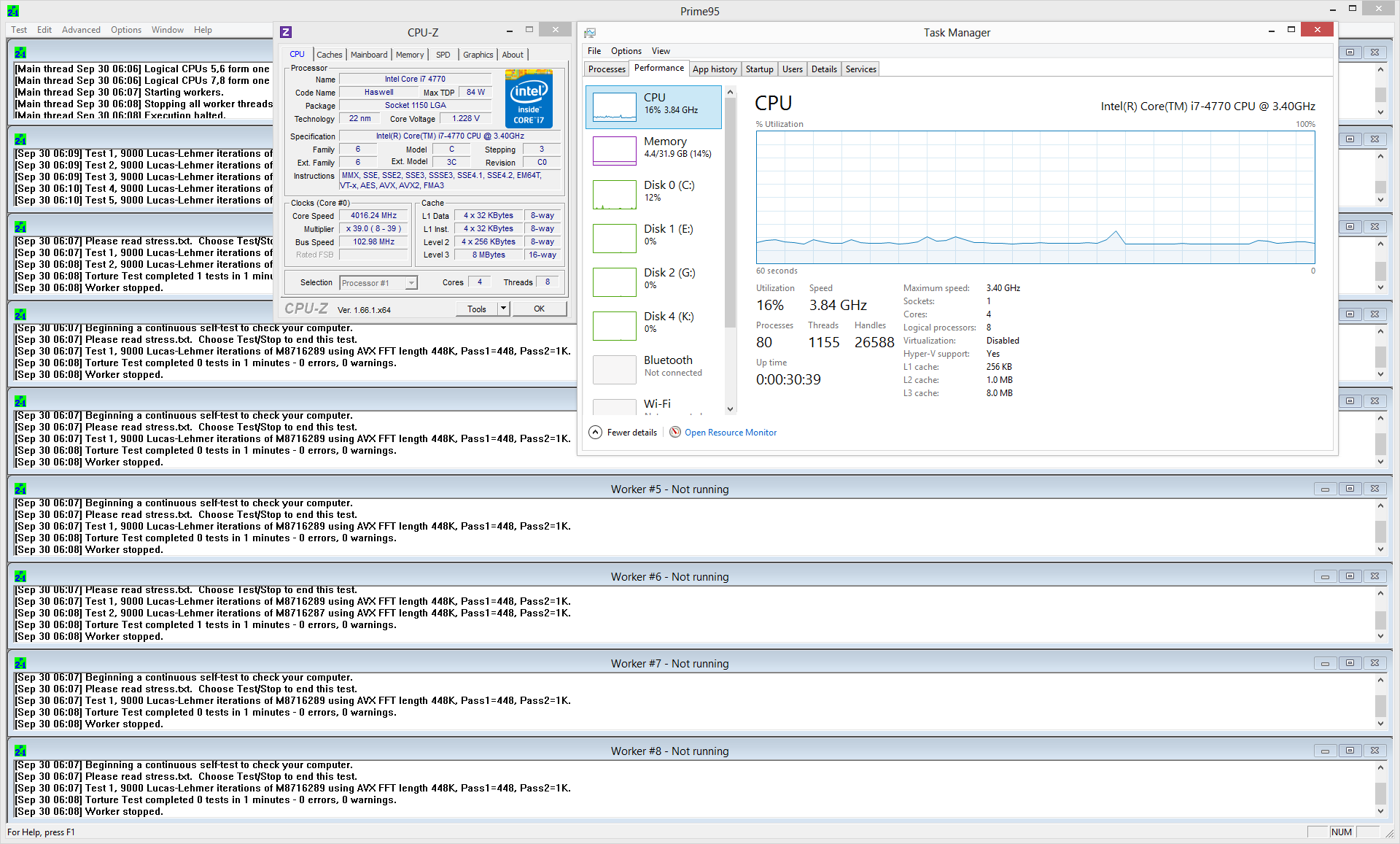
With that setting change, using Prime95 to stress one core only, CPU-Z shows that I am getting up to 4.02GHz core speed:

10017030183_1969417caf_o.png


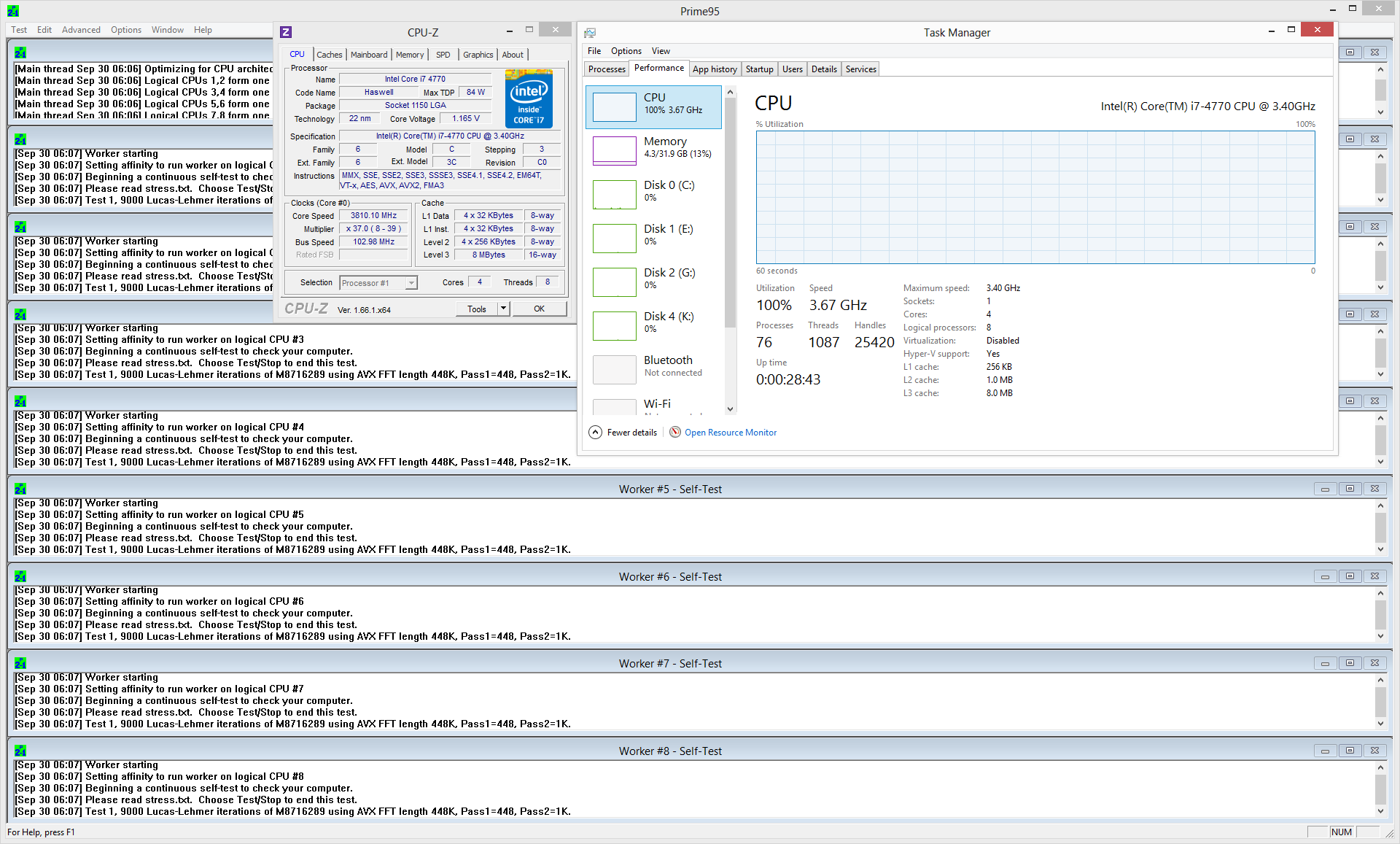
When I switch to stressing all cores, the core speed was up to 3.81GHz:

10017030203_1d6987abc0_o.png


If I understand correctly, this means that at stock settings my 4770 can turbo to 3.9GHZ on one core or 3.7GHz on 4 cores, while with BLCK frequency set to 105 (? automatically changed to 103 by system), my 4770 can turbo to 4.0GHz on 1 core or 3.8GHz on 4 cores.


Interestingly, Windows reports the same processor speeds before and after the BLCK frequency changes, while CPU-Z shows the differences mentioned above.


Fwiw, my system seems very stable with the change to BLCK frequency, and I get a warm feeling from the idea that my non-overclockable 4770 is breaking the 4GHz barrier :).
 
Last edited:

SPBHM

Diamond Member
Sep 12, 2012
5,077
440
126
windows not reporting the correct OC is not really unexpected, but that's basically it, I think 2 cores load is 38 (3.8GHz) by default, while 4c is 37 and 1c 39x.

if 105 didn't work maybe your CPU/MB simply can't go that high, or maybe you could try 104, 106, or with some software like XTU or something from Asus!?

anyway, 4770K without some luck and/or great cooling is probably going to be comfortable at around 4.2GHz... the gain from 3.7-3.8 to that is not that significant I think.
 
Last edited:

amin74

Junior Member
Sep 2, 2006
11
0
0
Interestingly when I went back an set the BLCK frequency back to 105, it stuck the second time. I also disabled EPU Power Saving. Then I re-ran Prime95 and got 4.1GHz while stressing 1 core and 3.9GHz while stressing all four:

10017439555_f890a41671_o.png


10017392314_0be510e02f_o.png


Unfortunately at that point my graphics drivers started to get flaky along with some artifacting in the display, so I'll need to experiment some more with the settings.
 

Nec_V20

Senior member
May 7, 2013
404
0
0
Unless you need that bit more which you would get from overclocking now then it isn't really worth it.

If you did need that reserve later on then you could always make the change and by then the price of the 4770k will have come down and/or they will have homogenised the yield to a point where you will not be thrown on the mercy of the silicon lottery with regard to overclocking.
 

SammichPG

Member
Aug 16, 2012
171
13
81
If you run anything work related don't bother with oc, you can enable the bios setting to run all cores at turbo speed and be done with it. K processors lack some virtualization extensions and TSX which should bring good performance boost (saw an article claiming a 30% extra performance), I doubt that you'll need them though. Looking at your picture you have an hyper 212 (evo?), don't expect awesome OCs from it, haswell gets hot really fast. Be happy with your processor, haswell is not the free lunch we used to enjoy, it's hard to overclock even if you bother to delid and the performance increase is not ground breaking. (4.5-4.3ghz vs 3.9ghz)
 

wilds

Platinum Member
Oct 26, 2012
2,059
674
136
I think the 4770 will be fine, especially at 2560x1440. If this machine is mostly gaming, I would sell the i7-4770 and get an i5-4670k to overclock. Games seem to need single-threaded performance and a high frequency helps a lot. Games that use multithreading really well don't seem to respond to an overclock as much.

I really don't think you will get a noticeable improvement if you upgrade to an i7-4770k or i5-4670k though. If 1150 had another CPU coming out for it, I would recommend waiting instead.

Haswell does not overclock as much as stated by many users. What do your temps get at 3.8 GHz full load? If you can get a reasonable deal on your 4770 then go for it, but otherwise, I would be happy with what you got.

Overclocking those 7970's would provide the largest improvement for FPS.
 
Last edited:

amin74

Junior Member
Sep 2, 2006
11
0
0
I knew this was going to bug me, so I went down to MicroCenter in Boston, picked up a 4770k, and swapped it in. Being the impatient fellow, I immediately set it to a multiplier of 45 on all cores and set the core voltage to 1.25V. I know that's not how you're supposed to do it, but my system seems stable so far and I just got the best 3DMark Fire Strike score I've ever gotten: http://www.3dmark.com/fs/926606

Now to figure out if my temps are acceptable and see if this baby is really stable. I know my cooler is a budget model, and I'm definitely up for replacing it at some point soon.

Overclocking those 7970's would provide the largest improvement for FPS.

Those have been overclocked from day one and are stable and cool (enough) at 1200 core 1600 memory.
 
Last edited: