

-
We’re currently investigating an issue related to the forum theme and styling that is impacting page layout and visual formatting. The problem has been identified, and we are actively working on a resolution. There is no impact to user data or functionality, this is strictly a front-end display issue. We’ll post an update once the fix has been deployed. Thanks for your patience while we get this sorted.
You are using an out of date browser. It may not display this or other websites correctly.
You should upgrade or use an alternative browser.
You should upgrade or use an alternative browser.
Proper way to apply thermal paste
- Thread starter Red Squirrel
- Start date

MrSquished
Lifer
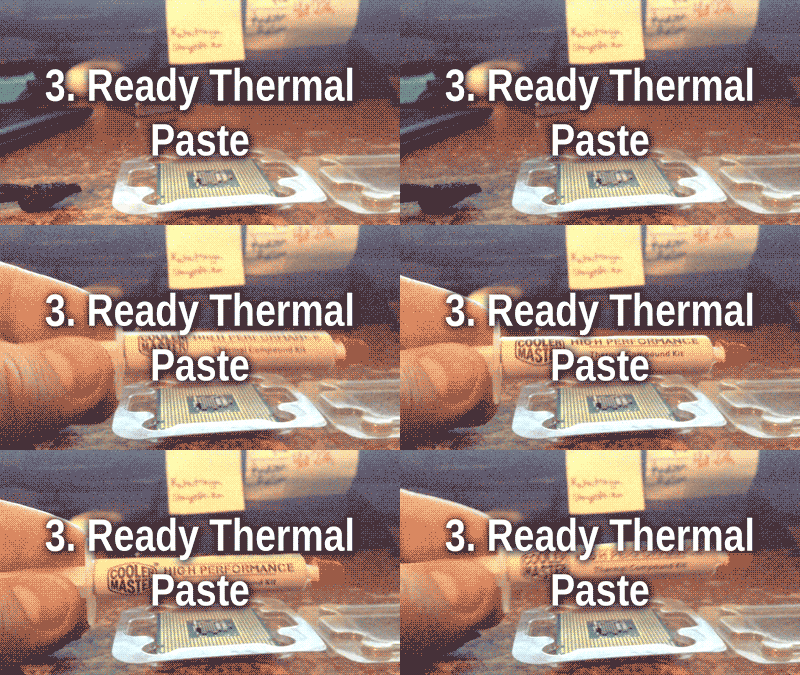
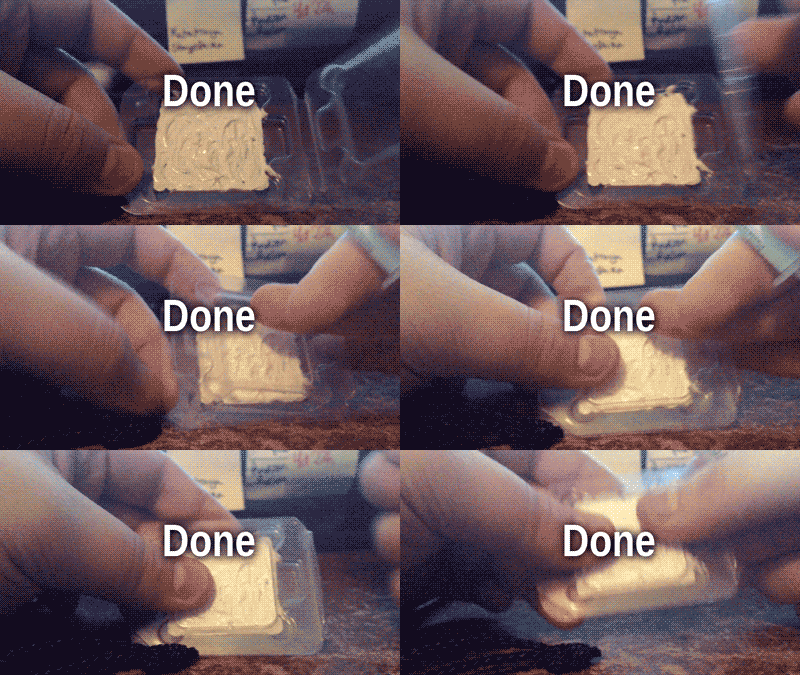
That gif seems to show putting a little bit too much on?
Man I remember my first build and that was one of the more nerve-wracking parts. I keep remembering a 'rice-sized' amount of thermal paste to apply. Now I just wing it and nothing has gone wrong.
This first build was just over 20 years ago and I learned how to build primarily from reading Anandtech articles, along with some other sites like maybe xbitlabs was it? I can't remember the names. But AT was the primary teacher. Been rebuilding my rig every 4 years or so ever since. Along with multiple builds for friends and family.
Good times.
Man I remember my first build and that was one of the more nerve-wracking parts. I keep remembering a 'rice-sized' amount of thermal paste to apply. Now I just wing it and nothing has gone wrong.
This first build was just over 20 years ago and I learned how to build primarily from reading Anandtech articles, along with some other sites like maybe xbitlabs was it? I can't remember the names. But AT was the primary teacher. Been rebuilding my rig every 4 years or so ever since. Along with multiple builds for friends and family.
Good times.









lxskllr
No Lifer
No shit. You have to put it on in an asterisk pattern so the compound gets on all the pins. They got the quantity pretty good on the laid strip though. It should come out from the sides of the cpu to draw away heat.so wrong.. 😉😵

What the fuq? Why are the pins so straight?
Uncanny valley

GagHalfrunt
Lifer
What the fuq? Why are the pins so straight?
You hammer the pins AFTER applying the paste. Everyone knows this.
MrSquished
Lifer
Haven't seen this one before but it looks legit:
https://www.youtube.com/watch?v=o7rPqCvCt0g
Usually I just put a rice or pea sized bit in the middle. And some light-handed dots near the corners. I've OCD and overvolted and always had good temps.
https://www.youtube.com/watch?v=o7rPqCvCt0g
Usually I just put a rice or pea sized bit in the middle. And some light-handed dots near the corners. I've OCD and overvolted and always had good temps.
lxskllr
No Lifer
That's what I do. Puts on dots like the 5 side of a die, place the heatsink, twist a little left and right, then clamp it.Some compounds recommend you let the weight of the heatsink spread the paste,

brianmanahan
Lifer
i stopped wasting money on thermal paste and just use vaseline now
GagHalfrunt
Lifer
i stopped wasting money on thermal paste and just use vaseline now
Too easy. Way too easy.


Pea-sized amount, like toothpaste. Don't swallow it, like toothpaste.
KT
KT
i stopped wasting money on thermal paste and just use vaseline now
I'll trust your judgment as an overcocking expert.

Brainonska511
Lifer
My last build I just used a pea sized dot in the center of the CPU and squished it with the hsf assembly.Some compounds recommend you let the weight of the heatsink spread the paste, but I've always just dotted the CPU and spread using a fresh razor blade (Feather blades, which I have on hand anyway).
OP's method works well if the motherboard is feeling a little peckish, though. 😛
The previous build had a hsf with exposed heat pipes, so I used the line method on the base of the heatsink.

master_shake_
Diamond Member
For realz, I've built 2 or 3 systems now... never once had to do my own thermal paste, plan to keep it that way. Go stock Intel cooler!
friends don't let friends use stock coolers.
master_shake_
Diamond Member
Everyone is wrong.

ah, the spackle method.
The stock Intel cooler is fine as long as your not going to OC your chip very much, if your gonna go for a 600Mhz+OC then you defiantly need to look at a more robust option. Sometimes you can get lucky, I found a Foxconn 775 cooler for $6 at a local repair shop, I call it the "aluminum meatloaf" LOL, it's large and the best thing about ANY aftermarket cooler is you avoid those PITA Intel push-pins.friends don't let friends use stock coolers.


Fritzo
Lifer
The stock Intel cooler is fine as long as your not going to OC your chip very much, if your gonna go for a 600Mhz+OC then you defiantly need to look at a more robust option. Sometimes you can get lucky, I found a Foxconn 775 cooler for $6 at a local repair shop, I call it the "aluminum meatloaf" LOL, it's large and the best thing about ANY aftermarket cooler is you avoid those PITA Intel push-pins.
I'm getting a 4.7Ghz overclock on my i5 Devil's Canyon with an OEM cooler. The newer coolers are actually pretty decent.
TRENDING THREADS
-
 Discussion Zen 5 Speculation (EPYC Turin and Strix Point/Granite Ridge - Ryzen 9000)
- Started by DisEnchantment
- Replies: 25K
-
Discussion Intel Meteor, Arrow, Lunar & Panther Lakes + WCL Discussion Threads
- Started by Tigerick
- Replies: 24K
-
 Discussion Intel current and future Lakes & Rapids thread
- Started by TheF34RChannel
- Replies: 24K
-

-
