


- Jan 14, 2013
- 26,750
- 24,908
- 136
Have seen posts of our desktop setups, our mugs, our tech setups, but what about how you set up your phone? The device many people interact with the most?
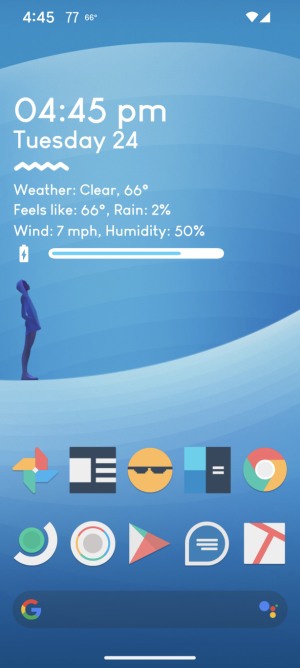
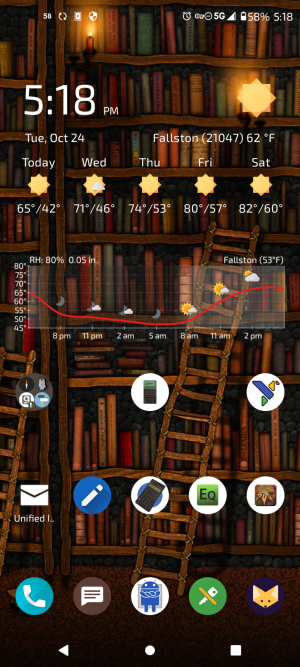
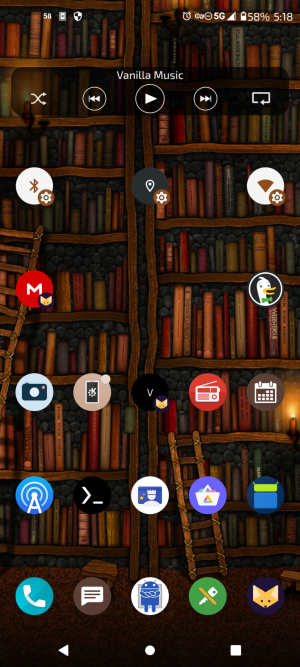
Pixel 8 Pro running Android 14 with Nova Launcher
Homescreen is quite useful - the weather widget: tap on the time, the alarm clock/timer app opens, tap on the date, the default calendar app opens, tap on the weather the weather app opens, tap on the battery meter, the Android 14 Battery settings page opens.
Also I can double tap the status bar up top to turn the flashlight on and off, plus hold down on the status bar to open Android settings. Also I can double tap the screen and it will turn off the screen and lock the phone. Other gestures available.
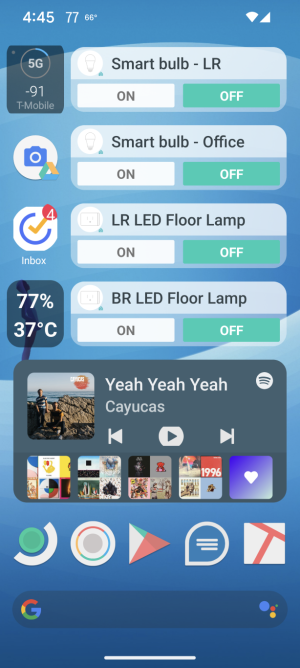
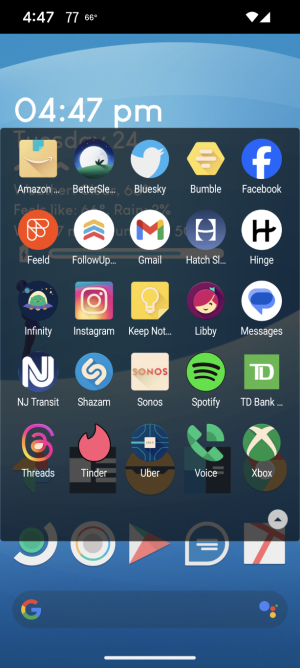
The smiley face icon on the home screen opens up my folder of 'favorite' apps, the little calculator icon opens up a folder of mostly Tool-Like apps, the sort of newspaper looking icon to the left of the sunglass face is a folder of mostly news and information sources. The one screen is widgets from spotify to google drive to controlling kasa smart devices. Not pictured are screens for gmail widgets and a calendar widget, for privacy.
What you all rocking?


Pixel 8 Pro running Android 14 with Nova Launcher
Homescreen is quite useful - the weather widget: tap on the time, the alarm clock/timer app opens, tap on the date, the default calendar app opens, tap on the weather the weather app opens, tap on the battery meter, the Android 14 Battery settings page opens.
Also I can double tap the status bar up top to turn the flashlight on and off, plus hold down on the status bar to open Android settings. Also I can double tap the screen and it will turn off the screen and lock the phone. Other gestures available.
The smiley face icon on the home screen opens up my folder of 'favorite' apps, the little calculator icon opens up a folder of mostly Tool-Like apps, the sort of newspaper looking icon to the left of the sunglass face is a folder of mostly news and information sources. The one screen is widgets from spotify to google drive to controlling kasa smart devices. Not pictured are screens for gmail widgets and a calendar widget, for privacy.
What you all rocking?







 Facebook
 Twitter