• We’re currently investigating an issue related to the forum theme and styling that is impacting page layout and visual formatting. The problem has been identified, and we are actively working on a resolution. There is no impact to user data or functionality, this is strictly a front-end display issue. We’ll post an update once the fix has been deployed. Thanks for your patience while we get this sorted.

Question Post your MaxxMem² score

Thanks to Det0x for using this utility in his benchmarking and thanks to AdamK47 for posting his score, thus making me aware of this utility.

Det0x's score: https://forums.anandtech.com/threads/zen-4-builders-thread.2605910/post-40890534

AdamK47's score: https://forums.anandtech.com/threads/zen-4-builders-thread.2605910/post-40890893

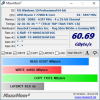
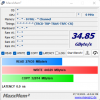
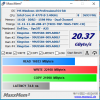
This is what I got on my Dell Optiplex work PC:
3.PNG

This is the best of three runs.

No other software should be running as it will result in lower scores.
1668615446922.png

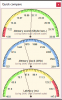
Compare feature for DDR3 shows bandwidth is acceptable but latency could be better.

Download link: http://maxxpi2.de/pages/downloads/maxxmemsup2---download.php

Click the name next to the tiny Winzip icon:

1668615704091.png
 
i7-5775C.PNG

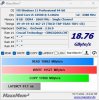
Wow. That latency is baddddddd. Never felt the system had poor responsiveness. Maybe the L4 cache is helping. However, this tool behaved weird on this system. It basically got stuck a lot longer than normal when doing the latency calculation. So possible that the tool is getting confused somehow.
 
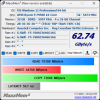
6400 Hynix
4 MaxxMem_Hynix.PNG

6400 Samsung
5 MaxxMem_Samsung.PNG

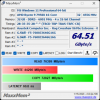
6200 Together (With 4 sticks at 6200 the board changes command rate to 2T and I cannot find where to change it in the ASUS BIOS)
6 MaxxMem_64GB_6200.PNG
 
I was testing out DDR5 6000 over the weekend. Still stable with lower timings compared to 6200. Score went up.

zBViv7n.png


JpIfayP.png
 
Thanks to Det0x for using this utility in his benchmarking and thanks to AdamK47 for posting his score, thus making me aware of this utility.

Det0x's score: https://forums.anandtech.com/threads/zen-4-builders-thread.2605910/post-40890534

AdamK47's score: https://forums.anandtech.com/threads/zen-4-builders-thread.2605910/post-40890893

This is what I got on my Dell Optiplex work PC:

View attachment 71307

This is the best of three runs.

No other software should be running as it will result in lower scores.

View attachment 71309

Compare feature for DDR3 shows bandwidth is acceptable but latency could be better.

Download link: http://maxxpi2.de/pages/downloads/maxxmemsup2---download.php

Click the name next to the tiny Winzip icon:
View attachment 71310

Chrome blocks the MaxxMem2 link as a trojan.

Edit: got it from MajorGeeks.

abe.png
 
Last edited:
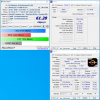
It detects nothing on my PC for some reason even if I run it as administrator. Win11 ASRock X570 Taichi 5800X3D box.
 
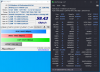
It didn't populate OS, CPU, Memory, Mainboard, etc but it gave a result for read, write, copy, bandwidth.

Read: 42982
Write: 28877
Copy: 57640
Bandwidth: 43.17

Latency populated at the bottom as 0.0 ns, which is on the way to infinity bandwidth, I guess (jokes)

Windows 10
AMD 5950x
Asus Crosshair VIII Hero
G.Skill Trident Z Neo Series 32GB (2 x 16GB) 288-Pin SDRAM PC4-28800 DDR4 3600 CL16-19-19-39 1.35V Dual Channel Desktop Memory Model F4-3600C16D-32GTZNC
 
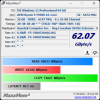
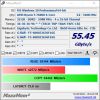
My daughter's new PC. No tuning, just enabled the EXPO setting. She has the same kit as lopri so it looks like I could tinker and get better results, but I've never messed with RAM timings and it is my daughter's PC after all, so I'll probably leave it as is.

MaxxMem.png
 
HP ProBook 450 15.6 inch G9 Notebook

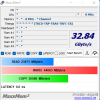
Core i5-1235U with dual channel 2x8GB DDR4-3200

HT enabled - HT disabled

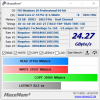
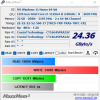
maxmem DC.pngmaxmem DC HT off.png

Disabling HT increases the bandwidth a bit. Latency not showing probably due to some bug in software.
 
Back
Top