• We’re currently investigating an issue related to the forum theme and styling that is impacting page layout and visual formatting. The problem has been identified, and we are actively working on a resolution. There is no impact to user data or functionality, this is strictly a front-end display issue. We’ll post an update once the fix has been deployed. Thanks for your patience while we get this sorted.

Question Phone as wifi hotspot

Are you just interested in connecting your PC to a WiFi hotspot?

You posted an adsl modem, not sure it will serve the function you're interested in.

By phone, I'm assuming you mean a smart phone running a hot spot?
 
If you want to use your smartphone as hotspot and share internet with your PC.

  1. Yes, you can if your smartphone has monthly data plan. Your smartphone hotspot becomes an AP (access point) and
  2. You don't need DSL modem router for your PC
  3. You won't have unlimited internet. Your smartphone data plan usually won't give you unlimited data (likely will be slowed down to under 1 Mbps when you are over some limit), you probably have to pay a lot for your data plan.
 
Lg v20 as a wifi hotspot. I have no isp infrastructure so last idea I came up with to have internet

So yes, using my phone to give my pc internet
 
1. Yes, you can if your smartphone has monthly data plan. and
2. You don't need DSL modem router for your PC

Cool so can you tell me please what to do till i get isp/infrastructure connected?
 

When you config the hotspot, you will set a SSID and password (passphrase).

Your PC's wifi adapter will see the SSID, enter the password (passphrase) and connect to it.
 
Last edited:
1. Yes, you can if your smartphone has monthly data plan. and
2. You don't need DSL modem router for your PC

Cool so can you tell me please what to do till i get isp/infrastructure connected?

If it's just a single PC, get a USB or PCI / PCIe wireless adapter. the PC can just join the hotspot network

If you have more equipment that needs internet, this may not be the best solution.
 
No usb tethering or the pc would recognized when i connected it. Will have no choice but to try with the tplink think up top
 

Attachments

  • Screenshot_2019-09-21-16-50-41.png
    Screenshot_2019-09-21-16-50-41.png
    459.5 KB · Views: 3
You don't have a WiFi adapter for your PC?

To use USB tethering, you have to set it up in the Settings somewhere so the connection to PC is not charging, but should be data transferring. You probably also need to install LG Mobile driver or PC suite.


As ch33 has suggested, you shouldn't use smartphone hotspot for multiple devices (or a long term) solution. Constantly use smartphone as a hotspot will shorten its life since your phone probably become very hot.
 
Last edited:
https://www.tp-link.com/au/home-networking/dsl-modem-router/td-w9970

Can I connect the above to my pc and then use my phone as a hotstop to "give" internet to my pc?
No, this will not work since your phone is not a dsl modem and does not have an ethernet port to connect to the ethernet wan port.

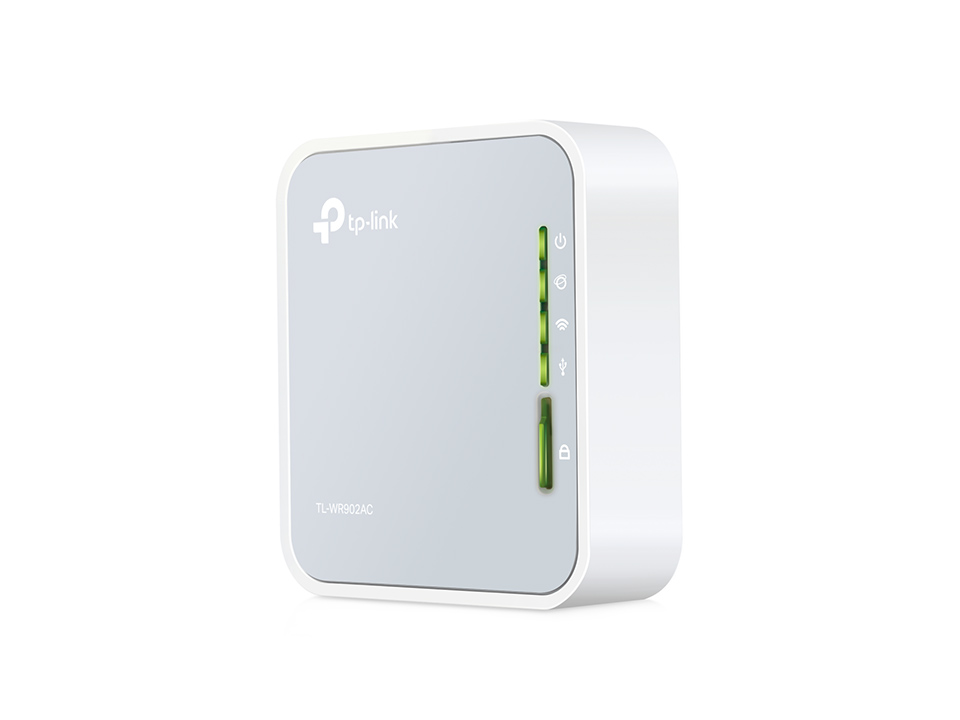
If you want to use a wifi hotspot as your source, you can try using a 'travel router' such as this one:
 
Back
Top