• We’re currently investigating an issue related to the forum theme and styling that is impacting page layout and visual formatting. The problem has been identified, and we are actively working on a resolution. There is no impact to user data or functionality, this is strictly a front-end display issue. We’ll post an update once the fix has been deployed. Thanks for your patience while we get this sorted.

Question NVME m.2 running warmer after "fixing" heat sink issue

JeepinEd

Senior member
I recently replaced a dead NVME m.2 drive (Kingston 2TB) in my Asus Strix Z690-I mini ITX board. I also have a Samsung 980 pro 2TB m.2 drive in there. Prior to the Kingston drive failing, both drives were running at 50c. When I took the bad drive out, I noticed both drives are a little bowed. They are supposed to be sandwiched between two metal heat sinks with thermal pads. The thermal pad on the bottom of both drives wasn't even making contact with the drives. I decided to add a small washer to the screw base on them, which forced the bottom plate/thermal tape to contact the drives. Now, one drive is running at 48c (yay!), but the other is up to 61c (sadness). Could it be that the bottom heat sink is actually conducting more heat into the drive or should I use new thermal pads?
 
My 980 Pro idles at 30c as well, just using my Asrock MB's built in heatsink. There are no thermal pads on the backside though, just the heatsink side. Looks like on your board the drives are stacked on top of each other? Poor design if so, and probably causing the heat issues. Seems the drive on the bottom would gain heat from the upper drive.

And my drive is not warping. I'd be concerned about that. Are you sure you are mounting them correctly?
 
Last edited:
My 980 Pro idles at 30c as well, just using my Asrock MB's built in heatsink. There are no thermal pads on the backside though, just the heatsink side. Looks like on your board the drives are stacked on top of each other? Poor design if so, and probably causing the heat issues. Seems the drive on the bottom would gain heat from the upper drive.

And my drive is not warping. I'd be concerned about that. Are you sure you are mounting them correctly?
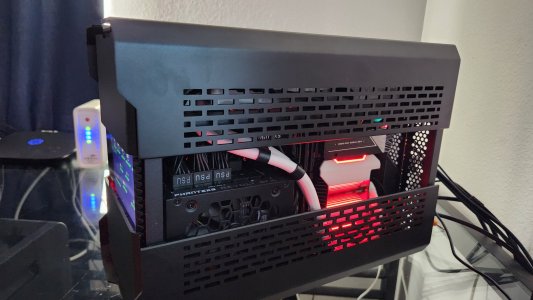
Yeah. Pretty sure they're mounted correctly. I think the warping was due to a lack of support on the bottom side of the drives. The thermal pads on top were pushing down on them, but the thermal pads on the bottom weren't even touching. -My fault for not noticing this when I first assembled the computer. I thought correcting this issue would give me better thermals, but that only happened with the bottom drive. The top drive is now 10c hotter. The drives are in an ITX computer which, due to it's small size, runs pretty warm to begin with. They also sit right above the CPU. I'll probably take it apart again this weekend and see if I can spot any issues.
 

Attachments

  • 20230407_182402.jpg
    20230407_182402.jpg
    742.5 KB · Views: 6
Back
Top