• We’re currently investigating an issue related to the forum theme and styling that is impacting page layout and visual formatting. The problem has been identified, and we are actively working on a resolution. There is no impact to user data or functionality, this is strictly a front-end display issue. We’ll post an update once the fix has been deployed. Thanks for your patience while we get this sorted.

Question new pc did not boot up at all

hardcore_gamer29

Senior member
ok so i have built new gaming pc. just now suddenly in the morning i pressed power button and nothing happened it has happened for the first time. any changes made? yes, i sold my gtx 1660ti and now running on board vga also reset my bios to default no overclocking in anything. where to start(turning off main power supply then back on made it work)
i9 10900k
corsair 32gb ram
coolermaster mwe gold 850v
corsair 780t
also i have turned off intel virtualisation can it be cause?
thanks
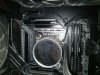
 
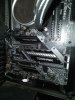
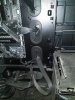
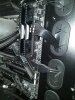
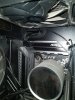
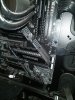
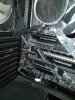
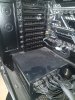
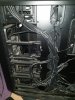
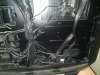
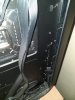
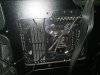
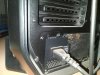
can anyone help me this happened today again even in 5 attempts i could not boot it at all i am attaching images of whole case is there any possibility of motherboard short? what i have tried so far:
i removed front panel connector for power and tried to start with screw it still did not boot up means power button is not an issue. I also cleared removed cmos did not work
what should i do next?
Note: pressing power button for long say 6 seconds pc turned on
 

Attachments

  • 1.jpeg
    1.jpeg
    202 KB · Views: 7
  • 2.jpeg
    2.jpeg
    194.3 KB · Views: 7
  • 3.jpeg
    3.jpeg
    225.1 KB · Views: 6
  • 4.jpeg
    4.jpeg
    206.1 KB · Views: 5
  • 5.jpeg
    5.jpeg
    183.1 KB · Views: 5
  • 6.jpeg
    6.jpeg
    199.7 KB · Views: 4
  • 7.jpeg
    7.jpeg
    191.1 KB · Views: 5
  • 8.jpeg
    8.jpeg
    222.3 KB · Views: 5
  • 9.jpeg
    9.jpeg
    181.4 KB · Views: 6
  • 10.jpeg
    10.jpeg
    203.5 KB · Views: 5
see more pics can i anyone detect possibility of short?
 

Attachments

  • 11.jpeg
    11.jpeg
    132.3 KB · Views: 2
  • 12.jpeg
    12.jpeg
    192.8 KB · Views: 2
  • 13.jpeg
    13.jpeg
    163.8 KB · Views: 3
  • 14.jpeg
    14.jpeg
    145.2 KB · Views: 3
I did not see anything obviously wrong, though I noticed that the 4 pin CPU power was not connected. You could try connecting that if your PSU has the cable for it, as this can cause issues on certain boards.

If this does not fix the issue, you could try benchtesting it. Other than that, I would suspect possibly a faulty PSU or motherboard, or possibly the power in your home.
 
I did not see anything obviously wrong, though I noticed that the 4 pin CPU power was not connected. You could try connecting that if your PSU has the cable for it, as this can cause issues on certain boards.

If this does not fix the issue, you could try benchtesting it. Other than that, I would suspect possibly a faulty PSU or motherboard, or possibly the power in your home.
my rig is not old i bought it in december only now i am fed up with this issue i spend 1lakh 27 thousand ont his machine and givin this head ache to me now coming to your question
1.It does not matter if i connect 12pins or only 8 pins cpu connector result is same. My motherboard is msi z490 tomahawk someone said default cpuio and cpuso and ram voltage is not enough can this be possible as i am not overclocking anything?
msi z490 tomahawk
i9 10900k at stock
coolermaster mwe gold v2 850watts
corsair 780T CASE
corsair LPX 3600mhz 16gbx2
i tried with one ram only and another slot still same issue
i know every component is in warranty but the thing is how can i figure out which component has issues?
Now i stress tested with OCCT, i tested cpu, power, linpack, memory, etc. nothing throws any error or system crashes, it is just that pc at startup has some issues after is it is on there is nothing wrong even under stress no crash or pc turns off after it turns on.
 
i know every component is in warranty but the thing is how can i figure out which component has issues?
Take it to a local PC repair shop, and pay someone to troubleshoot / diagnose it for you.

You've had multiple issues before with your PCs not booting or being stable, so save the stress and just let someone who is experienced fix it for you.
 
i know every component is in warranty but the thing is how can i figure out which component has issues?

Take it out of the case and pull everything but one memory module, and CPU/heatsink/fan.

Try to power it on. If it turns on consistently, add back each part at a time, and then finally transfer them all back into the case. If it does not turn on consistently, try the other stick of memory assuming you have more than one, and consult the manual if a lone memory module needs to be in a specific slot.

If it is always stable once you manage to get it turned on, you might try updating the bios.
 
Take it out of the case and pull everything but one memory module, and CPU/heatsink/fan.

Try to power it on. If it turns on consistently, add back each part at a time, and then finally transfer them all back into the case. If it does not turn on consistently, try the other stick of memory assuming you have more than one, and consult the manual if a lone memory module needs to be in a specific slot.

If it is always stable once you manage to get it turned on, you might try updating the bios.
bios already updated yes once it is on no problem at all never even every stress test passed in occt also it just sometimes does not boot up at all say once in 25 days but i just needed to figure out what the problem is
 
i ahve deepcool castle ex 360mm AIO when i bought my rig temp. was fine in occt maxed out at 88 but now on 3 or 4 cores out of 10 temp. is easily crossing 100 is it normal
 

Attachments

  • Untitled.png
    Untitled.png
    284.7 KB · Views: 4
please close this thread the problem was when i was hibernating my pc and it would not turn back on even after pressing power button but there is no problem if i shutdown pc and then cold boot
 
PC not waking from sleep can sometimes be related to XMP settings, your PC is not waking up because ram is not getting sufficient voltage.
I would disable XMP and see if it fixes your unresponsive wake from sleep.
 
PC not waking from sleep can sometimes be related to XMP settings, your PC is not waking up because ram is not getting sufficient voltage.
I would disable XMP and see if it fixes your unresponsive wake from sleep.
Now i found a solution suppose when i start my pc first time in morning and power button did not work but then if i long press power button for 5 seconds then i press it once it worked fine, can you now guess the issue?
 
Now i found a solution suppose when i start my pc first time in morning and power button did not work but then if i long press power button for 5 seconds then i press it once it worked fine, can you now guess the issue?

that points to overclocking...
the long 5 seconds is a cold shutdown.... it turns off the PC.
Hibernation not waking windows is usually the result of bad overclocking, or again unstable memory overclocking.

I would set everything to stock and see if its repeatable at stock settings.
If its all good at stock settings, you are going to need to overclock troubleshoot.
 
Now i found a solution suppose when i start my pc first time in morning and power button did not work but then if i long press power button for 5 seconds then i press it once it worked fine, can you now guess the issue?
"Normal" installed Win10 behavior with regards to sleep and shutdown, is that it utilizes ACPI sleep states, including "deep sleep", to effectively hibernate (first onto disk, then into RAM), such that, when you press the power button, in theory, it "instantly" resumes to back on, and if power was cut/lost, it "resumes" using the on-disk copy of the hibernate file. MS calls this "Hybrid Sleep".

If you don't want that to happen, if you actually want the Power Button (ATX soft-off) to ACPI "Shutdown", and actually Power Off the system at that time, then you need to open "Power Options", or "Edit Power Plan" (type those into the Winkey+S "search" dialog), and then select on the left side "Change what the Buttons do", and then click "Advanced", and disable "Fast Startup", and optionally, enable "Hibernate" (that will appear as an explicit option on the Start Menu-> Shutdown dialog, rather than happening implicitly as with Hybrid Sleep).
 
i am talking about normal fresh boot not after i hibernate it and also with everything at stock and no overclocking this still happens
If you haven't changed the Advanced Power Options - What Buttons Do, like I said, and you press the ATX power-off (or select Start-> Power Off), and then press your ATX soft-on button on the chassis in the morning, then it functions as I said. If you don't want to take my advice, because you think that it doesn't apply, that's on you.
 
If you haven't changed the Advanced Power Options - What Buttons Do, like I said, and you press the ATX power-off (or select Start-> Power Off), and then press your ATX soft-on button on the chassis in the morning, then it functions as I said. If you don't want to take my advice, because you think that it doesn't apply, that's on you.
i can normally shut down my pc just by clicking start and shut down please forget that hibernate option .
 
So, did you or did you not disable Fast Startup under Advanced Settings on "What the Buttons Do" page under Power Management?

If you didn't disable that, then what you are saying, is not true. It is NOT shutting down, it is utilizing Hybrid Sleep / Deep Sleep.
ok i have disabled fast startup, i will get back if this happens again
thanks
 
So, did you or did you not disable Fast Startup under Advanced Settings on "What the Buttons Do" page under Power Management?

If you didn't disable that, then what you are saying, is not true. It is NOT shutting down, it is utilizing Hybrid Sleep / Deep Sleep.
thanks for helping me but sadly this happened again
 
Back
Top