

Solved! (New owner)Corsair Strafe RGB how to set more than 2 Zone Colors?

EpicSurvivor

Golden Member
Aug 14, 2012
1,044
48
91
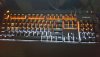
Hey guys its me again (lol jk) I just bought a Corsair Strafe RGB and was wondering if there was a way to set more than 2 color zones? Right now I can pick from 2 colors simultaneously but I was wanting to know if I can do 3 colors at once?

Appreciate the feedback I can get. Thanks
Cheers! 52504085_10157177312826979_2708124773031870464_o.jpg
 

UsandThem

Elite Member
May 4, 2000
16,068
7,383
146
You should be able to from within the software.

I had multiple colors at one time, but eventually went down to two. I ended up uninstalling their software because it kept repeatedly crashing after a Windows update, and after waiting for several weeks for them to release an update to fix that, they never did and I called it quits.

However, the colors I selected still stick, so the keyboard must have some kind of memory on it to save the profiles (I even did a Windows 10 reset recently when I added a new NVMe drive), and the color profile never went away.
 

EpicSurvivor

Golden Member
Aug 14, 2012
1,044
48
91
You should be able to from within the software.

I had multiple colors at one time, but eventually went down to two. I ended up uninstalling their software because it kept repeatedly crashing after a Windows update, and after waiting for several weeks for them to release an update to fix that, they never did and I called it quits.

However, the colors I selected still stick, so the keyboard must have some kind of memory on it to save the profiles (I even did a Windows 10 reset recently when I added a new NVMe drive), and the color profile never went away.
I figured it had to be on the software problem is I can't find it. I can only get 2 Zones Max. I really wanna try to do 3 different colors.
 

UsandThem

Elite Member
May 4, 2000
16,068
7,383
146
If I remember correctly, I had all of my top row keys one color, then my WASD and arrow keys one color, and then the rest of the keys another color.
 

EpicSurvivor

Golden Member
Aug 14, 2012
1,044
48
91
If I remember correctly, I had all of my top row keys one color, then my WASD and arrow keys one color, and then the rest of the keys another color.
I hope you right, I can't figure out, yet again the software has being kinda buggy to me, or could be me just being new.
 

UsandThem

Elite Member
May 4, 2000
16,068
7,383
146
I hope you right, I can't figure out, yet again the software has being kinda buggy to me, or could be me just being new.

It's not the best software out there for sure, and it did take me playing around with a bit to figure out everything. But they could have really changed it since I last used it (at least 6 months ago or so).
 

EpicSurvivor

Golden Member
Aug 14, 2012
1,044
48
91
It's not the best software out there for sure, and it did take me playing around with a bit to figure out everything. But they could have really changed it since I last used it (at least 6 months ago or so).
Appreciate it admin. Loving the keyboard so far. Doubt there is too many keyboards at this level available right now. Really hoping a user can provide feedback in regards to my question. Would "Love" to have my keyboard in 3 different colors. Google but to no avail so hopefully someone who knows can help. Will wait and see.
 

UsandThem

Elite Member
May 4, 2000
16,068
7,383
146
Appreciate it admin. Loving the keyboard so far. Doubt there is too many keyboards at this level available right now. Really hoping a user can provide feedback in regards to my question. Would "Love" to have my keyboard in 3 different colors. Google but to no avail so hopefully someone who knows can help. Will wait and see.

I would offer to install the software again and figure it out, but it caused so many problems the last time I used it, and I'm just not a masochist. :p
 

BoomerD

No Lifer
Feb 26, 2006
66,522
14,906
146
IIRC, the "newer" versions of the Corsair software borked my color schemes on my Strafe RGB Silent. I reverted back to an earlier version of the Corsair Utility Engine.(v 1.16.42 works for me. i have several different color profiles saved)
 

EpicSurvivor

Golden Member
Aug 14, 2012
1,044
48
91
IIRC, the "newer" versions of the Corsair software borked my color schemes on my Strafe RGB Silent. I reverted back to an earlier version of the Corsair Utility Engine.(v 1.16.42 works for me. i have several different color profiles saved)
I had someone help me. I now have 3 active zones on my keyboard, Red/White/Orage.
