• We’re currently investigating an issue related to the forum theme and styling that is impacting page layout and visual formatting. The problem has been identified, and we are actively working on a resolution. There is no impact to user data or functionality, this is strictly a front-end display issue. We’ll post an update once the fix has been deployed. Thanks for your patience while we get this sorted.

Question multiple website home screen in Chrome browser?

GunsMadeAmericaFree

Golden Member
At work (school) we used to have Firefox, and I could have all of the websites we used for the students as a "home page", just by having the tabs open and setting it as home.

Our school took Firefox off of our smartboards, and put Chrome on there instead. So far, I haven't found an easy way to do the same thing in Chrome browser. Can anyone give me some hints? Thanks so much!
 
If I understand you correctly, you want Chrome to start by opening a pre-defined set of tabs?

chrome://settings/onStartup

choose 'open a specific page or set of pages'
'use current pages' and/or keep 'add a new page'

should do it?
 
1692122753925.png
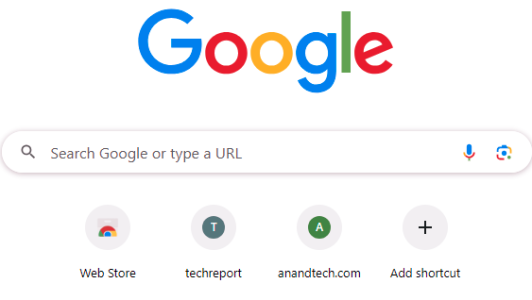
Use the shortcut button for every URL just one time and then every time you open, they will be there. Sadly, no way to import a bunch of URLs that I could find.
 
Hmm. I don't see "add shortcut" anywhere. This is the Windows desktop version. I have added tabs to the browser, but they are not retained either - when I exit and relaunch, the tabs that I added are gone. I think they are managed by the tech guys at our school.
 
Hmm. I don't see "add shortcut" anywhere. This is the Windows desktop version. I have added tabs to the browser, but they are not retained either - when I exit and relaunch, the tabs that I added are gone. I think they are managed by the tech guys at our school.
If there's some school policy that's making Chrome's configuration read-only, that might be screwing things up for you.
 
Back
Top