• We’re currently investigating an issue related to the forum theme and styling that is impacting page layout and visual formatting. The problem has been identified, and we are actively working on a resolution. There is no impact to user data or functionality, this is strictly a front-end display issue. We’ll post an update once the fix has been deployed. Thanks for your patience while we get this sorted.

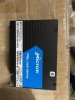
Solved! MTFDHAL3T2TDR-1AT1ZABYY

Ksingh707

Member
  1. Hello, I am trying to connect my micron MTFDHAL3T2TDR-1AT1ZABYY 3.2TB drive to my windows XP system and my windows 7 system.
  2. None of my windows systems are detecting my my drive but the drive is new. I have 2 other new drives. also not being detected.
  3. I am using LSI card and im using a pci cable to connect. I have used multiple pci cables and its giving me the same issue.
  4. The LSI card is detected, not the drive.
If anyone knows how to connect this drive to windows 7 or windows XP, it would really help. Thanks
 
Solution
Wait a minute. That's an NVMe part number. It's certainly not going to work via a SATA controller.

You need a PCIe to U.2 connector card. It will be basically a pin translator without anything in the way of active circuitry. I saw one from Startech for $40-ish and there's probably cheaper ones.

I've no idea if older versions of Windows will be able to understand the drive. It's for sure that you have to fix the interface incompatibility first. The drive wants to talk directly to PCIe, not via a controller card.
None of my windows systems are detecting my my drive but the drive is new.
Are you talking about File Explorer, Disk Management, or Device Manager not detecting the new drives? If it's not detected in all three, then check cables and compatibility. It may be defective, as well, but it's not likely that all three are.

If it shows up in Device Manager, then open Disk Management, and Partition and Format the volume, before it will show up as a drive letter in File Explorer.
 
Are you talking about File Explorer, Disk Management, or Device Manager not detecting the new drives? If it's not detected in all three, then check cables and compatibility. It may be defective, as well, but it's not likely that all three are.

If it shows up in Device Manager, then open Disk Management, and Partition and Format the volume, before it will show up as a drive letter in File Explorer.
Hello, the drives are not showing up in disk management and its also not showing up on device manager. So you think its most likely my cables? I have 2 pci cables and they were working fine previously but they are not new.
 
  1. I am using LSI card and im using a pci cable to connect. I have used multiple pci cables and its giving me the same issue.
  2. The LSI card is detected, not the drive.
I didn't look up the drive, but you mention PCI cables, and not SATA cables. Are these U.2 drives?
I'm now wondering two things, does the LSI card need a BIOS flash or BIOS configuration at boot, to access the drives, and/or does XP or 7 support U.2 devices, or do they need a hotfix driver (like NVMe on win7, not natively supported either). Maybe that's the hotfix that you need.

Edit: Search for "win7 NVMe hotfix".
 
Hello, the drives are not showing up in disk management and its also not showing up on device manager. So you think its most likely my cables? I have 2 pci cables and they were working fine previously but they are not new.
It cant be a pci cable issue because I just used my cable on another drive and it works.
 
Does the LSI card havce a RAID BIOS, or an IT (initiator-target) BIOS flashed?

If RAID BIOS, may need to configure drives as array or pass-through. (Edit: before the disks themselves can be seen by the host system.)
 
I didn't look up the drive, but you mention PCI cables, and not SATA cables. Are these U.2 drives?
I'm now wondering two things, does the LSI card need a BIOS flash or BIOS configuration at boot, to access the drives, and/or does XP or 7 support U.2 devices, or do they need a hotfix driver (like NVMe on win7, not natively supported either). Maybe that's the hotfix that you need.

Edit: Search for "win7 NVMe hotfix".
yes sata cable with the U.2 connection. Ill share a photo of the LSI card with you.
 
my last thought on the matter is this:
The BIOS on the LSI card (if RAID mode), may need to be configured for the drives, if they are fresh out of the box, but the "other" drives that work in the same PC, may already have LSI host card RAID-BIOS-specific meta-data on those drives. In that case, a quick trip to the BIOS settings page to configure an "array" or (pass-through) should help.

The other possibility, is an LSI BIOS incompatibility with those drives, if they were mfg'd after the current release of the LSI BIOS on the card. Possibly contact LSI Support for a firmware upgrade?
 
my last thought on the matter is this:
The BIOS on the LSI card (if RAID mode), may need to be configured for the drives, if they are fresh out of the box, but the "other" drives that work in the same PC, may already have LSI host card RAID-BIOS-specific meta-data on those drives. In that case, a quick trip to the BIOS settings page to configure an "array" or (pass-through) should help.

The other possibility, is an LSI BIOS incompatibility with those drives, if they were mfg'd after the current release of the LSI BIOS on the card. Possibly contact LSI Support for a firmware upgrade?
Thank you so much for your help, I will look into the LSI card and see if can do any configurations on it amd try to contact LSI support.
 
Wait a minute. That's an NVMe part number. It's certainly not going to work via a SATA controller.

You need a PCIe to U.2 connector card. It will be basically a pin translator without anything in the way of active circuitry. I saw one from Startech for $40-ish and there's probably cheaper ones.

I've no idea if older versions of Windows will be able to understand the drive. It's for sure that you have to fix the interface incompatibility first. The drive wants to talk directly to PCIe, not via a controller card.
 
Solution
Wait a minute. That's an NVMe part number. It's certainly not going to work via a SATA controller.
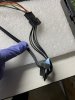
He said that he had other (U.2?) drives that worked via that same cable on the same host PC.

I admit, I'm not familiar with the cable that he showed.

OP:

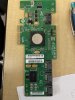
What is the model number of the LSI controller card?
Is it SATA RAID, or NVMe RAID, or what?


Apparently, that's an SAS controller. I don't get how to use a SATA-to-U.2 cable to get NVMe drives to work with it.
 
Last edited:
Wait a minute. That's an NVMe part number. It's certainly not going to work via a SATA controller.

You need a PCIe to U.2 connector card. It will be basically a pin translator without anything in the way of active circuitry. I saw one from Startech for $40-ish and there's probably cheaper ones.

I've no idea if older versions of Windows will be able to understand the drive. It's for sure that you have to fix the interface incompatibility first. The drive wants to talk directly to PCIe, not via a controller card.
you are right, its a SATA raid. and the new drive takes NVME. thank you for your help
 
He said that he had other (U.2?) drives that worked via that same cable on the same host PC.

I admit, I'm not familiar with the cable that he showed.

OP:

What is the model number of the LSI controller card?
Is it SATA RAID, or NVMe RAID, or what?


Apparently, that's an SAS controller. I don't get how to use a SATA-to-U.2 cable to get NVMe drives to work with it.
it was the LSI card its a SATA. I need the NVME. Thank you so much for your help.
 
Windows 7 can utilize NVMe with the proper driver. Once you have the proper u.2 adapter installed with your drive, you may be able to use it by loading the driver. Thing is, with this being an enterprise drive, finding a suitable driver may be difficult. XP is pretty much 0 chance.
 
You need a special U.2 cable for a U.2 drive.
The nVME U.2 has a sas connector on the drive.
They are called SFF-8643 to SFF-8639 in conector terminology.
They look like this:

The SAS controller your going to pair the card with NEEDS to support nVME.
Normal Dedicated controllers will not support nVME, they only usually support SATA / SAS.
Dedicated controllers which can handle nVME are insanely expensive, as they all have PLX chips.
Were talking about well into 800+ dollar territory, because of that PLX chip.

You can get a PCI-E adapter that looks like this:
This is probably your cheapest route unless your board has dedicated SFF-8639 which boards like the eVGA X299 Dark has and some content creator boards that cost into the 600-700 dollar territory.

But note they are very picky about nVME's.
I had to go though about 3 different ones which was fully compatible with my Samsung.

Windows 7 can utilize NVMe with the proper driver.

i do not think you can find a proper driver for nVME which will support windows 7.
If your talking about this hotfix:

I have heard so many nightmares that its not even worth your time, and your better off using USB3.1 + the nVME as a external before you installed the nVME driver to work natively over windows 7.
 
Last edited:
Back
Top