
• We’re currently investigating an issue related to the forum theme and styling that is impacting page layout and visual formatting. The problem has been identified, and we are actively working on a resolution. There is no impact to user data or functionality, this is strictly a front-end display issue. We’ll post an update once the fix has been deployed. Thanks for your patience while we get this sorted.

Question MSI MAG CoreLiquid 240R V2 3pin to 4 pin connector

visualfx

Junior Member
Hi,
I purchased a motherboard Asus TUF Gaming X670E-Plus and a liquid cooler MSI MAG CoreLiquid 240R V2
is it ok to connect (pin pin pin ) 3 pin header of the w_pump to the 4 pin header of the motherboard. ı couldnt find a 3 pin header on the motherboard
thanks in advance
 
Hi,
I purchased a motherboard Asus TUF Gaming X670E-Plus and a liquid cooler MSI MAG CoreLiquid 240R V2
is it ok to connect (pin pin pin ) 3 pin header of the w_pump to the 4 pin header of the motherboard. ı couldnt find a 3 pin header on the motherboard
thanks in advance
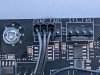
Yes it should be fine. The connector is pinned so that it will only fit at one end of the header. I just did this on an MSI B650 Edge and Deep Cool LT720 360 AIO.

PXL_20230130_155352824.MP.jpg
 
Yes, plug it into a 4-pin header. There are three possible ones to use: CPU_FAN, CPU_OPT, and AIO_PUMP. I recommend using the AIO_PUMP header for the 3-hole PUMP cable so that the pump will operate as intended at full speed all the time. For the RAD FANS I recommend either CPU_FAN or CPU_OPT - these two are merely identical to each other.
 
I recommend using the AIO_PUMP header for the 3-hole PUMP cable so that the pump will operate as intended at full speed all the time.

Actually this is not always true.
You would need to set it bios for that to happen manually.
The AIO pump header is typically a beef'd up fan header able to support up to 2-3 Amps vs a normal header rated at 1A typically.

This is why some boards have this specialized header, as AIO pumps can draw more then what a fan will draw.
 
Actually this is not always true.
You would need to set it bios for that to happen manually.
The AIO pump header is typically a beef'd up fan header able to support up to 2-3 Amps vs a normal header rated at 1A typically.

This is why some boards have this specialized header, as AIO pumps can draw more then what a fan will draw.

But if he's only connecting a 3 pin pump cable to the 4 pin mobo connector, he'll lose PWM control and the pump will run at 100%...UNLESS, as you say, it's adjusted in the BIOS or with some type of software.
 
Actually, aigomorla is correct, and I missed noting this detail. Many mobo AIO_PUMP headers assume you are using a pump and do NOT allow the header to reduce the voltage it feeds. Many others are labelled PUMP_FAN headers and have an option to set its configuration either to pump use (fixed 12 VDC from Pin #2) or to fan use (able to change the speed of device attached), with pump as the default. BUT on this particular mobo I see from the BIOS Manual here


on p. 80 that this AIO_PUMP header CAN perform in either form, AND that is does not have those two manual options to specify what is connected. Instead it operates as a normal FAN header, AND it includes as the default choice under AIO_PUMP QFan Control to allow the header to automatically make its own choice of MODE - that is, which signal method it uses to control fan speed. That default option is a PROBLEM when you are using a PUMP. Since a Pump is wired as an older 3-pin fan, under the Auto option the header will decide that the only way to control the speed of the item connected there is to use the older Voltage Control Mode (aka DV Mode) so it WILL set itself that way and it WILL reduce the Voltage to the pump to slow it down just as if it were a simple fan. When used to power a PUMP designed to operate at full speed all the time from a fixed +12 VDC supply from Pin #2, it is IMPORTANT to configure such a header to PWM Mode manually. This signal choice fixes the Voltage from Pin #2 to +12 VDC and tries to control its "fan" speed by sending out a PWM signal on Pin #4 which the actual PUMP will ignore.
 
Last edited:
Back
Top