Moondude
Member
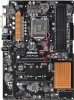
Hi so I got a Sabrent 1TB Rocket NVMe PCIe M.2 2280 along with EZDIY-FAB NVME PCIe Adapter, M.2 NVME SSD to PCI Express Adapter to put in my AS Rock Z-170 4s pro but it won't recognize it. Took it to a PC tech who told me my motherboard is too old and that it's meant for newer ones and that I have to get the older SAtA's but I have a good feeling there's a work around. The slot in the mobo says it's a PCI Express 3.0 so I'd think it should work. If you could help me get my mobo to see this nvme that would be great.
OS Version: Microsoft Windows 10 Home, 64 bit
Processor: Intel(R) Core(TM) i5-6500 CPU @ 3.20GHz, Intel64 Family 6 Model 94 Stepping 3
Processor Count: 4
RAM: 8144 Mb
Graphics Card: NVIDIA GeForce GTX 1070ti
Hard Drives: C: Total - 228433 MB, Free - 52057 MB; F: Total - 953866 MB, Free - 949292 MB;
Motherboard: ASRock, Z170 Pro4S
Amazon.com: EZDIY-FAB NVME PCIe Adapter, M.2 NVME SSD to PCI Express Adapter with Heat Sink, Only Support PCIe x16 Slot,Support M.2 SSD 2230 2242 2260 2280: Electronics
Buy EZDIY-FAB NVME PCIe Adapter, M.2 NVME SSD to PCI Express Adapter with Heat Sink, Only Support PCIe x16 Slot, Support M.2 SSD 2230 2242 2260 2280: Memory Card Adapters - Amazon.com ✓ FREE DELIVERY possible on eligible purchases
smile.amazon.com
OS Version: Microsoft Windows 10 Home, 64 bit
Processor: Intel(R) Core(TM) i5-6500 CPU @ 3.20GHz, Intel64 Family 6 Model 94 Stepping 3
Processor Count: 4
RAM: 8144 Mb
Graphics Card: NVIDIA GeForce GTX 1070ti
Hard Drives: C: Total - 228433 MB, Free - 52057 MB; F: Total - 953866 MB, Free - 949292 MB;
Motherboard: ASRock, Z170 Pro4S