Modding Skyrim

lilrayray69

Senior member
Apr 4, 2013
501
1
76
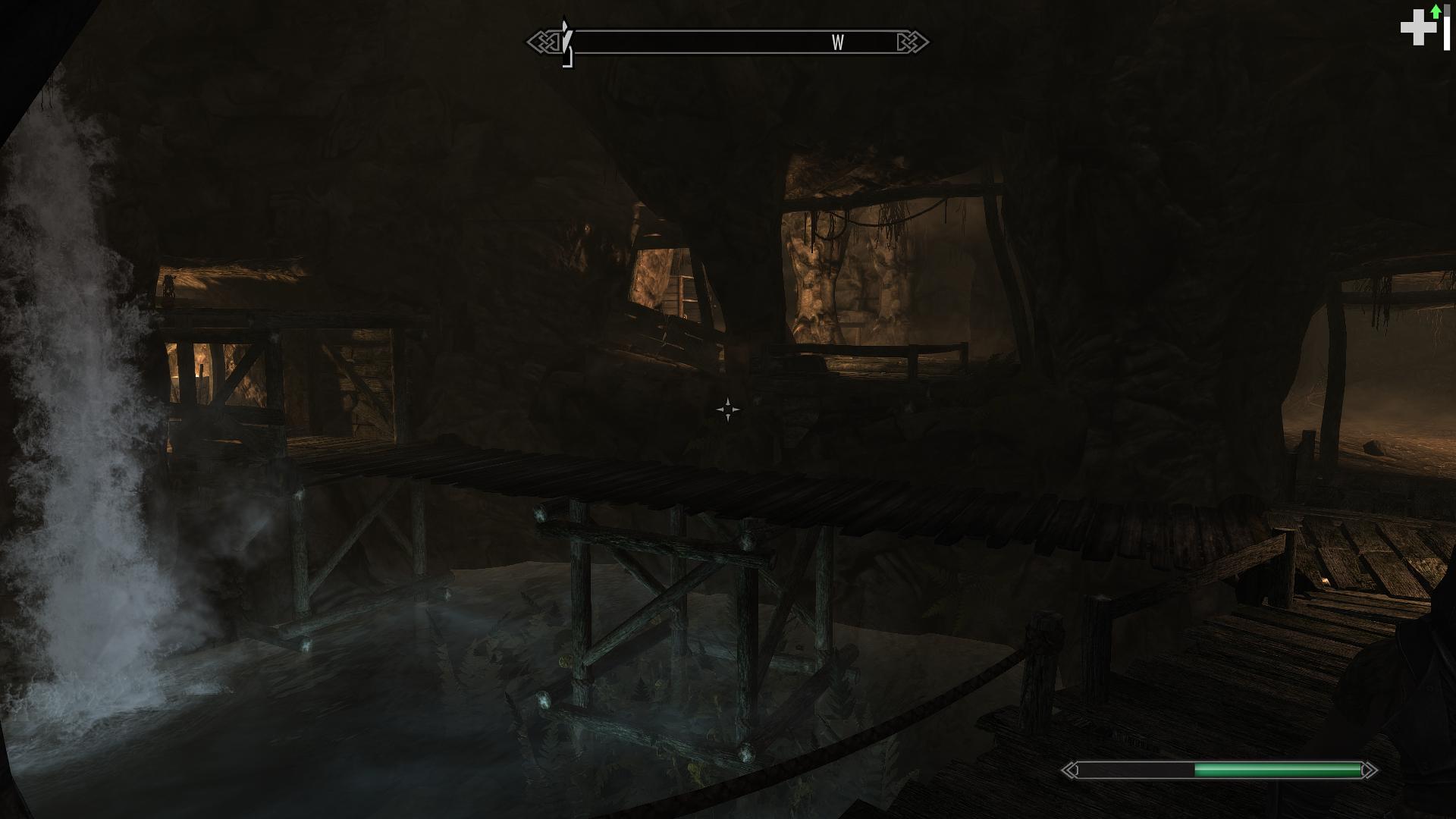
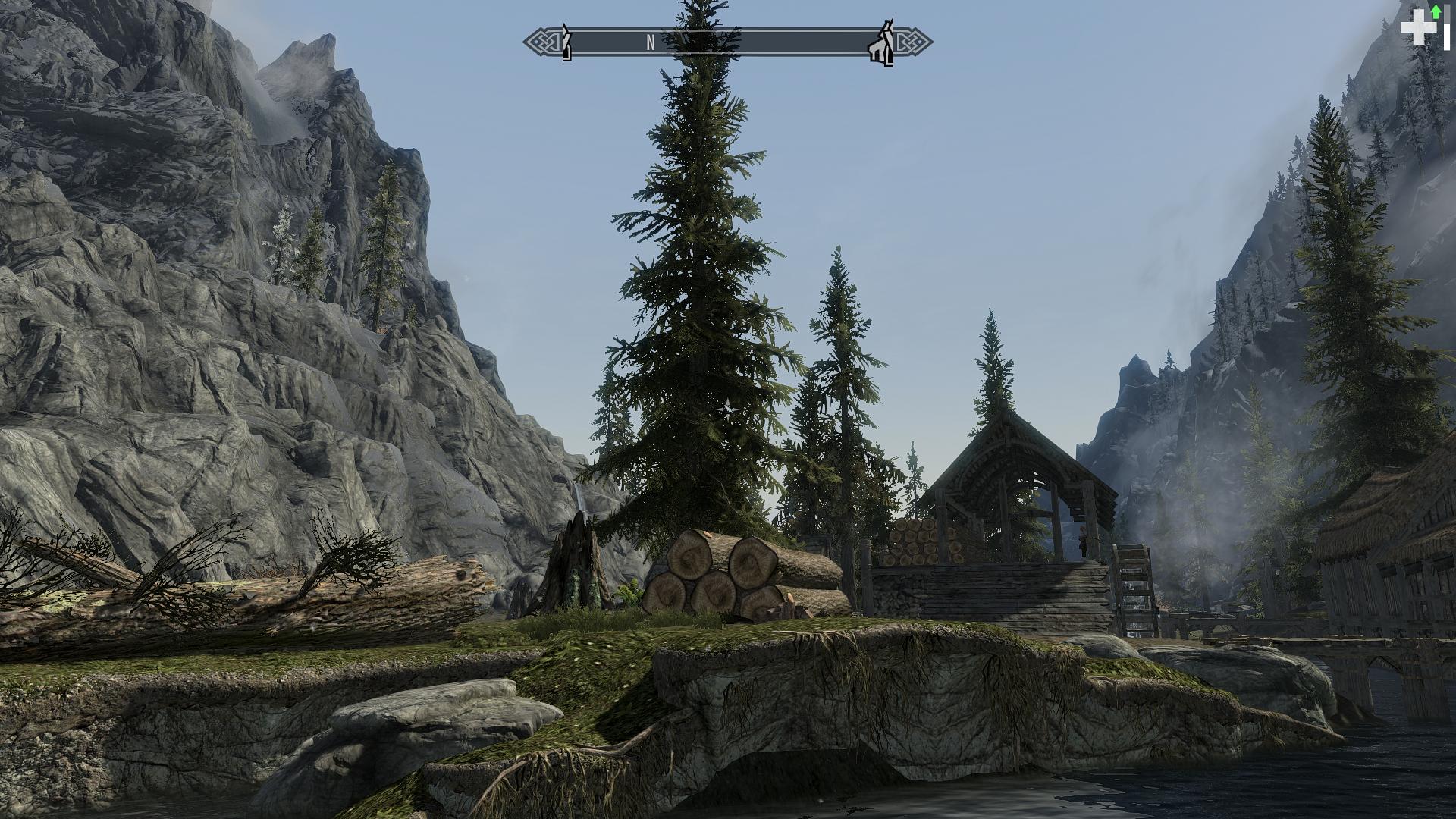
Hey I decided to give Skyrim another go, this time with more visual mods and some quest mods
I've got a lot of HD texture mods on, lighting overhaul, flora overhaul, and more
I'm using Project ENB and the enb injector but it just doesn't look right - it looks washed out or something and I'm not sure why. I did all that the readme recommends
Iqdu9KKh.jpg

Gfd4cdSh.jpg


gah I thought it had uploaded them in 1080p...guess not
 

hans030390

Diamond Member
Feb 3, 2005
7,326
2
76
Some ENB presets are build around other mods like Climates of Tamriel (I believe Project ENB is one of those). Also make sure you are using the correct version of ENB. I think you'd need 0.119...? Double check brightness setting in game.

Be careful in general with any sort of mods that affect the lighting or atmosphere in combination with ENB, as some don't go well together.
 

lilrayray69

Senior member
Apr 4, 2013
501
1
76
I've got Climates of Tamriel which is why I used Project ENB. I also have Realistic Lighting Overhaul - might that be a problem?

I think gamma is the issue...I read to set fGamma=1.0000 in skyrimprefs.ini, but that made it look even worse. for some reason it resets to fGamma=1.4000 automatically
 

lilrayray69

Senior member
Apr 4, 2013
501
1
76
Ah part of the problem is I was using the wrong ENB version. Switched to 0.119 and it helped with the gamma problem but now it looks kind of "cartoony"

rry0YPi.jpg
 

AlexAL

Senior member
Jan 23, 2008
643
0
76
Ah part of the problem is I was using the wrong ENB version. Switched to 0.119 and it helped with the gamma problem but now it looks kind of "cartoony"

This looks much better. But yeah, it's still 'off'.
 
Last edited:

WiseUp216

Platinum Member
Mar 12, 2012
2,251
51
101
www.heatware.com
It took me a lot of trial and error to get ENB (2.1) properly set. I was having issues with saturation and daylight being way too bright.

Eventually got it looking pretty damn good:

2F1B7A1986C61E9DE60FA2611E582B1B9F5AB0A6

222D980FABE732F088B7B753C6D47D663BF2EAEF

100B79D253E1D5ABC7E72218246BBDA1AC3E18A0
 

lilrayray69

Senior member
Apr 4, 2013
501
1
76
Think I got it looking right
0OqZrSf.jpg


It's using pretty much all 2GB of my VRAM atm so I need to do some tweaking or remove some mods to get better performance, but it looks pretty good
 

NickelPlate

Senior member
Nov 9, 2006
652
13
81
I finished Oblivion, but I'm having a real hard time with Skyrim's drab, stone gray and earth tone color pallet. I mean everything just looks so drab even the green leafy vegetation. A bit of Nvidia digital vibrance helps with the outdoor areas but down in the dungeons the lighting effect then get way too orange. Also I got really irritated by the supposed map bug that blacks out previously mapped/explored area in town anyway so I can't tell where I've been. Not sure I'll be playing this one unless a color enhancer mod exists and someone can fix the map issue since Bethesda has officially announced dropping further support for the game.
 

lilrayray69

Senior member
Apr 4, 2013
501
1
76
Hmm I never had a map issue - and graphic mods definitely help make it look better

ENB seems to be giving me about a 50% performance hit. I can barely maintain 30fps in most places with on, but get 50-60 fps with it off. ;-\
 

Stringjam

Golden Member
Jun 30, 2011
1,871
33
91
Hmm I never had a map issue - and graphic mods definitely help make it look better

ENB seems to be giving me about a 50% performance hit. I can barely maintain 30fps in most places with on, but get 50-60 fps with it off. ;-\


This is why I prefer the RCRN lighting mod instead of an ENB.

It's highly configurable, and you get great lighting without the stuttering and huge performance hit (which comes mostly it seems from AO....and I refuse to turn AO off just to run post-process lighting mods). It's the stuttering I can't stand.


Some screenshots:

tes1.jpg


tes2.jpg


tes3.jpg


tes4.jpg


skyrim12.jpg
 

lilrayray69

Senior member
Apr 4, 2013
501
1
76
Hmm that looks pretty good. Might try that

For whatever reason my games fairly unstable...never really had that problem before. One of the first main quests bugged, which I had to fix via console commands. Then it just crashed to desktop when I was walking on a road. I've got all the DLCs, fully updated, and the unofficial patches which are supposed to fix a lot of bugs. ;-\
 

WiseUp216

Platinum Member
Mar 12, 2012
2,251
51
101
www.heatware.com
This is why I prefer the RCRN lighting mod instead of an ENB.

It's highly configurable, and you get great lighting without the stuttering and huge performance hit (which comes mostly it seems from AO....and I refuse to turn AO off just to run post-process lighting mods). It's the stuttering I can't stand.


Wow, thanks for sharing. I didn't know about RCRN.

I just installed it and immediately it looks better than ENB. :biggrin:
 

Stringjam

Golden Member
Jun 30, 2011
1,871
33
91
Wow, thanks for sharing. I didn't know about RCRN.

I just installed it and immediately it looks better than ENB. :biggrin:


I recommend this to go along with with it....it removes some of the ambient fog and gives a huge boost to the color and texture clarity. It really does make a big difference with RCRN.

http://skyrim.nexusmods.com/mods/26742/?


Also, Enhanced Lights and FX, if you don't have it already.

http://skyrim.nexusmods.com/mods/27043/?


Note.....I've edited the RCRN configuration to my preferences. To match the above screenshots, open the configurator and click the "Advanced" button, which basically just lets you edit everything. Here are some of the changed values, to get less blue color grading and more vibrant colors.

#define Gamma 1.42
#define Exposure 0.0585
#define Saturation 0.60 // Use negative values for less saturation.
#define BlueShift -0.50 // Higher = more blue in image.
 
Last edited:

lilrayray69

Senior member
Apr 4, 2013
501
1
76
Think I got the inside areas looking really good. Outside areas still need some work, some textures don't look too good especially in low light. I stopped using ENB because of the performance hit and switched to some lighting mods and SweetFX. I think the water looks really good though
8871006610_932c77b741_o.jpg

8870382073_20cee2b886_o.jpg

8870367189_d2347446df_o.jpg
 

SLU Aequitas

Golden Member
Jul 13, 2007
1,252
26
91
Highly suggest RealVision ENB for Climates of Tamriel and Realistic Lighting Overhaul compatibility. Personally use a STEP build with that and it's purty, but just keep in mind you'll need to do a lot of general optimization in order to stay underneath the 2GB limit. :)

71531-1367244541.jpg


71531-1367336789.jpg


71531-1367337715.jpg
 

Stringjam

Golden Member
Jun 30, 2011
1,871
33
91
Love Skyrim screenshots. So many different environments.

A few more of my RCRN enhanced build:

tes5.jpg


tes6.jpg


tes7.jpg
 

SZLiao214

Diamond Member
Sep 9, 2003
3,270
2
81
Does anyone make a pack that has a lot of the good graphics mods combined? I have been wanting to come back but settings up all the mods is making me lazy.
 

Gryz

Golden Member
Aug 28, 2010
1,551
204
106
Does anyone make a pack that has a lot of the good graphics mods combined? I have been wanting to come back but settings up all the mods is making me lazy.

This thing is pretty cool.
http://skyrim.nexusmods.com/mods/20801/?

However, it does require a bit of work (and downloading) to acquire all texture packs, and combine it into one usable pack. I am using it, it looks pretty cool. A friend of mine had done all the hard work. When I was at his place, I just put the resulting pack on a usb-stick, and installed it at home. But he had spent several hours doing all the work.
 

Stringjam

Golden Member
Jun 30, 2011
1,871
33
91
Nice, what all mods are you using and how've you configured RCRN?


Overhauls and Lighting:
Project Reality - Climates of Tamriel - Weather - Lighting - Audio
Project Reality - Climates of Tamriel - V3

Note: Install Climates of Tamriel BEFORE Installing RCRN.

RCRN v3.6
-set to Pure
-Sharpening "ON"
-Volumentric Fog "Subtle"

Under "Advanced"
#define Gamma 1.42
#define Saturation 0.60
#define BlueShift -0.50

AFTER RCRN:
Enhanced Lights and FX
Enhanced Lights and FX - SMIM Meshes (install AFTER Static Mesh Improvement Mod)
Remove Ambient Interior Fog
RCRN v36 and Revamped exterior fog Compatability Patch (Important!! Don't forget!!)


Environment Textures / meshes:
Skyrim HD - 2K Textures
HD Enhanced Terrain
Skyrim Flora Overhaul
Static Mesh Improvement Mod
Better Dynamic Snow
Ultimate HD Fire Effects
Ultimate HD Fire Effects - SMIM Meshes (install AFTER Static Mesh Improvement Mod)
W.A.T.E.R. - Water and Terrain Enhancement Redux
Ruins Clutter Improved
Lightning during Thunderstorms
Lanterns of Skyrim - All in One
Enhanced Night Skyrim - Color Galaxy (install after ALL texture and environment mods)

Characters:
MacKoms Real Skin for Men
Dimonized UNP female body
SG Female Textures Renewal (install after Dimonized)
ApachiiSkyHair
Pretty Lips V2
Natural Eyes
Ethereal Elven Overhaul

Companions:
Extremely Beautiful Lydia - Mage (If you install, do it before SG Female Textures Renewal, or his texture file will cause neck seams on everybody)
Lydia is Less Sarcastic
UFO - Ultimate Follower Overhaul

Armor:
Immersive Armors
Tribunal Robes and Masks
Improved NPC Clothing - High Res

UI:
A Quality World Map
Categorized Favorites Menu
Immersive HUD
SkyUI

Misc:
Wearable Lanterns (BEST MOD EVER!!!!)
Unofficial Skyrim Patch
Deadly Spell Impacts
DUEL - Combat Realism


I tried to make a few notes, but as always when modding, think about what files you want to overwrite other conflicting mods. Install order is very important. BTW....these are all NEXUS mods and easily installed.

 
Last edited:

Mushkins

Golden Member
Feb 11, 2013
1,631
0
0
Overhauls and Lighting:
Project Reality - Climates of Tamriel - Weather - Lighting - Audio
Project Reality - Climates of Tamriel - V3

Note: Install Climates of Tamriel BEFORE Installing RCRN.

RCRN v3.6
-set to Pure
-Sharpening "ON"
-Volumentric Fog "Subtle"

Under "Advanced"
#define Gamma 1.42
#define Saturation 0.60
#define BlueShift -0.50

AFTER RCRN:
Enhanced Lights and FX
Enhanced Lights and FX - SMIM Meshes (install AFTER Static Mesh Improvement Mod)
Remove Ambient Interior Fog
RCRN v36 and Revamped exterior fog Compatability Patch (Important!! Don't forget!!)


Environment Textures / meshes:
Skyrim HD - 2K Textures
HD Enhanced Terrain
Skyrim Flora Overhaul
Static Mesh Improvement Mod
Better Dynamic Snow
Ultimate HD Fire Effects
Ultimate HD Fire Effects - SMIM Meshes (install AFTER Static Mesh Improvement Mod)
W.A.T.E.R. - Water and Terrain Enhancement Redux
Ruins Clutter Improved
Lightning during Thunderstorms
Lanterns of Skyrim - All in One
Enhanced Night Skyrim - Color Galaxy (install after ALL texture and environment mods)

Characters:
MacKoms Real Skin for Men
Dimonized UNP female body
SG Female Textures Renewal (install after Dimonized)
ApachiiSkyHair
Pretty Lips V2
Natural Eyes
Ethereal Elven Overhaul

Companions:
Extremely Beautiful Lydia - Mage (If you install, do it before SG Female Textures Renewal, or his texture file will cause neck seams on everybody)
Lydia is Less Sarcastic
UFO - Ultimate Follower Overhaul

Armor:
Immersive Armors
Tribunal Robes and Masks
Improved NPC Clothing - High Res

UI:
A Quality World Map
Categorized Favorites Menu
Immersive HUD
SkyUI

Misc:
Wearable Lanterns (BEST MOD EVER!!!!)
Unofficial Skyrim Patch
Deadly Spell Impacts
DUEL - Combat Realism


I tried to make a few notes, but as always when modding, think about what files you want to overwrite other conflicting mods. Install order is very important. BTW....these are all NEXUS mods and easily installed.

No unofficial Skyrim patches in there? A lot of those sound cool, but I dont want to deal with conflicts and the game working considerably more right takes priority for me :)