• We’re currently investigating an issue related to the forum theme and styling that is impacting page layout and visual formatting. The problem has been identified, and we are actively working on a resolution. There is no impact to user data or functionality, this is strictly a front-end display issue. We’ll post an update once the fix has been deployed. Thanks for your patience while we get this sorted.

Question Microsoft Excel - Basic Question

rza_757

Junior Member
I am stumped and cannot locate an answer. Please help, and forgive me if this is too low level a question. Thank you


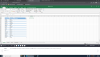
1655734925987.png
 
What are you even asking for help with?

If you don't understand how to complete Task 2, then maybe it would be a good start to show the actual formula you need to change.

It should also be rather trivial to lookup the individual parts of the task, so what exactly are you finding so difficult?
 
What are you even asking for help with?

If you don't understand how to complete Task 2, then maybe it would be a good start to show the actual formula you need to change.

It should also be rather trivial to lookup the individual parts of the task, so what exactly are you finding so difficult?

I'm sorry, I do not know what the formula would be and there is no access to texts, etc. It is a TestOut practice exam. Unfortunately nobody (including instructor) knows. I am wanting to know how to show the first 3 letters in the Abb column in lowercase. the "=lower" formula does not work becuase you cannot specify how much text and the "=left" formula does not work because it will still put the initial letter in uppercase.

I apologize for the question, I would just like to know what the correct formula would be for this particular question. Thank you.
 
I read it at just taking the first 3 letters and showing them in lowercase, which is trivial such as:
  • =LOWER(LEFT($A1,3))
Then if you mean you should show the first 3 letters in lowercase and then the rest of the characters in whatever upper/lower combination they have, I guess something like this would do:
  • =LOWER(LEFT($A1,3)) & RIGHT($A1,LEN($A1)-3)

Might be a cleaner solution to it, but I can't think of one right now!

EDIT: Added LEN so it gets the proper length of the cell.
 
Last edited:
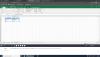
1655817925898.png

So, even if I use the "=LOWER" and specify the 3 characters "=LOWER[@Location],3)" it still puts the complete string of text, just in lowercase as illustrated in the screenshot. Thanks everyone for their help.
 
@Egonic - I thought that was what you were talking about earlier when you wrote
  • =LOWER(LEFT($A1,3))
with the ($A1,3) meaning cell A1 and 3 characters of text. Sorry for the misunderstanding. The qestion is wanting me to put, for example the cell that says, "Downtown" to "dow" and I do not know the formula to do that. using =LOWER will put the complete text as "downtown", not "dow"... Maybe I'm overlooking something...
 
Back
Top