• We’re currently investigating an issue related to the forum theme and styling that is impacting page layout and visual formatting. The problem has been identified, and we are actively working on a resolution. There is no impact to user data or functionality, this is strictly a front-end display issue. We’ll post an update once the fix has been deployed. Thanks for your patience while we get this sorted.

Massive Wasted Space - Latest Posts Info Cropped

mindless1

Diamond Member
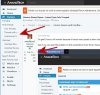
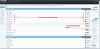
I'm glad I have a 4K monitor because it has so many pixels to show text. Or not.

See if you can spot the problem on this screenshot. Even fewer characters show up if the font size is increased. There ought to be at least 25 characters preview text, more being even better.
10390
 
Last edited:
As constructive criticism, i too was like what happened to the thread titles on the right hand side. There is definitely way too much dead space in between.

On the plus side the forums do seems faster than before but the new look needs some tweaking.
 
I've got a horizontal scroll bar for who knows what reason.

Heh, me too, i forgot to point that out... wasn't really doing a comprehensive list but maybe we need one.

A "little" bit of this may be related to non-default font and other variables on my highly customized Firefox (edit: Firefox issue remains running in safe mode), but it's nothing I've changed recently, haven't had other 'sites lose text, and there isn't enough text space on an unmolested/current-version Chrome browser either.
 
Last edited:
I also started getting email notifications of topics in giant font sizes, starting sometime between 8/30 and today.

It's lovely to be able to read them across the room 😱 but they look more like they were meant for a phone or something. No changes to my email client, I can flip back through to smaller font on 8/30 and preceeding email notifications.
 
Ah, a set of easy fixes. Some of the previous forum template items that had been addressed earlier were reverted in the big update to the latest version of the software. Easy enough to take a whack at. Will prioritize for tomorrow morning with dev - looks like a few minor tweaks to the width parameter. Hold tight, we'll get things back in order.
 
Actually, I went ahead and did a few changes myself - width fixed, fluid/dynamic set to fixed, columns collapsed only at medium+small size. Dark theme should also reflect the same. That should tend to those.

The email notifications in gigantic sizes - that's unexpected. Can you show me what you're seeing?
 
The admin here knows that the junior devs they have hired to do this forum work can do it offline and don't have to be mucking with a live site until it's fixed, right?

I'm seeing a ton of random css issues happening this evening, which is due to people making changes.

(Sorry, just annoyed that one of my favorite forums just continues to decline and decline)
 
The email notifications in gigantic sizes - that's unexpected. Can you show me what you're seeing?
Sure, here is a notification 8/30 and here's a second one today. This is thunderbird portable. These are pixel😛ixel, no resizing.

1042510426
 
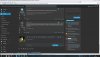
The font is way too bold for the forum/topic listings as well, seeing a ton of wasted space now as well, like 1/3rd of the layout is just empty now instead of stretching to span if you block ads/the useless thread sidebar on the right like it used to.
 
Looks just as bad "squashed" to me.

At least it's not empty white space on both sides like the BBC website has.
 

Attachments

  • Screen.jpg
    Screen.jpg
    667.2 KB · Views: 9
@DeathReborn

Agreed, getting the squished problem bad on my 1440p monitor. Tons of wasted space on-screen. I'm using the Dark theme. Under "Watched", I have some truncation "Unread threads in watch..." but then I get maybe 1/4 of the screen blank, before getting to the post body squished in the middle. Makes no sense.
 
Who was the genius that thought a blue bar going all the way across the top of the screen was good UX?

Especially when it's in the same spot that the animating loading bar used to move across?
 
The admin here knows that the junior devs they have hired to do this forum work can do it offline and don't have to be mucking with a live site until it's fixed, right?

Micro-tweaks to minor thematic elements don't quite rise to the level of exhaustive offline alpha and beta testing. I would encourage all users to muster the sum of your patience in experiencing the temporary inconvenience of a slightly changed display here in the forums for a day or so following our update. Having followed many of these conversations, I am assured in your capacity for understanding.

(Sorry, just annoyed that one of my favorite forums just continues to decline and decline)

Active Users, Threads/Day, Posts/Thread, and User Registration remains steady. I firmly respect your opinion and always welcome feedback, but metrics pose the alternative assertion.

Fortunately, nearly all of these issues are ones that emerged during the prior update and are fixable in short order. The font item should be taken care of shortly.

Please do be sure that in the bottom right-hand corner, you are on the "AnandTech" theme from the drop-down theme selector there.
 
Please do be sure that in the bottom right-hand corner, you are on the "AnandTech" theme from the drop-down theme selector there.
It's not the bottom right corner. It's nearly in the middle.

AfNG2bk.png


It's frustrating because you all keep changing things for the sake of change, making the forums worse and worse.

And I don't really care what your numbers say. The slowness of the forums now a days speaks way more about how active these forums are than your numbers. Those probably include the massive amount of bots and spam. Or they are skewed by the threads in P&N that are clearly troll threads and people take the bait every time.

I mean the bottom of the first page of ATOT has a thread that was last posted in yesterday at noon. Same with P&N.
 
Thanks for the heads-up on the footer issue.
Of note, these changes are to improve the security and stability of the forum platform - not for funsies or the sake of change.

Any other issues?
 
Thanks for the heads-up on the footer issue.
Of note, these changes are to improve the security and stability of the forum platform - not for funsies or the sake of change.

Any other issues?
I don't think its a "footer" issue.

I think it's a "right side of the page" issue.

EDIT:

Actually that is a footer issue, so I guess there are more issues in different parts of the webapp.

footer.footer_site has some CSS properties that are causing the issue. It has a max-width of 1280px, which maybe you want, but the other css is messed up. That class has 2 margin-left and margin-right properties. I think if you remove the ones that are both set to 0 and have them both on auto, that is what you want. It keeps the max width of 1280px and centers the footer.

Still looks odd though because it's wider than the middle pane with all the content.

bznjCDB.png
 
Did anyone test this update before applying it? Or was it just applied blind?

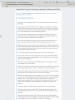
2560x1440 display. If I maximize my browser window, the central thread column gets narrower. Massive wasted empty space on both sides.

forum.jpg
 
Last edited:
Please do be sure that in the bottom right-hand corner, you are on the "AnandTech" theme from the drop-down theme selector there.

What am I missing? I don't see any drop-down theme selector in the bottom right-hand corner, all I have there is a page Up/Down arrow icons.

It's not the bottom right corner. It's nearly in the middle.

Where?

OH! Now I see it. That is way too dark, practically black on black. It needs a bit more contrast, especially considering right next to it are completely white icons, and why does it read "AnandTech" instead of "Theme Choice"? It makes no sense, looks like just meaningless text telling me what website I'm on, lol.
 
Last edited:
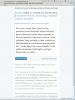
lol, now this is just ridiculous. A minute ago I received an email notification and here's what it looks like. Please fix.
 

Attachments

  • wtffont.png
    wtffont.png
    90.5 KB · Views: 10
Last edited:
Back
Top