• We’re currently investigating an issue related to the forum theme and styling that is impacting page layout and visual formatting. The problem has been identified, and we are actively working on a resolution. There is no impact to user data or functionality, this is strictly a front-end display issue. We’ll post an update once the fix has been deployed. Thanks for your patience while we get this sorted.

Managing a website on linux

rh71

No Lifer
Just had new work assigned and while I know some Linux commands, managing anything on there is completely new to me. I'm a web app dev by trade and I now have a site written in Perl to manage on a remote RH Linux host. I can Putty into the server with sudo access and I can understand the file structure. What I am trying to figure out is how all of this was created and managed if I'm only on a command-line interface. For example, there's html or perl code and if it's short/simple, I can use the MORE command to check it. But for more complex pages, am I supposed to write/read/manage all of this on a terminal client (using something like VIM) just the same or is there an easier way? There has to be because I'm just seeing a huge wall of text and this is no way to live. If I wanted Notepad++, how do I go about it - must it be installed on the linux host? Do I use something other than Putty to accomplish all this?

Also for crontab, is command-line the only way?
 
Last edited:
I'm reminded of a recent thread...


Would something like that work for you?

A lower-level method would be something like Filezilla or WinSCP.

I don't know a non-command-line/vim way for crontab.

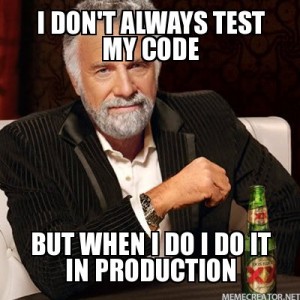
I hope you have a dev server as well as production?

I-dont-always-test-my-code-But-when-I-do-I-do-it-in-production-300x300.jpeg
 
I'm reminded of a recent thread...


A lower-level method would be something like Filezilla or WinSCP.

I don't know a non-command-line/vim way for crontab.

I hope you have a dev server as well as production?

I-dont-always-test-my-code-But-when-I-do-I-do-it-in-production-300x300.jpeg
That's the scary part - the guy worked directly on the prod server and just renamed files to make it a prod vs. dev version.

I am trying to WINSCP files over to my WIN system to at least get a better view, but I can't get access to files that need sudo. Something about advanced settings and inserting the sudo command in there but it's not working.
 
Get VScode and remote into that directory and you can view the code formatted and make changes that way.

This also seems like a great exercise in cloning the code and making a git repo where you can get a dev instance up and running.

The way it is now sounds like a maintenance nightmare lol.
 
Back
Top