Question LG43UD79 huge lag with GTX 660

elrow

Junior Member
Feb 13, 2020
5
0
6
Hey guys,

I would like say big thank you for great insights here .

So I have LG43UD79 3840x2160 with two DEL 27" 2560x1440.

I got pretty lag(like 2-3-4 seconds) when I'm on fullscreen and browsing. GPU is between 15% and 40% range, but for some second it could spike up to 75%!
This is with 3 browsers opened and 20 sites on them. No other applicaton or program is running.

If I screen split LG on 4 and browsing on just one quarter of the desktop everything seems to work smoothly for some time, but when I start more browsers lag is happened again.

Not sure if my PC configuration is important here but it's pretty good expect video card.

I'm with GeForce GTX 660.
I'm using LG with Display Port

Is there a chance to know this is 100% video card fault?

Could you help me what could be the problem and solution?

Regards!
 

Bouowmx

Golden Member
Nov 13, 2016
1,150
553
146
Perhaps the core and memory frequencies are stuck at idle, and they are not sufficient that many pixels at once. If the frequencies are at idle, go to NVIDIA Control panel, Manage 3D settings, Power management mode: Prefer maximum performance.

If there is lag while playing videos, the GPU video block may not support the codec for hardware acceleration. If the video is on YouTube, you can try browser extension h264ify to force H.264, which is hardware accelerated on NVIDIA Kepler.
 

elrow

Junior Member
Feb 13, 2020
5
0
6
Thanks for your suggestions.
I think there is a little bit improve with that mode setting, but still pretty bad

Lag is when i'm browsing 10-15 tabs on 3-4 different browsers open(all chrome). I can imagaine with that lag game wouldn't be playable
 

Shmee

Memory & Storage, Graphics Cards Mod Elite Member
Super Moderator
Sep 13, 2008
8,313
3,177
146
What are the rest of your specs? Do you have another GPU to test with? Just FYI, you aren't going to be playing many games at 4k with a GTX 660 regardless of other issues. That said, I would think it shouldn't have issues with basic desktop apps.
 

elrow

Junior Member
Feb 13, 2020
5
0
6
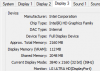
You ask for that specs right?
system.png

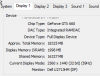
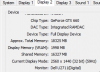
Is it normal my VRAM to be so low compared to my other monitors.. My tech skill is pretty limited as you can see. I need that PC station only for working.

LG main.png

My other two monitors:
display1.png display2.png

Edit: About trying on another GPU. When I get that LG 40" i've tried to my laptop and everything was smoothly. Now I'm testing again and it seems to have little bit of lag too. Not sure if I'm using the same cable tho! I need to test again, but yeah before 1 month it was smoothly on my laptop and on my PC was laggy from the beggining.
 
Last edited:

Shmee

Memory & Storage, Graphics Cards Mod Elite Member
Super Moderator
Sep 13, 2008
8,313
3,177
146
Your CPU is plenty adequate, as is 32 GB of RAM. That said, could the issue be that your LG is plugged into the onboard graphics? As in, into the motherboard, therefore using the CPU integrated from Intel. I ask because on the first picture it lists the display adapter as Intel graphics.
 

Stuka87

Diamond Member
Dec 10, 2010
6,240
2,559
136
I was going to mention the same thing as Shmee. The 4K display is using the integrated Intel graphics. The integrated graphics on the 4770 was not great, but it should be ok for what you are doing.
 

elrow

Junior Member
Feb 13, 2020
5
0
6
weeeeeeeeeeeeeeeeee guyssssssssssssss you are awesome !!! :hearteyes:

Yeah ... It was not plugged into a GTX 660 :rolleyes::flushed:

I can't get max resolution on 3 displays with GTX 660. When I plug three displays into a GTX 660, one of display maximum resolution is 1920x1080,not 2560x1440,also getting a little bit of lag when 3 of them are running in the same time.

So I will be looking to upgrade my video card, but nonetheless working without lag on two of them at this moment feels great :)

I don't want to overdo asking for help, but since you know my problem and what I need I will kindly ask if you can recommend me what video card will be optimal for my setup.

I can't say enough my gratefulness to you! Cheers!