• We’re currently investigating an issue related to the forum theme and styling that is impacting page layout and visual formatting. The problem has been identified, and we are actively working on a resolution. There is no impact to user data or functionality, this is strictly a front-end display issue. We’ll post an update once the fix has been deployed. Thanks for your patience while we get this sorted.

Question Laying a Mid tower on it's side?

knght990

Member
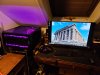
I'm forced to lay my case on it's side because of it's location. How do you think this affects cooling?
 

Attachments

  • Computer Desk.jpg
    Computer Desk.jpg
    474.4 KB · Views: 20
Fan locations:
Intake: 2 bottom, 3 front
Exhaust: 3 Top, 1 Rear

I have noticed, under load, only the rear and most rear top fan have hot air coming from them.
The front two top fans exhaust cold air. Is it worth trying to reverse these and increase the positive pressure?

Heat really hasn't been an issue, except for the M.2 next to the GPU will be 60 C when the GPU is under load.
 
I always want positive pressure so dust isn't being sucked into all the unfiltered nooks and crannies. Of course this also means, well filtered fan intake. This includes the PSU, in cases where it pulls from outside air.
 
The case is already pretty heavily filtered. I clean inside every 6 months or so and found only the slightest dust. But the filters I pull and clean every two weeks and dust the covers every few days.

I'll try flipping the fans and see what happens.
 
Wait! There may be no need to reverse those top front fans. Besides, reversing one or two top fans may simply create a short-circuit air flow pattern in the top of the case.

I fully agree that you need a small positive internal case pressure for dust prevention, but you may already have that. By fan count alone (NOT a full answer!) you have four intakes and three exhaust.

TEST first. You need a small smoke source, like a smouldering incense stick or a cigarette. Set the system running at idle. Move the smoke source around the outside of your case near cracks and possible leakage sites, and observe the smoke flow. If it drifts slowly AWAY from your case you have small positive internal pressure. If it is sucked inside slowly, it's negative. If it flows fast in either case, the pressure is higher than needed. Now repeat with a higher workload, and maybe again at some max workload. If you find your pressure (by smoke flow pattern) is OK in all workloads, you do not need any adjustment.
 
Fan locations:
Intake: 2 bottom, 3 front
Exhaust: 3 Top, 1 Rear

I have noticed, under load, only the rear and most rear top fan have hot air coming from them.
The front two top fans exhaust cold air. Is it worth trying to reverse these and increase the positive pressure?

Heat really hasn't been an issue, except for the M.2 next to the GPU will be 60 C when the GPU is under load.
Assuming your fan locations are with case upright, the 2 front most top fans are likely hurting performance because moving the cool air front fans are flowing toward CPU up and out of case before it reaches CPU. This usually causes heated air coming off of GPU to move up to replace air being drawn out top thus increasing temp of air entering CPU cooler.

Easy way to check is unplug them and check temps running same load as before. Most likely temps will be lower with 2x top fans unplugged.
 
Back
Top