
-
We’re currently investigating an issue related to the forum theme and styling that is impacting page layout and visual formatting. The problem has been identified, and we are actively working on a resolution. There is no impact to user data or functionality, this is strictly a front-end display issue. We’ll post an update once the fix has been deployed. Thanks for your patience while we get this sorted.
You are using an out of date browser. It may not display this or other websites correctly.
You should upgrade or use an alternative browser.
You should upgrade or use an alternative browser.
IDENTIFY THE TYPE OF RAM
- Thread starter waghela
- Start date
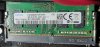

In2Photos
Platinum Member
Samsung 4GB DDR4 PC4-19200, 2400MHz, 260 PIN SODIMM, CL 17, 1.2V, ram Memory Module, M471A5244CB0-CRC https://a.co/d/57jDREo
You'll need to see what the maximum supported amount of RAM is for your system. What kind of PC is it?
You'll need to see what the maximum supported amount of RAM is for your system. What kind of PC is it?
In2Photos
Platinum Member
Ok I saw the model from your other thread. Looks like you can install up to 32GB.
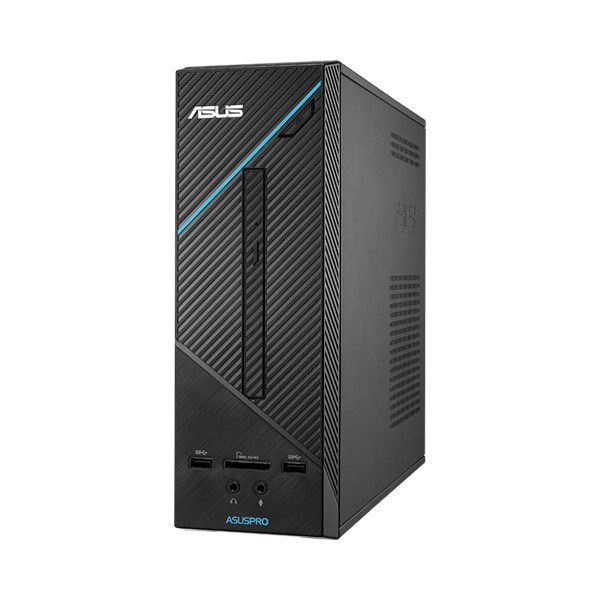
 www.asus.com
So something like this would max it out.
A-Tech 32GB (2x16GB) DDR4 2400 MHz SODIMM PC4-19200 (PC4-2400T) CL17 2Rx8 Non-ECC Laptop RAM Memory Modules https://a.co/d/eYyRWVs
D320SF | Desktop | ASUS Global
D320SF commercial desktops ship with the new Intel® 6th generation Core™ processors with built-in management and security
So something like this would max it out.
A-Tech 32GB (2x16GB) DDR4 2400 MHz SODIMM PC4-19200 (PC4-2400T) CL17 2Rx8 Non-ECC Laptop RAM Memory Modules https://a.co/d/eYyRWVs
Thanks In2Photos for the feedback.
Effectively it's even the ASUSPRO D320SF-K from my previous post.
However, Mainboard has only one RAM slot, so the maximum RAM will be 16 GB, taking into account amazon's offer the maximum of an individual module is 16 GB.
That's the way it is, isn't it?
Effectively it's even the ASUSPRO D320SF-K from my previous post.
However, Mainboard has only one RAM slot, so the maximum RAM will be 16 GB, taking into account amazon's offer the maximum of an individual module is 16 GB.
That's the way it is, isn't it?
igor_kavinski
Lifer
This should theoretically work fine. If not, you can send it back within the return window.
In2Photos
Platinum Member
Are you certain there is only one slot? SODIMM modules "lay down" on each other so the top module may be hiding the bottom one. You might be able to tell by the BIOS as well as it may show the RAM slots and which ones are occupied.Thanks In2Photos for the feedback.
Effectively it's even the ASUSPRO D320SF-K from my previous post.
However, Mainboard has only one RAM slot, so the maximum RAM will be 16 GB, taking into account amazon's offer the maximum of an individual module is 16 GB.
That's the way it is, isn't it?
I believe you can get a single 32GB stick if you indeed only have one slot.

igor_kavinski
Lifer
Best to install 2x16GB so you get dual channel performance benefits. You may also be able to get 2x32GB working if your CPU supports 64GB RAM.
Best to install 2x16GB so you get dual channel performance benefits. You may also be able to get 2x32GB working if your CPU supports 64GB RAM.
ASUSPRO D320SF supports a maximum of 32 GB of RAM. With this upgrade and the SSD disk i just need to improve the processor and the power supply. What will be the most current i9 family processor that the motherboard can support?
igor_kavinski
Lifer
Says in the specs that max supported is Core i7 7700. Update the BIOS before upgrading the CPU so it is detected properly.What will be the most current i9 family processor that the motherboard can support?
I intend to install 4 GB RAM brand G.Skill model Ripjaws DDR4 2400MHz PC4-19200 CL16 - F4-2400C16S-4GRS. Is this memory compatible with pairing with Samsung's original 4GB RAM?
igor_kavinski
Lifer
It is slightly faster (CL16. The Samsung one you have is CL17) so I guess both will run at CL17.I intend to install 4 GB RAM brand G.Skill model Ripjaws DDR4 2400MHz PC4-19200 CL16 - F4-2400C16S-4GRS. Is this memory compatible with pairing with Samsung's original 4GB RAM?

BoomerD
No Lifer
I intend to install 4 GB RAM brand G.Skill model Ripjaws DDR4 2400MHz PC4-19200 CL16 - F4-2400C16S-4GRS. Is this memory compatible with pairing with Samsung's original 4GB RAM?
Mixing RAM can be iffy. Sometimes it will work...sometimes it doesn't. Even if you mix RAM from the same manufacturer with the same part number, that's no guarantee that they will "play nicely together." Better to buy a set of two.
Mixing RAM can be iffy. Sometimes it will work...sometimes it doesn't. Even if you mix RAM from the same manufacturer with the same part number, that's no guarantee that they will "play nicely together." Better to buy a set of two.
Thanks for the feedback!
I am fully aware that the problem may arise. It will only be a temporary solution, taking care at least to use a capacity of 4 GB equal to the module that is installed. The intention is to later install two 16 GB equal modules.
The question remains: with the data I provided in the link of the Ram module of G.Skill there is enough information to know if it is compatible with the free slot of my desktop?
igor_kavinski
Lifer
Yes, it's a SODIMM so it will fit the slot in your PC.The question remains: with the data I provided in the link of the Ram module of G.Skill there is enough information to know if it is compatible with the free slot of my desktop?
Yes, it's a SODIMM so it will fit the slot in your PC.
Thank you for you support.
igor_kavinski
Lifer
G.Skill is slightly faster but it will slow down to Samsung's latency if installed together.Does Samsung be CL 17 and G.Skill CL16 make any difference?
I just needed to be rested if the CL level affected compatibility. So I'm clear they does'nt affect. Thank you.G.Skill is slightly faster but it will slow down to Samsung's latency if installed together.
TRENDING THREADS
-
 Discussion Zen 5 Speculation (EPYC Turin and Strix Point/Granite Ridge - Ryzen 9000)
- Started by DisEnchantment
- Replies: 25K
-
Discussion Intel Meteor, Arrow, Lunar & Panther Lakes + WCL Discussion Threads
- Started by Tigerick
- Replies: 25K
-
 Discussion Intel current and future Lakes & Rapids thread
- Started by TheF34RChannel
- Replies: 24K
-

-
