• We’re currently investigating an issue related to the forum theme and styling that is impacting page layout and visual formatting. The problem has been identified, and we are actively working on a resolution. There is no impact to user data or functionality, this is strictly a front-end display issue. We’ll post an update once the fix has been deployed. Thanks for your patience while we get this sorted.

How to view images in Thunderbird

Red Squirrel

No Lifer
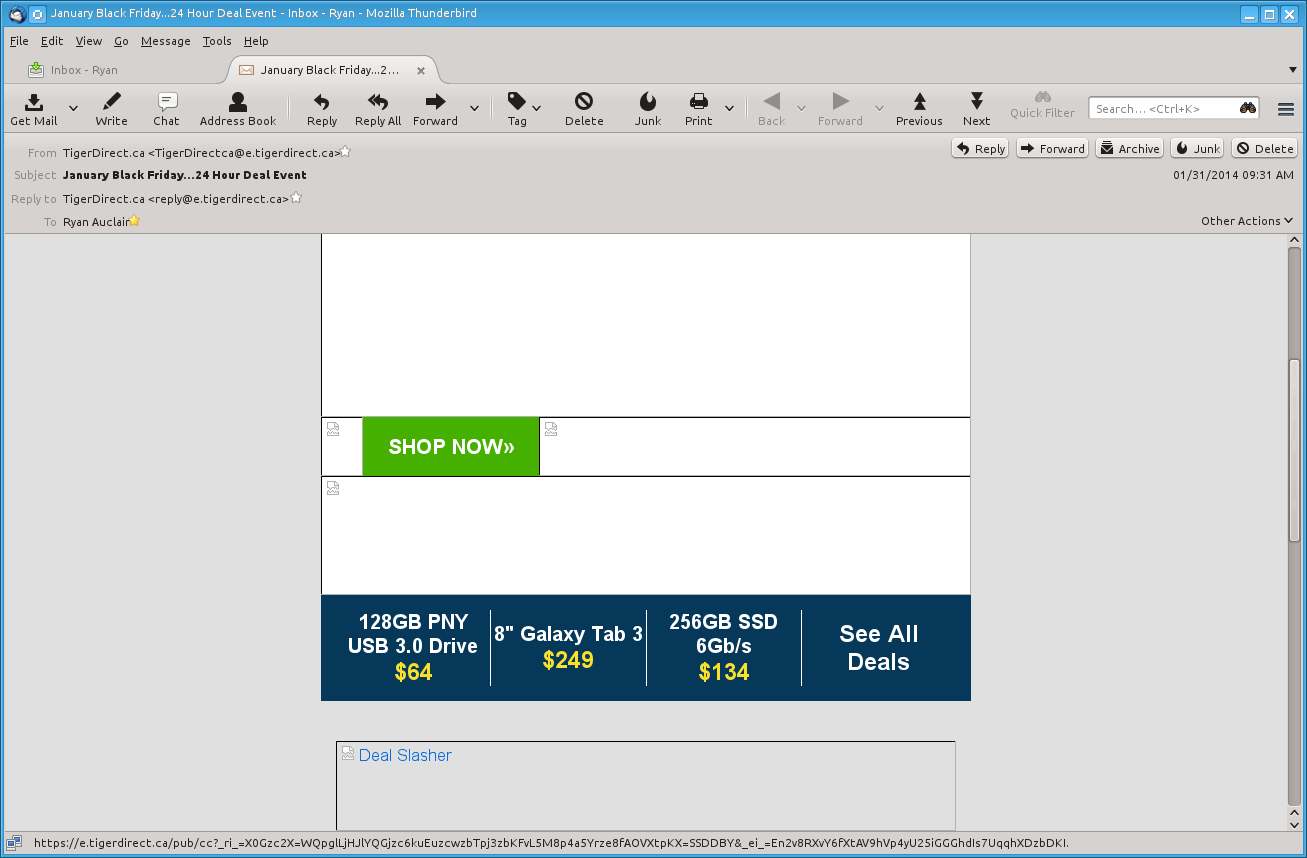
This has been an issue for a long time, but I figure there HAS to be a way to solve this. At one point, there used to be a button that you can click to show images, but now that button is gone, think that was removed after like version 3 or something. It would come up as a bar if I recall and you'd click show images. That option is no longer there. Any emails with images, the images are blocked. Fine, because if it turns out to be spam or something I don't want it to load. But it would be nice to at least have the option to show the images when I open an email. Is there a way to do this?

This applies to the Linux version and Windows version.
 
Works for me. You might have manually disabled something, cause the default is to hide images, and ask if you want to see them.

tejMbHb.png
 
Yeah that's the bar I used to get. I don't get that anymore no matter what computer/os I'm on that uses a newish version of Thunderbird. I installed thunderbird on my work laptop (completely different environment) and don't get it there either.

This is at home:


That "other actions" pulldown does not have the option either.

Using version 24.2.0. (did not realize they were that high lol, I thought I was maybe on like 4 or something)
 
Mine was set to false for some reason so I set it to true, still nothing though, does it require a full reboot? I only restarted the client.

Do I need a special add on? I only have a few default ones, none that I added myself.
 
You should only have to restart the client. If you've already elected to show web content for a particular mail, it might stick, so maybe you need to check a new mail. I don't understand why it doesn't work right on your system. The default behavior is block web content, and I've never had it not do so. I've been using Tbird since V 0.x, and it's always worked correctly.
 
Yeah it's really strange. It used to work fine too but after a certain update it stopped, and this is on all my systems too, including a laptop at work I installed it on.

Does imap store any kind of settings that could affect this? I can't imagine so, though.
 
Back
Top