bamaaviator
Member
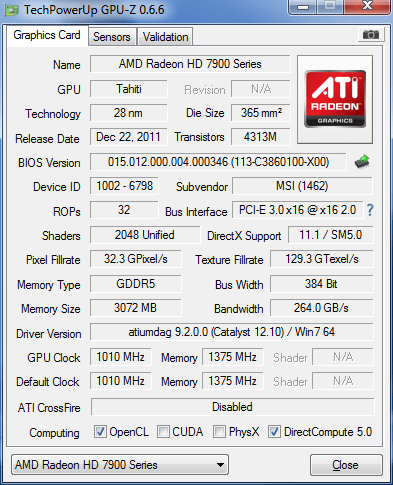
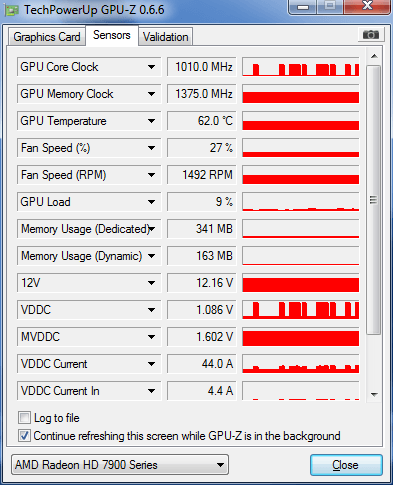
Bought 7970 card to run eyefinity and a triple monitor system.
Played Star Wars and ran 2 instances of the game with no lag between either instance of the game running.
Now I am getting screen lag / stutter on any application playing on the 2nd or 3rd screen now.
Basically any screen that isnt the "active screen" has noticeable delay / lag....wether it be watching a youtube video, or running a 2nd application.
I have the i7-960 processer. I dont remember it doing this before, what do I need to do to fix this?
While Im typing this, on the 1st screen, everything on the 2nd and 3rd are stuttering. Doesnt matter if I drag this to a diff screen.
Basically, whenever I tab to a diff application, everything else stutters if that makes sense. It didnt use to do this before. Dont believe it has anything to do with which screen is the active display, just If im using IE or Chrome, the other programs stutter and vice versa.
Hope thats enough information.
Edit...
Also remember running 2 instances of EQ2 very well before too. I remember playing a game that asked me to change the CPU Affinity, and dont know much about it. Wondering if that could have something to do with it as well.
Edit 2....
Just changed affinity back to all processors on both applications, still have massive stuttering on whatever the background application that is running.
Played Star Wars and ran 2 instances of the game with no lag between either instance of the game running.
Now I am getting screen lag / stutter on any application playing on the 2nd or 3rd screen now.
Basically any screen that isnt the "active screen" has noticeable delay / lag....wether it be watching a youtube video, or running a 2nd application.
I have the i7-960 processer. I dont remember it doing this before, what do I need to do to fix this?
While Im typing this, on the 1st screen, everything on the 2nd and 3rd are stuttering. Doesnt matter if I drag this to a diff screen.
Basically, whenever I tab to a diff application, everything else stutters if that makes sense. It didnt use to do this before. Dont believe it has anything to do with which screen is the active display, just If im using IE or Chrome, the other programs stutter and vice versa.
Hope thats enough information.
Edit...
Also remember running 2 instances of EQ2 very well before too. I remember playing a game that asked me to change the CPU Affinity, and dont know much about it. Wondering if that could have something to do with it as well.
Edit 2....
Just changed affinity back to all processors on both applications, still have massive stuttering on whatever the background application that is running.
Last edited: