Question Help with raid 0

Divine Intervention

Junior Member
May 9, 2020
3
0
6
Ok so the basics of what I have.

CPU - I9-9900k, Motherboard - Asus Z390-A/H10, Storage device - 2 x Samsung 970 EVO Plus 2 TB.

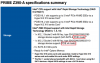
Everything boots up and I have no issues with it if I only run 1 of the m.2 drives but I am not wanting to do that. I am looking to run it as a raid 0 as my boot drive. However no matter what I have tried it just doesn't work. I have tried switching the m.2 drives, I have tried using Asus hyper expansion card, just nothing seems to work. I contacted customer support but they are not very helpful with covid-19 issues. I would appreciate any suggestions. I did search forums for answers but was not able to find anything. I feel like there is a setting I am missing.
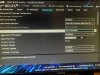
 

Attachments

  • Bios Pic.jpeg
    Bios Pic.jpeg
    604.2 KB · Views: 7

Divine Intervention

Junior Member
May 9, 2020
3
0
6
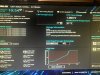
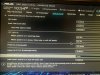
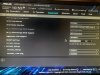
Thank you for the reply however I have seen that video and I can't find those settings. I have attached pictures of the settings of the different bios screens and what I am able/not able to do or adjust. I have gone through all the settings that I can think of. Nothing allows me to change the settings he is. Also there are some differences between mine and the board in the video.

I am finding it does see both M.2 drives because I can see them both in secure erase and I am able to erase both drives. Additionally shown in the picture of the ez mode under storage information, just notice one of them is under nvme and grayed out.

I have updated bios to 1502 and tried running them both on the motherboard. I have also purchased a Asus hyper M.2 expansion card as well. I have tried both drives on there, one drive on the motherboard and one in the hyper card and tried using each slot on the motherboard.

If I use some old sata ssd's that I have they will boot and raid together just fine. I am only having issues with the m.2 nvme drives. I really hope someone has some insight here because Asus support has been no assistance. Thank you all for looking at this.

I am getting close to just ordering a new motherboard.
 

Attachments

  • IMG_1243.jpeg
    IMG_1243.jpeg
    560.4 KB · Views: 3
  • IMG_1244.jpeg
    IMG_1244.jpeg
    591.3 KB · Views: 3
  • IMG_1245.jpeg
    IMG_1245.jpeg
    582.2 KB · Views: 1
  • IMG_1246.jpeg
    IMG_1246.jpeg
    495.3 KB · Views: 1
Last edited:
Feb 4, 2009
35,862
17,407
136
Why raid zero?
It will likely net you close to zero performance increase and put your data at double the risk, maybe more.
 

mxnerd

Diamond Member
Jul 6, 2007
6,799
1,103
126
If you couldn't make it work, most people say NVMe RAID 0 does not help.


==


==

Should you RAID NVMe SSDs? - 2x Samsung 970 EVO

 
Last edited:

aigomorla

CPU, Cases&Cooling Mod PC Gaming Mod Elite Member
Super Moderator
Sep 28, 2005
21,134
3,673
126
I do not think you can boot from a R0 nVME on a intel without the DLC VROC key.
You can setup a R0 drive, but booting from it requires VROC.

I could be wrong tho.