

help!...cant transfer 7gb file to usb 3.0 thumbdrive

undertow917

Junior Member
Jun 12, 2012
5
0
0
I bought a Patriot 128gb USB 3.0 thumbdrive for my PC.

Transfered 9.6gb total files, so i tried the last file which is 7.6gb but Win7 64-bit is sayin the file size is too large and wont let me copy??

What gives? Anybody got an idea? o_O
 

undertow917

Junior Member
Jun 12, 2012
5
0
0
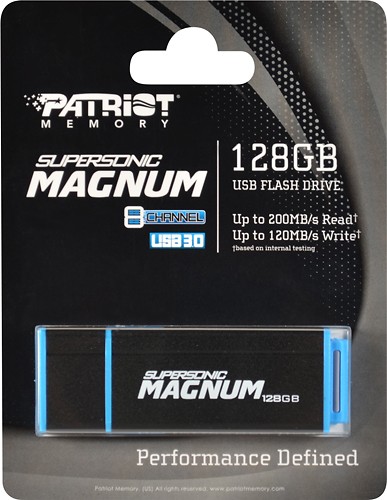
Heres the USB 3.0 thumb drive i bought:
3603358cv1a.jpg
 

thelastjuju

Senior member
Nov 6, 2011
444
2
0
Is it formatted in FAT32? If so, its because there is a file size limitation.

You'd have to reformat the drive in NTFS, then the file limit will be gone.. however the trade off is, you won't have full MAC <--> Windows compatibility if that's even a concern.
 

undertow917

Junior Member
Jun 12, 2012
5
0
0
Don&#8217;t use NTFS for flash drives, use exFAT.

Got it!

Last question; what allocation unit size should i be using for maximum transfer rate (default seems like 128kb)? I'll be using it exclusively for large size files above 1gb.
 

BFG10K

Lifer
Aug 14, 2000
22,709
3,005
126
Last question; what allocation unit size should i be using for maximum transfer rate (default seems like 128kb)? I'll be using it exclusively for large size files above 1gb.
Honestly, I'd leave it at default.

Why not? I use NTFS simply because my Blu-ray player doesn't understand exFAT.
exFAT was designed specifically for flash drives. It has a small footprint while addressing most of FAT32's limitations.

NTFS has a higher storage and processing overhead. It'll use more space and won't run as fast because it'll perform a lot more writes due to being a journaling file system.

My flash drives write about 50% faster on exFAT compared to NTFS, and more of the drives' space is usable too.
 

Golgatha

Lifer
Jul 18, 2003
12,424
1,110
126
Honestly, I'd leave it at default.


exFAT was designed specifically for flash drives. It has a small footprint while addressing most of FAT32's limitations.

NTFS has a higher storage and processing overhead. It'll use more space and won't run as fast because it'll perform a lot more writes due to being a journaling file system.

My flash drives write about 50% faster on exFAT compared to NTFS, and more of the drives' space is usable too.

Yeah, if you don't care about permissions or security on your flash drive files, exFAT is the way to go in most cases.
 

Yellowbeard

Golden Member
Sep 9, 2003
1,542
2
0
NTFS has a higher storage and processing overhead. It'll use more space and won't run as fast because it'll perform a lot more writes due to being a journaling file system.

This could be a bit of a concern over the long term if you are worried about excessive NAND wear causing the drive to age prematurely.
 

Coup27

Platinum Member
Jul 17, 2010
2,140
3
81
NTFS has a higher storage and processing overhead. It'll use more space and won't run as fast because it'll perform a lot more writes due to being a journaling file system.

My flash drives write about 50% faster on exFAT compared to NTFS, and more of the drives' space is usable too.
What I did may not have been an accurate test, but I have a Patriot Supersonic 32GB USB3 drive and I ran CDM on it with the drive formatted in both NTFS and exFAT and the scores were identical..
 

BFG10K

Lifer
Aug 14, 2000
22,709
3,005
126
What I did may not have been an accurate test, but I have a Patriot Supersonic 32GB USB3 drive and I ran CDM on it with the drive formatted in both NTFS and exFAT and the scores were identical..
I did an ISO file copy onto my USB2 flash drives. On NTFS Windows was writing at 6-7MB/sec and on exFAT it was writing 9-10MB/sec.
