
• We’re currently investigating an issue related to the forum theme and styling that is impacting page layout and visual formatting. The problem has been identified, and we are actively working on a resolution. There is no impact to user data or functionality, this is strictly a front-end display issue. We’ll post an update once the fix has been deployed. Thanks for your patience while we get this sorted.

Firefox randomly stopped drawing

Red Squirrel

No Lifer
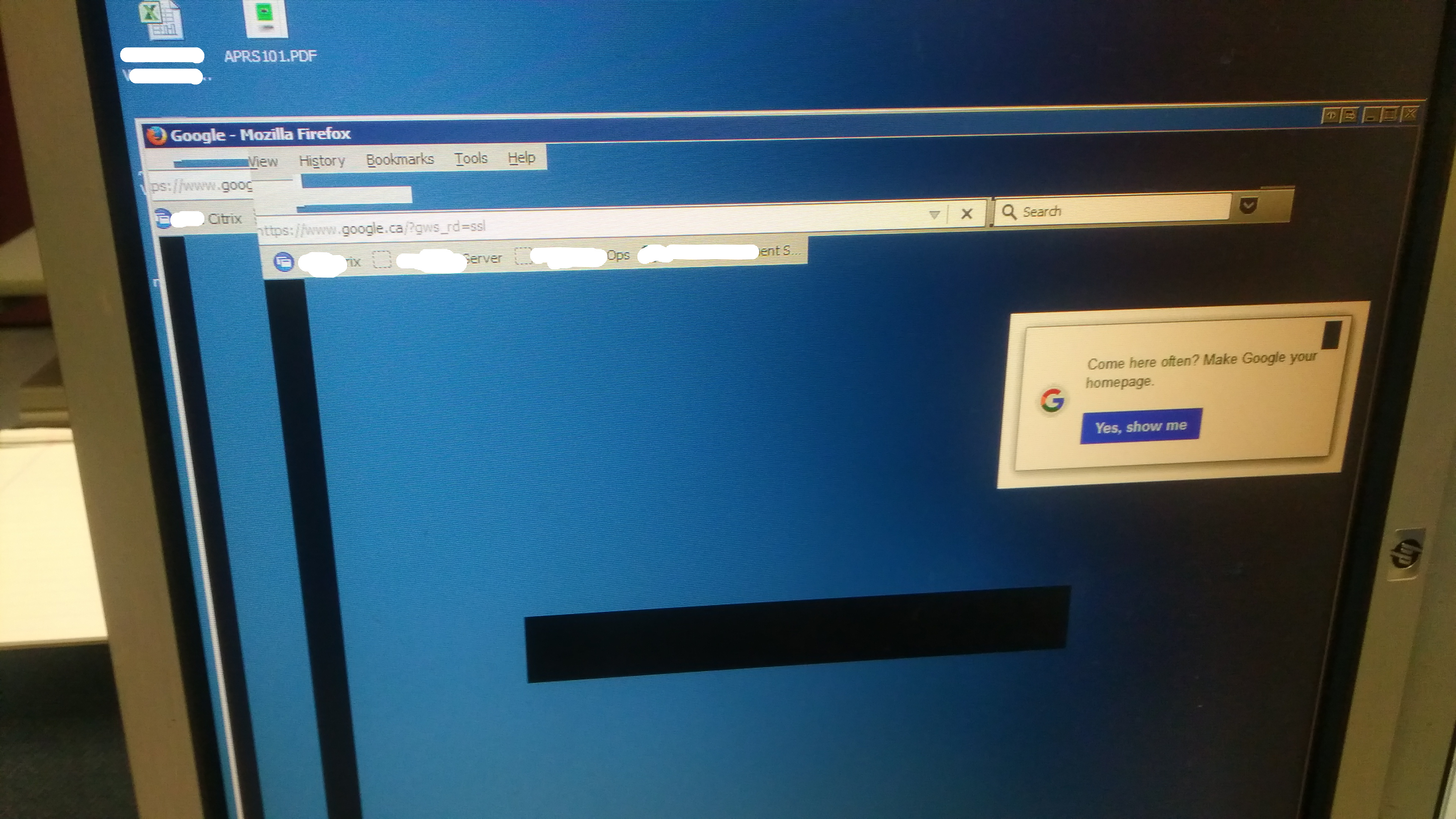
I was just making a ticket in a ticketing system at work, and suddenly it stopped drawing anything. Even if I close and open, all I get is this:


Is there a way I can fix that? Rebooting is NOT an option.

Failing that, is there a way I can gain access to the bookmarks? I need to get to a URL so I can finish my work in IE if I can't get this to work.
 
If this is Windows, you could access the bookmarks under appdata/Mozilla/profile folder. It will be in JSON format though.

I would try to launch FF in safe mode by pressing and holding shift while it boots. It will ask you if you want to use safe mode. Or. I would download that version of FF and copy/replace the core files.

Are you having any HDD trouble recently?
 
Install a portable firefox version and see if you can import from the .json or .jsonlz4 file located in old Firefox installation

http://portableapps.com/apps/internet/firefox_portable

Open Bookmarks menu, Show All Bookmarks, then Import and Backup , Restore, Choose File...

===

old bookmark location

C:\Users\username\AppData\Roaming\Mozilla\Firefox\Profiles\xxxxxxx.default\bookmarkbackups
 
It ended up working after a while, though I had a coworker who it used to happen all the time, and he ended up having to get his machine rebuilt. So I'm hoping I don't have to go through that too. We managed to get more ram a while back otherwise my first thought would be that it's a memory issue. We only had 4GB before and FF will happily use 2+ most of the time.

Did a bookmark backup now, the json file is human readable so that's good to know. Never really occurred to me to even try to open it.

I'll try CTRL+B next time it happens. Does that initiate some kind of refresh?
 
That does indeed sound like a RAM issue. I had one stick of bad RAM once and it was causing all kinds of weird things.
 
Suppose at the end of my set of shifts it would be worth to run a memtest, might do that. Got one more shift left then I'll just leave a memtest on while I'm gone and ask someone to check and if there's errors get help desk to figure it out. 😛

I have a feeling the ram is not paired properly either, as they just added more ram, went from 4 to 6. 6 is kinda an oddball number. Did not open to check number of slots or size of sticks though but I presume it had 2 x 2GB and they stuck in another 2GB.
 
Probably a GDI resource leak. The old versions of Firefox used to have severe problems with that, after a "while" of browsing.

Once it happens, though, even launching IE, will have the same problem.
 
Hmm is GDI leak an issue in 7? I know it was bad in XP and below. I used to run out of GDI resources all the time here because of all the windows we have open.

The machine has been running for over 2 weeks straight so maybe a reboot will fix it. I have one more shift to go so hopefully it can tough it.
 
Back
Top