Originally posted by: Scouzer
Blah, I tried Puppy Linux off a live CD and it nuked my Windows install [...] How the F that happened, I don't know... what a piss off [...] Now I have to format, I formatted only three weeks ago =\
Heh! Hard to say what you did (or didn't do) ...
😀
If you're trying to multi-boot your drive, here are some tricks I use that work every time.
Basically, what I do is
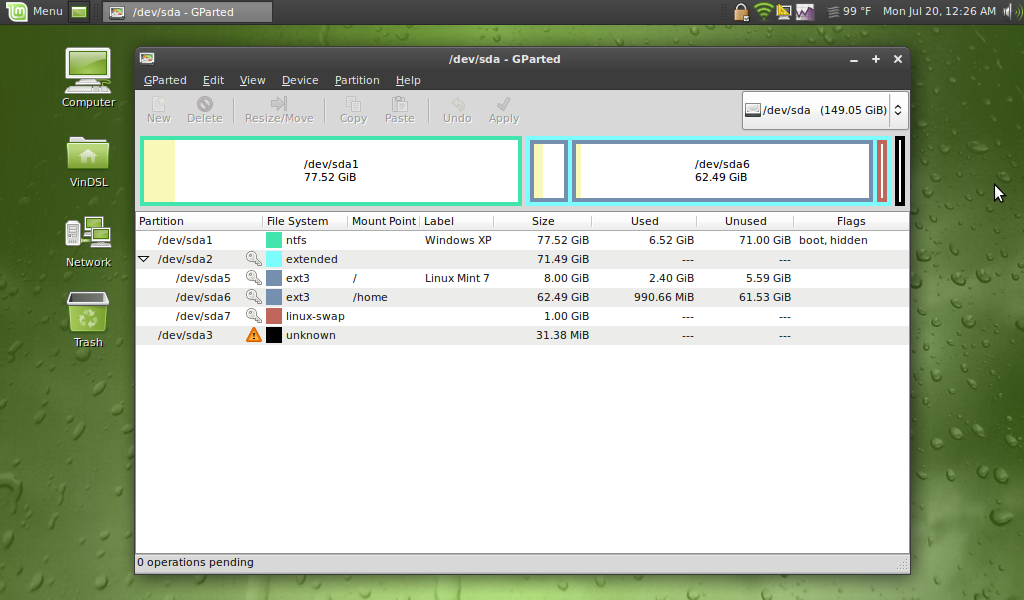
'hide' the partitions from each other during installation using GParted - then I
edit the GRUB bootloader to 'hide' and 'unhide' the partitions from each other during subsequent boot ups. And, I always
write GRUB to the MBR!
GRUB is akin to a MSDOS batch file. GRUB is very powerful and very easy to manipulate using a text editor - just like a Windows batch file.
Simple pimple once you get the concept down!
Do these 2 or 3 things and you'll never have a problem...
Now... If you DO NOT hide the partitions from each other during installation and (later) during each boot up (which most ppl don't) Linux will tend to write data to free blocks in Windows partitions, and Windows will do the same thing in Linux partitions.
Not hiding your partitions is just asking for trouble! It's particularly vexing and problematic when your drive is fragmented - like a ticking time-bomb waiting to explode!
Sometimes (and I mean
sometimes) you can get away with multi-booting a drive without hiding the partitions during installation and boot up, but more often than not, in the long run a multi-booted setup will fail if you don't hide the partitions from each other. Might take a minute, a month, or a year, but you WILL have problems down the road, guaranteed!
Conversely, if you 'hide' and 'unhide' your partitions, you can run as many OSs on your drive as you want.
This guy multi-booted 145 operating systems on his PC:
- 3 - Dos
- 5 - Windows
- 137 - Linux
Using this simple principal!
SOURCE:
http://www.justlinux.com/forum/showthread.php?t=150551
Your PC should be able to handle 2 or 3 OSs, yes?
😉