luv2liv
Diamond Member
I have a computer with Windows 2003 server edition installed.
on static IP, it shows speed of 10mbps.
on auto IP assigned, it shows speed of 1000mbps.
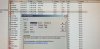
regardless of static or not, it cannot get onto the network nor the internet. Error as seen in the attached image.
is the NIC card bad?
another interesting thing i noticed was that the FortiNet 90D wifi was showing yellow light for the port the PC was connected to. I swapped cat5 cable but that did not help. I also tried another port and the yellow light follows whichever port i plug the PC into the FortiNet.
the issue started from nowhere and now im stumped
on static IP, it shows speed of 10mbps.
on auto IP assigned, it shows speed of 1000mbps.
regardless of static or not, it cannot get onto the network nor the internet. Error as seen in the attached image.
is the NIC card bad?
another interesting thing i noticed was that the FortiNet 90D wifi was showing yellow light for the port the PC was connected to. I swapped cat5 cable but that did not help. I also tried another port and the yellow light follows whichever port i plug the PC into the FortiNet.
the issue started from nowhere and now im stumped