• We’re currently investigating an issue related to the forum theme and styling that is impacting page layout and visual formatting. The problem has been identified, and we are actively working on a resolution. There is no impact to user data or functionality, this is strictly a front-end display issue. We’ll post an update once the fix has been deployed. Thanks for your patience while we get this sorted.

deleteing a file in Ubuntu

thescreensavers

Diamond Member
I try to delete a file off my Flash drive, it no longer appears but it isnt removed from the drive

I plug my dive into a W7 computer and its in a Trash folder which is hidden.

What step am I missing?
 
Heh!

I just select the file(s), and hit the Delete Button on my keyboard. Poof!

rm works nicely too... too nicely, actually! It's the most dangerous command in Linux. 😉

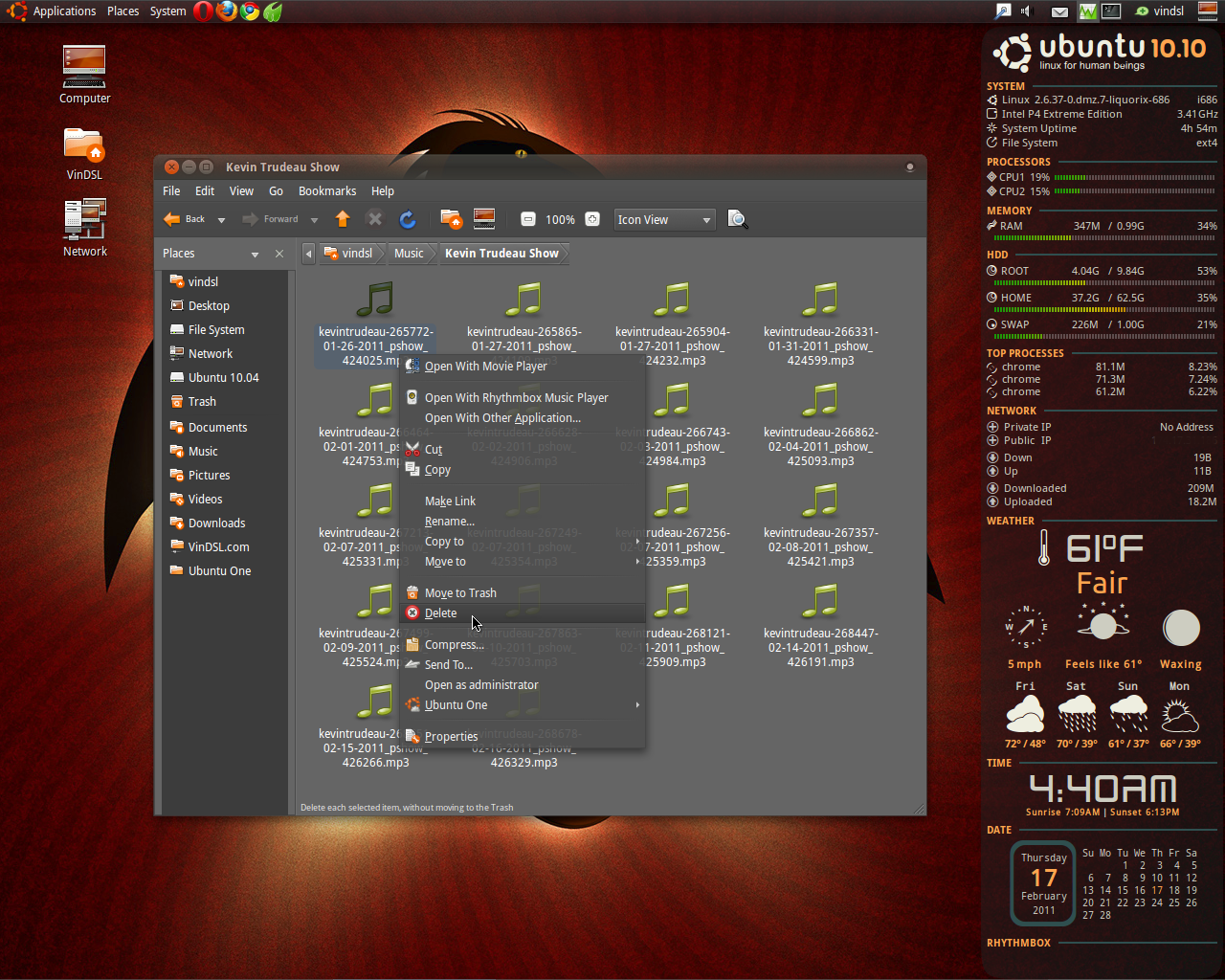
Of course, the simplest way is to add a Delete Button to Nautilus (in the prefs)...


vindsl-nautilus-delete-button.png
 
Last edited:
^ Yea thats what I did, but it just moved the files to the .trash folder, so I am not exactly sure how to delete them off the drive, I used a Windows computer afterwards to actually delete it lol.

Anyhow I am done using Ubuntu, only needed it until I got my other HD back.


Thanks for the help
 
hmm, maybe were is the trash on here? In windows it actually deletes from the drive lol


Actually windows doesn't delete the file either unless you empty the recycle bin/trash before ejecting/safely removing the drive. If you were to plug the drive into a ubuntu machine having deleted the file in windows and not emptying the recycle bin you would see a "RECYCLER" folder on the drive which is basically windows version of the ".trash" folder.

By default on a fresh ubuntu install prior to the unity interface the trash icon is on the bottom panel at the right edge of the screen under the new ubuntu the trash icon is the last icon in the unity panel right clicking either will give you the option to empty the trash.
 
Last edited:
Back
Top