Windows 10 updates appears to have upset my standalone music DAW computer after needing to put the computer online to download an AMP simulator program. Anyway to cut a long story short I restored the computer back to earlier date - pre the updates and then found my 'D' drive had been renamed 'I' so using AOMEI I renamed the drive and hey presto everything worked for about a couple of hours saved my work then shut down the computer as normal. When restarting my computer later the D drive is now inaccessible and restore will not work - any ideas please that don't want me to reformat as I have thousands of hours of data on my D drive and don't want to lose any of it? Please help somebody !!!


Question D drive inaccessible
- Thread starter VikkiB
- Start date
You are using an out of date browser. It may not display this or other websites correctly.
You should upgrade or use an alternative browser.
You should upgrade or use an alternative browser.

Thank you for your reply - The D drive is still there with all the data on but the files cannot be accessed it says the drive is 'inaccessible' There are 4 partitioned drives for different aspects of my work - the only drive that is inaccessible is the D drive and system restore won't work either now - it says that there is virus checker running in the background but there isn't? because it is a computer for recording music it is usually kept off line with nothing running in the background so that nothing is picked up in the recordings!!Did your D drive stop working, or was it renamed again? How many other drives do you have in this pc?

mindless1
Diamond Member
- Aug 11, 2001
- 8,850
- 1,817
- 136
Disable windows updates for any mission critical system. Maintain offline backups for any mission critical data.
Something is odd, changing drive letter should just mean using the different drive letter for access.
Go into Disk Management and see if the drive is listed, and what it states. I wonder if AOMEI did something more to the drive than it should have, and I wonder why you would have used that when windows itself is capable of merely changing the assigned driver letter.
Beyond that, I would connect the drive to another system to see if it can be accessed. Make SURE the other system has "Autorun" disabled, because I am wondering if this virus checker is really ransomware and has encrypted your files or something... which is another reason why an offline backup is so important, once you are sure your system is free from malware so it doesn't just mess with your backup too when you connect it.
So...
1) This AMP simulator, did you install it? You might upload to virustotal to see if it's got malware in it.
2) Indentify whatever this unexpected virus scanner is, from the list of running processes in task manager. Maybe just Windows Defender/something, or maybe the malware itself.
3) Run a virus and malware scanner on the system.
4) No reason to reformat it, that does not solve anything. If there is just some logical problem, "maybe" AOMEI can fix it but I would hesitate to try that until other potential avenues are pursued (depending on what windows' Disk Management shows for the drive).
5) Possibly I am lost on a tangent and the first thing to do is check and replug the data cable to the drive and motherboard, or try a different cable, with system powered off at the time of course (power switch on PSU flipped off, or surge strip power switch, or unplug from wall, but then make sure to ground yourself before working in the PC, especially if there's a lot of ESD, static electricity in the room).
Something is odd, changing drive letter should just mean using the different drive letter for access.
Go into Disk Management and see if the drive is listed, and what it states. I wonder if AOMEI did something more to the drive than it should have, and I wonder why you would have used that when windows itself is capable of merely changing the assigned driver letter.
Beyond that, I would connect the drive to another system to see if it can be accessed. Make SURE the other system has "Autorun" disabled, because I am wondering if this virus checker is really ransomware and has encrypted your files or something... which is another reason why an offline backup is so important, once you are sure your system is free from malware so it doesn't just mess with your backup too when you connect it.
So...
1) This AMP simulator, did you install it? You might upload to virustotal to see if it's got malware in it.
2) Indentify whatever this unexpected virus scanner is, from the list of running processes in task manager. Maybe just Windows Defender/something, or maybe the malware itself.
3) Run a virus and malware scanner on the system.
4) No reason to reformat it, that does not solve anything. If there is just some logical problem, "maybe" AOMEI can fix it but I would hesitate to try that until other potential avenues are pursued (depending on what windows' Disk Management shows for the drive).
5) Possibly I am lost on a tangent and the first thing to do is check and replug the data cable to the drive and motherboard, or try a different cable, with system powered off at the time of course (power switch on PSU flipped off, or surge strip power switch, or unplug from wall, but then make sure to ground yourself before working in the PC, especially if there's a lot of ESD, static electricity in the room).
Last edited:
Thank you for your reply- Could ransomeware have been downloaded with the amp.simulator then?. I have always used AOMEI pre windows 10 I have always found it very useful especially when I first upgraded from 8 to 10 to iron out some issues but it has all worked admirably for several years until I downloaded that amp and all the updates came down too!!! Funny thing is I had windows updates turned off and somehow they were turned back on again to allow the updates - curious how the drive name was changed from D toDisable windows updates for any mission critical system. Maintain offline backups for any mission critical data.
Go into Disk Management and see if the drive is listed, and what it states. I wonder if AOMEI did something more to the drive than it should have, and I wonder why you would have used that when windows itself is capable of merely changing the assigned driver letter.
Beyond that, I would connect the drive to another system to see if it can be accessed. Make SURE the other system has "Autorun" disabled, because I am wondering if this virus checker is really ransomware and has encrypted your files or something... which is another reason why an offline backup is so important, once you are sure your system is free from malware so it doesn't just mess with your backup too when you connect it.
I. I will have another look and take some photos see if anyone can spot what's wrong.
mindless1
Diamond Member
- Aug 11, 2001
- 8,850
- 1,817
- 136
I've added more to my prior post.
I don't know anything about your AMP simulator, but you can upload the file to VirusTotal 'site to have it scanned for malware if not too large a file size to do so, and you mentioned "it says that there is virus checker running in the background but there isn't? ", which seems suspicious. What stated there is a virus checker running, and what makes you think there isn't?
Was it a browser page for a website? One of those scam pages that states you are infected or to click to install something? Don't do that. If it was a webpage stating Windows update also do not do that (unless you manually/intentionally went to Microsoft's site to get updates. Any unintended message through a browser redirect is also likely to be malware. You may already realize this but I thought it worth mentioning.
I don't know anything about your AMP simulator, but you can upload the file to VirusTotal 'site to have it scanned for malware if not too large a file size to do so, and you mentioned "it says that there is virus checker running in the background but there isn't? ", which seems suspicious. What stated there is a virus checker running, and what makes you think there isn't?
Was it a browser page for a website? One of those scam pages that states you are infected or to click to install something? Don't do that. If it was a webpage stating Windows update also do not do that (unless you manually/intentionally went to Microsoft's site to get updates. Any unintended message through a browser redirect is also likely to be malware. You may already realize this but I thought it worth mentioning.
When I tried to run system restore it said it couldn't run as there is a virus checker running - but previous system restores ran OK- I thought running the system restore again might enable me to access the D driveI've added more to my prior post.
I don't know anything about your AMP simulator, but you can upload the file to VirusTotal 'site if not too large a file size to do so, and you mentioned "it says that there is virus checker running in the background but there isn't? ", which seems suspicious. What stated there is a virus checker running, and what makes you think there isn't?
Was it a browser page for a website? One of those scam pages that states you are infected or to click to install something? Don't do that.
mindless1
Diamond Member
- Aug 11, 2001
- 8,850
- 1,817
- 136
Once again I have added more to my prior post, am always editing posts for a while... 
Identify what this virus checker is that is running. If it looks legitimate, let it finish. If it doesn't, kill the process immediately. If infected you could have multiple other malwares too, which is probably beyond the scope of a forum post to solve, OR it could have nothing to do with what I've written and just be that AOMEI did something wrong, or you have a hardware cable or drive problem.
The HDD manufacturer's diagnostic program is something else to try, to see if it finds anything wrong.
Identify what this virus checker is that is running. If it looks legitimate, let it finish. If it doesn't, kill the process immediately. If infected you could have multiple other malwares too, which is probably beyond the scope of a forum post to solve, OR it could have nothing to do with what I've written and just be that AOMEI did something wrong, or you have a hardware cable or drive problem.
The HDD manufacturer's diagnostic program is something else to try, to see if it finds anything wrong.
Not pages - just system restore messagesI've added more to my prior post.
I don't know anything about your AMP simulator, but you can upload the file to VirusTotal 'site to have it scanned for malware if not too large a file size to do so, and you mentioned "it says that there is virus checker running in the background but there isn't? ", which seems suspicious. What stated there is a virus checker running, and what makes you think there isn't?
Was it a browser page for a website? One of those scam pages that states you are infected or to click to install something? Don't do that. If it was a webpage stating Windows update also do not do that (unless you manually/intentionally went to Microsoft's site to get updates. Any unintended message through a browser redirect is also likely to be malware. You may already realize this but I thought it worth mentioning.
mindless1
Diamond Member
- Aug 11, 2001
- 8,850
- 1,817
- 136
Okay, ID what this virus scanner is and whether it should be allowed to continue running or not. If it's really malware that is corrupting/encrypting your files, that could explain this, OR it could just be that a legit virus scanner is indeed, keeping System Restore from working. I don't know that much about system restore, never use it, instead make full OS partition backups to handle such occasions.
I think it would help to remove this system from the equation and mount the drive on another system to see if it can access the files.
I think it would help to remove this system from the equation and mount the drive on another system to see if it can access the files.
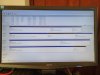
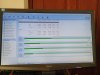
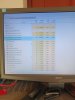
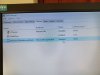
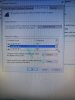
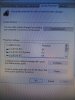

WilliamM2
Diamond Member
- Jun 14, 2012
- 3,031
- 897
- 136
I don't see anything odd. Looks like it's defender running in the background.
But system protection is OFF, that alone means you will not be able to run a system restore.
Put it in another comp to see if you can access files. If not, you've learned the value of backing up all your files on a separate drive.
But system protection is OFF, that alone means you will not be able to run a system restore.
Put it in another comp to see if you can access files. If not, you've learned the value of backing up all your files on a separate drive.
mindless1
Diamond Member
- Aug 11, 2001
- 8,850
- 1,817
- 136
^ Take a look at that last pic again, system protection is on for the relevant C: OS partition.
I didn't notice anything wrong in the pics, but normally a system restore woldn't help just to access a drive, unless that drive is on a different controller with different driver. I mean change the drive letter, seems plausible but even with a different drive letter assigned, otherwise would be equally readable UNLESS you had some conflict where two volumes were assigned the same drive letter but I don't see that in your pics.
Just for the heck of it, you could assign some new letter to it , something further along the alphabet, leaving a few letters gap in case removable media or whatever occupies letters after I, skip a few letters and pick closer to "Z:".
I'd still try a different computer, or maybe to take a shortcut and rule out that particular (SATA?) port the drive is connected on, swap the cable and port for that, with another working drive (but not the C: OS drive) with power off.
I didn't notice anything wrong in the pics, but normally a system restore woldn't help just to access a drive, unless that drive is on a different controller with different driver. I mean change the drive letter, seems plausible but even with a different drive letter assigned, otherwise would be equally readable UNLESS you had some conflict where two volumes were assigned the same drive letter but I don't see that in your pics.
Just for the heck of it, you could assign some new letter to it , something further along the alphabet, leaving a few letters gap in case removable media or whatever occupies letters after I, skip a few letters and pick closer to "Z:".
I'd still try a different computer, or maybe to take a shortcut and rule out that particular (SATA?) port the drive is connected on, swap the cable and port for that, with another working drive (but not the C: OS drive) with power off.

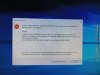
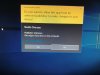
Initially I will try to make sure that windows defender is switched off so I can try the system restore again. If that doesn't work I will change the drive letter again !! Redirecting the files to the new drive letter which will be an absolute pain as all the songs will have to be redirected!! If that doesn't work I will disconnect the drive - run the system restore. Try the drive in another computer!! I will give up after all that!! Lol
TRENDING THREADS
-
 Discussion Zen 5 Speculation (EPYC Turin and Strix Point/Granite Ridge - Ryzen 9000)
- Started by DisEnchantment
- Replies: 25K
-
Discussion Intel Meteor, Arrow, Lunar & Panther Lakes + WCL Discussion Threads
- Started by Tigerick
- Replies: 24K
-
 Discussion Intel current and future Lakes & Rapids thread
- Started by TheF34RChannel
- Replies: 23K
-

-


AnandTech is part of Future plc, an international media group and leading digital publisher. Visit our corporate site.
© Future Publishing Limited Quay House, The Ambury, Bath BA1 1UA. All rights reserved. England and Wales company registration number 2008885.
 Facebook
 Twitter